-01%201.svg)
Key Takeaways
- Tally Prime vs Tally ERP 9 — The Core Difference: Tally Prime replaces ERP 9 as Tally Solutions' primary product. Prime adds native e-invoicing, e-Way Bill creation, GSTR-2B import and reconciliation, browser-based access, and a searchable GoTo interface. ERP 9 continues to receive statutory compliance updates but no new feature development. Businesses on ERP 9 are not at immediate risk of non-compliance for existing filings, but they cannot access Prime's compliance automation without upgrading.
- The Most Common Misconception — Silver Handles Multiple Staff: Silver is a single-concurrent-user licence. If two people need to open Tally simultaneously, you need Gold. The licence violation risk is real, and Gold is priced at ₹54,000 + GST (fresh) versus Silver at ₹18,000 + GST.
- Time-Sensitive: E-Invoicing Applies At ₹5 Crore Turnover: As of 1 August 2023, e-invoicing is mandatory for taxpayers whose aggregate turnover exceeded ₹5 crore in any financial year from FY 2017–18 onwards. An IRN cannot be cancelled after 24 hours of generation. Tally Prime generates IRNs natively.
- High-Impact Edge Case — TDL Add-Ons Do Not Auto-Migrate: Custom TDLs built for ERP 9 will not function in Tally Prime without modification. Budget time and cost for your TDL developer to assess and rework add-ons before go-live. Deeply customised invoice layouts and ODBC-dependent integrations also require review.
- The Tally Prime Silver vs Gold Decision Rule: Choose Gold if any two people need to access Tally at the same time, or if Tally runs on a server accessed via RDP, Terminal Services, Citrix, or a virtual machine. Choose Silver only for a single operator on a standalone machine. Annual TSS renewal is ₹3,600 + GST for Silver and ₹10,800 + GST for Gold.
Tally Prime vs Tally ERP 9: The Difference, Explained
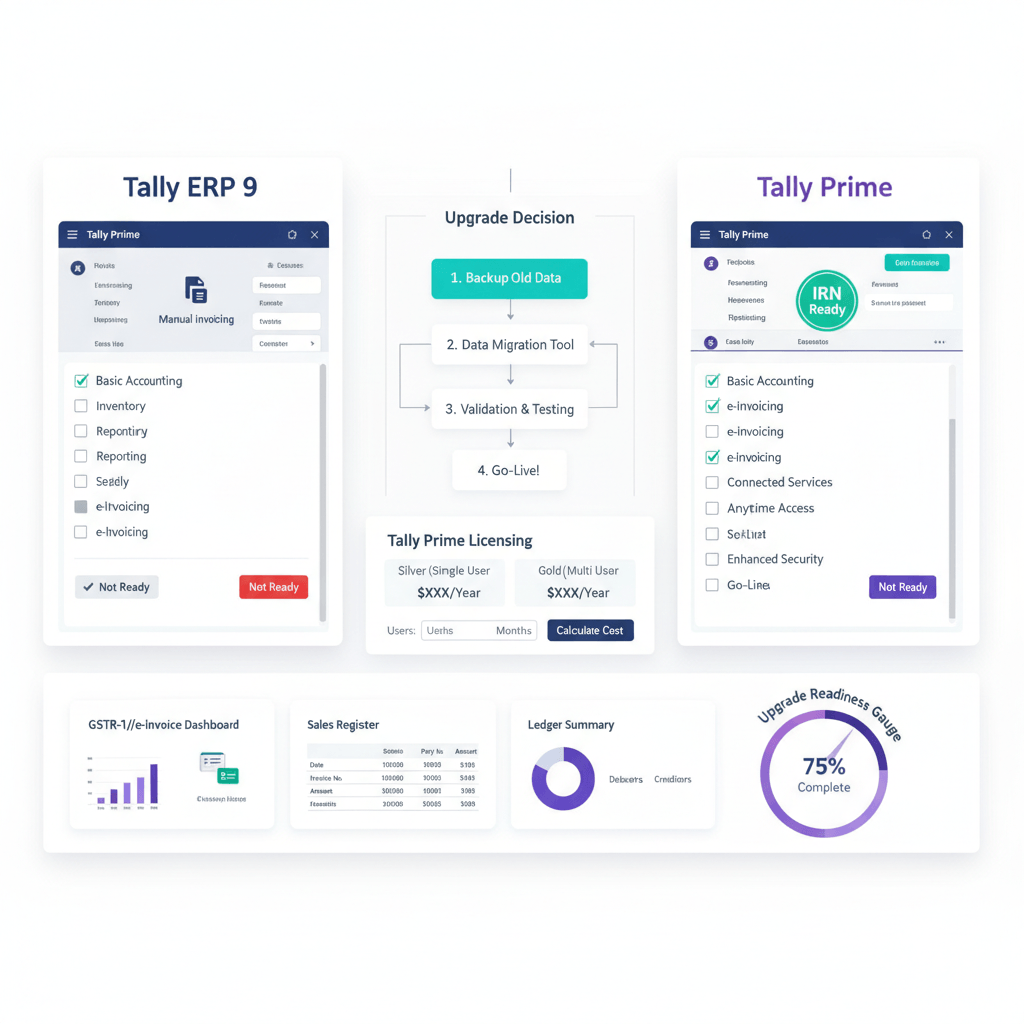
Tally Prime and Tally ERP 9 share the same underlying data architecture, but Prime is the live product and ERP 9 is in maintenance mode. The table below covers the differences that affect day-to-day operations.
Prime is where new compliance and feature work ships, ERP 9 is kept compliant but not advanced.
| Feature | Tally ERP 9 | Tally Prime | Operational Impact |
|---|---|---|---|
| User Interface | Text-heavy, hierarchical menus | Graphical, consistent across modules, keyboard-friendly | Faster data entry, shorter onboarding for new staff |
| Navigation | Deep menu paths | GoTo instant search to any report or function | Eliminates memorising menu paths, reduces task-switch time |
| e-Invoicing (IRN) | Requires external tools or add-ons | Native IRP integration, online and offline modes | Mandatory compliance without manual portal entry |
| e-Way Bill | External tools or manual upload | Native generation, extension, cancellation | Faster logistics clearance, fewer manual errors |
| Browser Access | Not available natively | Secure access from any browser with active TSS | Remote work and real-time data for management |
| GSTR-2B Reconciliation | Manual export/import | Native import and matching with purchase register | Faster ITC claim verification, fewer mismatches |
| Reporting | Standard reports, limited customisation | Drill-down, on-the-fly view changes | Decision-making without exporting to spreadsheets |
| Performance | Adequate for small data sets | Optimised for large data and multi-user environments | Faster report generation under load |
| TDL/Add-on Updates | ERP 9-specific | Requires TDL migration, tools provided by Tally | One-time upgrade cost, future-compatible thereafter |
| New Feature Delivery | Statutory updates only | All compliance and feature releases | Future-proofed for rule changes |
Verdict — five things that matter operationally:
- E-invoicing compliance: Prime generates IRNs directly from the voucher screen. ERP 9 cannot do this without third-party add-ons.
- GSTR-2B matching: Prime imports 2B data and reconciles it against your purchase register. ERP 9 requires manual workarounds.
- Navigation speed: GoTo search cuts report-access time significantly for teams who switch between Balance Sheet, ledger, and GSTR views constantly.
- Remote access: Browser-based access on Prime means your CFO or auditor can pull reports from anywhere with an active TSS subscription.
- Development trajectory: Prime receives all future updates. ERP 9 gets statutory patches, nothing more.
Upgrading to Prime closes the compliance gap. It does not, on its own, fix your slowest bookkeeping work — AP invoice entry, bank statement posting, and ITC matching at volume. AiA integrates with Tally Prime to bulk-ingest bills and bank statements, predict ledger allocations, and push verified entries back into Prime — so your team stops doing data entry and starts reviewing.
Tally Prime Silver vs Gold: Which Licence For Your Team Size And Workflows?
The choice between Tally Prime Silver and Gold comes down to one question: will more than one person ever need Tally open at the same time?
The Concurrency Rule
Silver is a single-concurrent-user licence. One person, one active session. Gold is a multi-user licence covering unlimited concurrent users over a Local Area Network. If your accounts executive is posting purchase invoices while your manager is running the Trial Balance, you need Gold. There is no in-between tier.
| Criteria | Silver | Gold |
|---|---|---|
| Concurrent users | 1 | Unlimited (LAN) |
| Installation | Single machine | Multiple machines on LAN |
| Browser access | Single user | Multiple users |
| RDP / Terminal Services / VM | Not supported for concurrent access | Supported |
| ODBC access | Single-user | Multi-user concurrent |
| TDL customisation | Single instance | All networked instances |
| Fresh licence price (India) | ₹18,000 + GST | ₹54,000 + GST |
| Annual TSS renewal | ₹3,600 + GST | ₹10,800 + GST |
Cloud And Virtual Environments
If Tally runs on a cloud server, RDP setup, Citrix, or any virtual machine, and more than one person logs in, you need Gold. This is a hard licensing requirement. Each concurrent session in a virtualised environment consumes one licence count from Gold's entitlement. Silver is not licensed for this use case.
Worked Example: Three-Person Accounts Team
An FMCG distributor with ₹8 crore annual turnover has three finance staff: one posting purchase invoices, one reconciling bank statements, and one preparing GSTR-1. All three work simultaneously on Tally installed on a shared server. Silver would mean only one person can work at a time. Gold covers all three with one licence at ₹54,000 + GST, with TSS renewal at ₹10,800 + GST per year. The annual incremental cost of Gold over Silver is ₹7,200 + GST in TSS — less than one lost working day in a month for any of the three staff.
Upgrade Pricing From ERP 9
If your TSS subscription is active on ERP 9, the upgrade path to Prime is available through your Tally partner. If TSS has lapsed, you will need to renew TSS for the ERP 9 licence first before the Prime upgrade is available. Confirm exact upgrade cost with your authorised Tally partner.
Common licensing queries:
Can I start with Silver and upgrade to Gold later without losing data?
Yes. Your company data and transaction history remain intact. The licence upgrade is a product key change on the same installation. Ask your Tally partner to process the upgrade.
Does Gold cover unlimited users or is there a cap?
Gold covers unlimited concurrent users on a LAN without a stated cap. In virtualised environments, each concurrent session consumes one entitlement, so the practical limit ties to those sessions and server capacity.
If only one person uses Tally but accesses it via RDP from home, do I need Gold?
If only one person ever accesses Tally at a time, Silver may be sufficient. However, official guidance recommends Gold for RDP environments to avoid licensing ambiguity. Confirm with your Tally partner before rollout.
Migration And Compatibility: Will Your Data, Add-Ons, And Vouchers Move Cleanly?
Tally Prime uses the same core data architecture as ERP 9, so ledgers, vouchers, opening balances, and transactions migrate through a built-in conversion process. The primary risk areas are TDLs and third-party integrations.
Step-By-Step Migration Checklist
- Full backup of ERP 9 data. Back up every company folder, store offline, this is your rollback point.
- Install Tally Prime on a test machine. Do not migrate on your live server first.
- Open ERP 9 data in Prime. Select the ERP 9 data path in Prime and initiate migration when prompted.
- Automatic data conversion. Expect 15 minutes to two hours per company depending on size and hardware.
- Verify migrated data. Check Trial Balance, P&L, Balance Sheet, and sample ledger drill-downs, cross-check against last month-end in ERP 9.
- Reindex or Repair if needed. Use Prime’s built-in utilities to resolve inconsistencies.
- TDL and add-on audit. Load each custom TDL individually and test its function. Plan developer time for fixes.
What Breaks And How To Handle It
Custom TDLs: ERP 9 TDLs rarely work unmodified in Prime. Complexity ranges from parameter tweaks to rewrites for UI-hooked add-ons.
ODBC integrations: Test every Excel, Power BI, or external query. Prime’s ODBC driver and report objects differ from ERP 9.
Custom invoice and report layouts: Validate every layout, including sales, purchase order, and delivery note prints, before go-live.
Parallel-Run Recommendation
Run ERP 9 and Prime in parallel for two to four weeks. Post live in Prime, keep ERP 9 as fallback. Reconcile weekly totals. Switch fully after a successful month-end close in Prime. Retain ERP 9 as a read-only archive for a period.
Will historical GST returns and e-Way Bill data from ERP 9 appear in Tally Prime after migration?
Voucher data moves to Prime. Filing history lives on the GSTN portal, not in Tally. GSTR-2B data previously imported may need to be re-imported in Prime for ongoing reconciliation.
How long does it take to migrate a company with five years of data?
Data conversion usually completes in one to three hours on a mid-range machine. With TDL updates, ODBC testing, and user familiarisation, most SMBs finish in one to two weeks.
GST And E-Invoicing On Prime: What You Gain Day To Day
Tally Prime’s native e-invoicing and GSTR-2B reconciliation remove manual steps that create the most compliance risk in Indian SMB finance. ERP 9 depended on external utilities and portal work.
E-Invoicing: IRN Generation Without Leaving Tally
When you save a B2B sales voucher, Prime connects to the IRP via API and returns the IRN and QR code directly to the voucher. The printed invoice carries both.
Key operational rules:
- E-invoicing is mandatory once aggregate turnover exceeds ₹5 crore in any FY from 2017–18 onwards.
- An IRN cannot be cancelled after 24 hours. Cancel within 24 hours or issue a credit note thereafter.
- Prime supports online API and offline JSON modes for unreliable connectivity scenarios.
Failure to issue an e-invoice when applicable attracts a penalty of ₹10,000 per instance or 100% of the tax due, whichever is higher.
E-Way Bill Integration
Prime generates, extends, and cancels e-Way Bills from the transport details on vouchers, including bulk generation for multiple invoices. The number updates back to the voucher on success, reducing rework.
GSTR-2B Reconciliation In Prime
The workflow:
- Download GSTR-2B for the month from the GST portal.
- Import the JSON into Prime’s GSTR-2B reconciliation screen.
- Prime compares 2B entries against your purchase register.
- Each line is tagged as matched, partially matched, or unmatched.
- Unmatched entries show the reason, for example GSTIN, invoice number, or amount variance.
- Post adjustments or flag for vendor follow-up within the same screen.
ITC is available only for invoices reflected in your 2B. If a supplier has not filed GSTR-1, their invoices will not appear in your 2B, and your ITC is blocked until they file. Interest on wrongly availed ITC is 18% per annum.
At 500+ purchase invoices per month, even Prime’s reconciliation becomes manual work. AiA ingests 2B data, matches to your register, auto-raises JVs for eligible ITC, and flags exceptions — so month-end closes without spreadsheet back-and-forth.
Can Tally Prime generate e-invoices for credit notes and debit notes?
Yes. IRN generation applies to credit and debit notes issued to registered B2B recipients. The 24-hour cancellation window also applies. Reference the original IRN in the note.
What if the IRP connection fails when generating an IRN?
Switch to offline mode, generate the JSON, and upload on the portal. When connectivity returns, you can bulk-generate IRNs online for saved vouchers. Generate the IRN before sharing the invoice with the buyer.
Total Cost And Outcomes: When To Move, Which Licence, And How To De-Risk The First Month
The best time to migrate is before your next GST return cycle or the start of a new quarter — mid-month cutovers create the highest IRN gap risk.
Licence Decision Summary
| Your Situation | Recommended Licence | Annual Cost (Licence + TSS) |
|---|---|---|
| Single operator, standalone PC | Silver | ₹18,000 + GST (one-time) + ₹3,600 + GST/year |
| 2–10 users on LAN | Gold | ₹54,000 + GST (one-time) + ₹10,800 + GST/year |
| RDP / VM / cloud server, any user count | Gold | ₹54,000 + GST (one-time) + ₹10,800 + GST/year |
| Single user accessing via RDP from home | Gold (recommended) | ₹54,000 + GST (one-time) + ₹10,800 + GST/year |
Two-Week Rollout Plan
Week 1 — Preparation and Migration
- Day 1–2: Full backup of ERP 9 company data. Confirm TSS status.
- Day 2–3: Install Prime on a test machine. Migrate a copy of company data.
- Day 4–5: Verify Trial Balance, P&L, Balance Sheet, and ledger drill-downs.
- Day 6–7: Engage TDL developer for add-on compatibility checks and layout fixes.
Week 2 — Training and Live Operations
- Day 8–9: Train users on GoTo, e-invoicing, and 2B import. Two hours per user is typically enough.
- Day 10–11: Begin parallel run. Post live in Prime, retain ERP 9 as fallback.
- Day 12–14: Reconcile totals, resolve TDL issues, switch fully to Prime.
System Requirements For Tally Prime
- OS: Windows 10 64-bit or later
- Processor: Intel Core i3 64-bit, 2.0 GHz or higher
- RAM: 4 GB minimum, 8 GB recommended for Gold environments
- Storage: 150 MB install footprint, SSD strongly recommended
Measurable Outcomes To Track In Month One
- Month-end close time: Target a 20–30% reduction.
- GSTR-2B mismatches: Track unmatched invoices toward zero.
- IRN errors or late generation: Target zero from Day 1.
- Wrongly availed ITC: Reduce to zero to avoid 18% interest.
- GSTR-1 / 3B late fees: Eliminate with structured preparation.
If I upgrade from ERP 9 Silver to Prime Silver, do I pay the full ₹18,000 again?
If your ERP 9 TSS is active, the upgrade to Prime Silver is covered under TSS. If TSS has lapsed, renew it first; the cost depends on the lapse duration, check with your Tally partner.
Does Tally Prime browser access work without a TSS subscription?
No. Browser access, statutory updates, e-invoicing connectivity, and new features require active TSS.
Related Reading
- Tally Prime Download: Versions, Install Steps, and Setup Guide
- TallyPrime Latest Version: Release, Download, And Upgrade Guide
- Tally Software: Price, Download, and When To Add Automation
References
- CBIC Notification No. 10/2023 – Central Tax, 10 May 2023
- CBIC Notification No. 13/2017 – Central Tax, 28 June 2017
- CGST Act 2017 — Section 16, Section 47, Section 50, Section 122
FAQ
What is the difference between Tally Prime and Tally ERP 9 for a business that does not need e-invoicing?
Even without e-invoicing, Prime delivers GoTo search, browser access, and improved drill-down reporting, which reduce daily friction. ERP 9 gets compliance updates only, so the feature gap will widen. For sub-₹5 crore turnover businesses, the navigation and reporting gains alone justify the move.
Can I run Tally ERP 9 and Tally Prime on the same machine simultaneously?
Yes. They are separate installations and can coexist. For parallel-run migration, open the company in only one at a time to avoid conflicts. After verification, you can retain ERP 9 as a read-only archive.
If my supplier has not filed GSTR-1, what happens to my ITC in Tally Prime?
The invoice will not appear in your GSTR-2B, so you cannot claim ITC until it appears in a later 2B. Prime’s reconciliation flags such invoices for vendor follow-up. Many teams pair this with an automation tool like AI Accountant to nudge suppliers and keep ITC clean.
Does switching from Silver to Gold require reinstalling Tally Prime?
No. It is a licence activation change on the same installation. Multi-user access unlocks immediately, and your data, settings, and TDLs remain as-is.
What is the penalty for not generating an IRN when e-invoicing is mandatory?
₹10,000 per instance or 100% of the tax due, whichever is higher. The buyer’s ITC is also at risk because the invoice is invalid without an IRN. Prime’s native IRP integration makes IRN generation part of voucher saving.
Can Tally Prime Gold handle 15 users accessing data over a VPN?
Yes, as long as VPN users appear on the LAN where the Tally server runs. Performance depends on bandwidth and server specs. For 10+ concurrent users, use SSD storage and at least 16 GB RAM.
How does GSTR-2B reconciliation in Prime help avoid interest under Section 50?
By restricting ITC to entries actually present in 2B, Prime prevents premature claims that trigger 18% interest. Teams often augment this with AI Accountant to auto-match, create JVs for eligible ITC, and isolate exceptions.
Is there a turnover threshold below which e-invoicing will never apply?
As per current notification, the threshold is ₹5 crore aggregate turnover in any financial year from FY 2017–18 onwards, with some excluded categories. Always confirm applicability for your business model.
What happens to my GSTR-1 data if I migrate mid-quarter?
Filing history lives on the GSTN portal. Ensure all vouchers from the pre-migration period reflect correctly in Prime before filing the next GSTR-1. A voucher-level reconciliation during the parallel run covers this.
Can Tally Prime Silver provide browser-based reports for more than one viewer?
Silver is licensed for a single concurrent user, including browser access. If a second person needs concurrent browser access, you require Gold. Non-concurrent viewing may be possible but is constrained by licensing terms.

Rohan Sinha is a fintech and growth leader building aiaccountant.com, focused on simplifying accounting and compliance for Indian businesses through automation. An IIT BHU alumnus, he brings hands-on experience across 0 to 1 product building, growth, and strategy in B2B SaaS and fintech.