-01%201.svg)
Key Takeaways
- Only download from the official portal, Tally Prime should be obtained from tallysolutions.com, not from mirrors or file-sharing sites.
- Choose the latest build unless an add-on blocks you, stay on 5.1 or 6.0 only if a critical third-party TDL has not certified compatibility with 6.1.
- ERP 9 to Prime migration moves forward, back up first because the converted Prime company cannot be opened in ERP 9.
- Licence and TSS are separate, the perpetual licence lets you run Tally Prime, TSS delivers GST, e-invoice, and TDS updates annually.
- Educational Mode is not for live books, it has date and entry limits, use it only for testing or training.
Tally Prime Download: The Short Answer
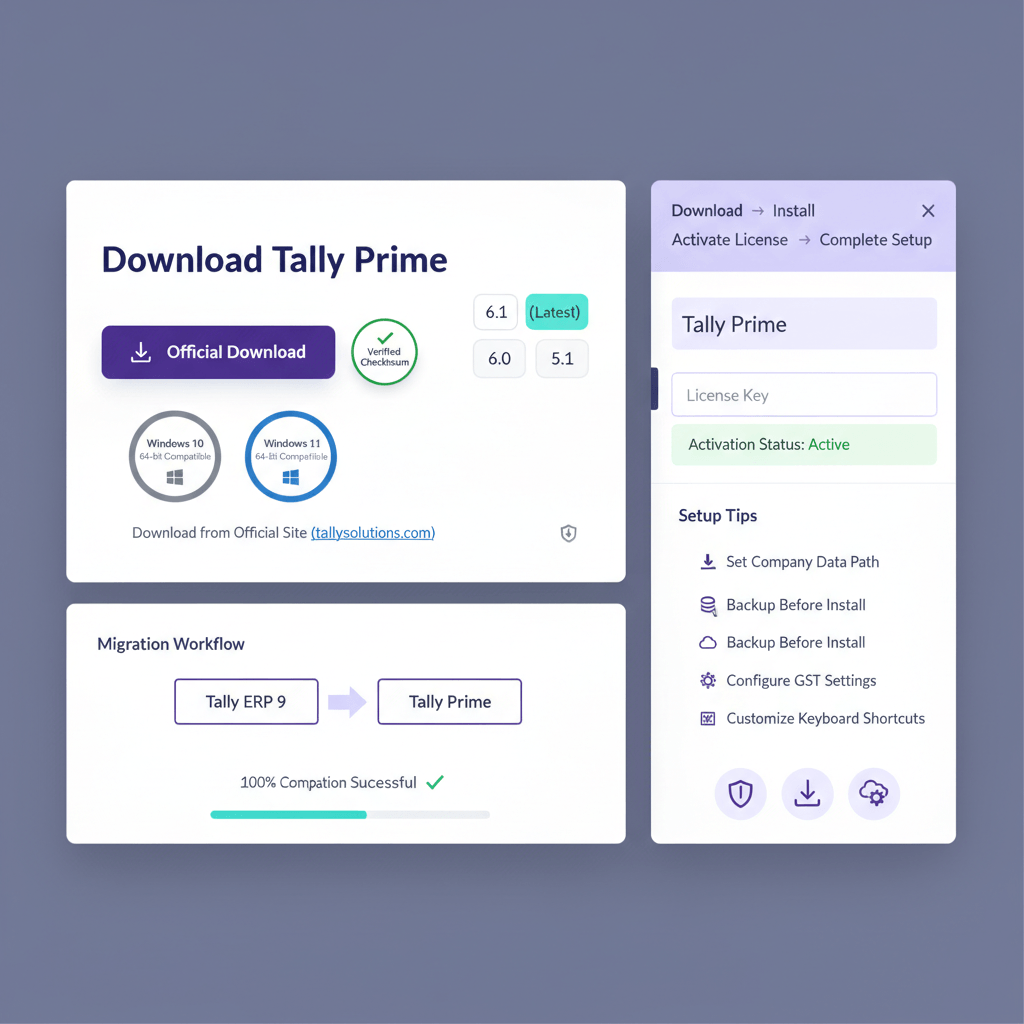
Tally Prime is downloaded from the official Tally Solutions portal at tallysolutions.com, the installer is free to obtain, you pay only for the licence and TSS. The default choice is the latest stable build, older builds such as 5.1 and 6.0 remain accessible for teams tied to specific TDLs.
- Official portal: tallysolutions.com/download
- Current stable: Tally Prime 6.1, as of 2025
- Older builds: 5.1, 6.0, available via the patch archive
- ERP 9: still downloadable for licensed users who need reinstallation or patch access
- Installer: Windows 64-bit executable
- Licence model: perpetual licence, annual TSS subscription for statutory updates
- Trial: Educational Mode with strict date and entry limits
The most common mistake: using an unofficial mirror, which often ships outdated GST formats and breaks e-invoicing. Always use the official portal.
Where To Safely Download Tally Prime
The only safe source is the official Tally Solutions portal. The site hosts current releases and a patch archive of prior builds, so you can standardize deployment across your firm while accommodating legacy add-ons.
Current And Archived Versions
Tally Prime 6.1 is the latest stable build, suitable for most SMBs and CA firms. If you rely on a third-party add-on that is not yet certified for 6.1, obtain 6.0 or 5.1 from the patch archive on the same portal. Use older builds only as a temporary bridge until your add-on vendor certifies 6.1.
Tally.ERP 9 download remains available to licensed ERP 9 users for reinstallation or patch-specific needs. New deployments should not start on ERP 9 because it no longer receives statutory updates.
How To Verify A Genuine Installer
- Right-click the downloaded .exe, choose Properties, open Digital Signatures, and confirm the signer is “Tally Solutions Private Limited”.
- Discard files without a valid Tally signature, or with a different signer.
- Expect a file size around 180–200 MB for 6.1, unusually small installers usually indicate tampering.
Step-By-Step: Download, Install, And Activate On Windows
Tally Prime supports Windows 10 and Windows 11, as well as Windows Server 2016 and above. A clean install takes under ten minutes on typical SMB hardware.
System Requirements
- OS: Windows 10 or 11, 64-bit, Windows Server 2016 or newer for multi-user
- CPU: Intel Core i3 or equivalent, 1 GHz minimum
- RAM: 2 GB minimum, 4 GB recommended for higher volumes
- Disk: 1 GB for app install, plan 10 GB or more for active company data
- Display: 1024 × 768 minimum
- Internet: required for activation and TSS updates, not required for daily entry after activation
The installer is self-contained, you do not need to preinstall separate frameworks.
Single-User Installation
- Download the installer from the official portal, verify the digital signature.
- Run the installer as Administrator to avoid permission issues.
- Accept the licence agreement, keep the default install path unless IT policy dictates otherwise.
- Complete installation, then launch Tally Prime.
- Activate your licence using your Tally Account credentials, online activation completes quickly on a stable connection.
- Confirm your TSS status on the Gateway of Tally screen to ensure statutory updates will flow.
Multi-User Deployment
- Designate one machine as the Tally Prime Server, it hosts the Gateway of Tally service on port 9000.
- Install Tally Prime on each client machine, clients consume the shared server licence.
- Open port 9000 on the server firewall, ensure the server stays on during working hours.
- Configure clients to point to the server IP, keep DHCP changes in mind after router reboots.
Upgrading From Tally.ERP 9 To Tally Prime
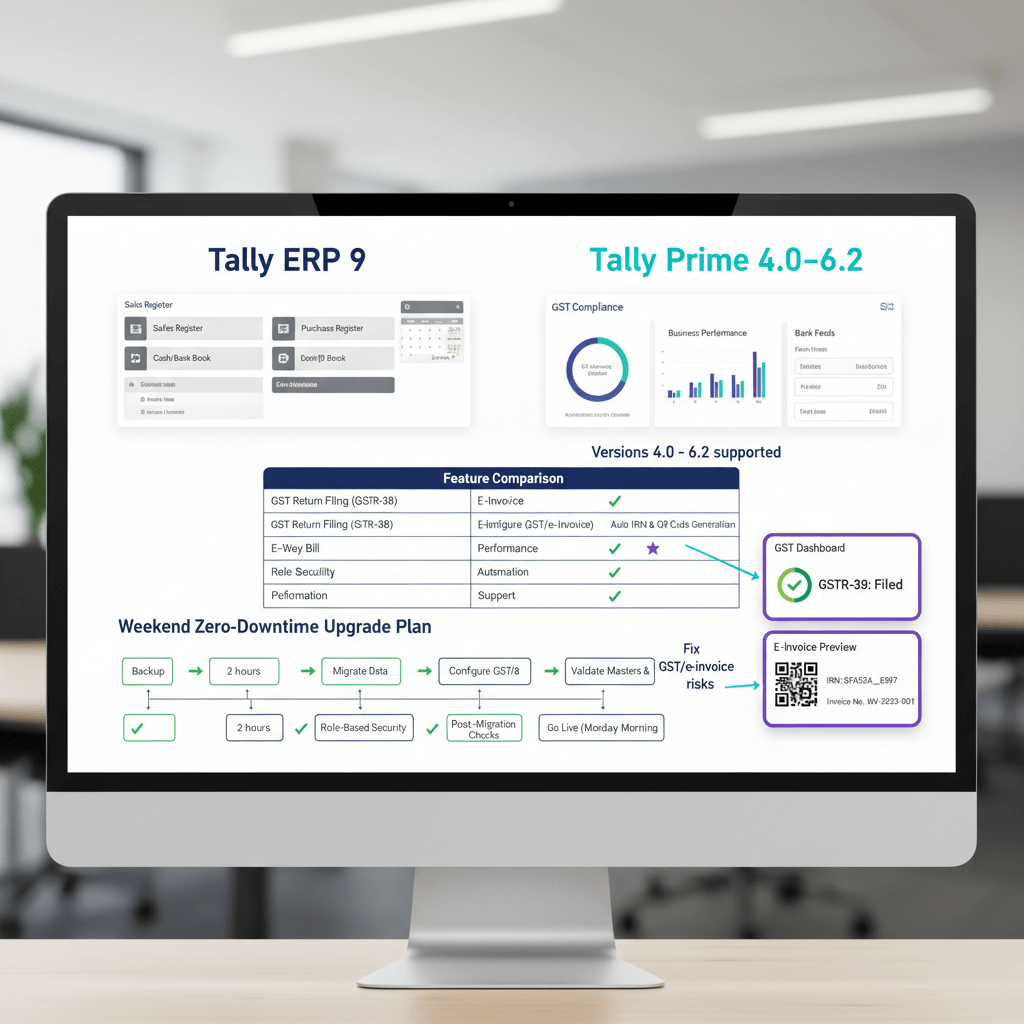
Tally Prime opens ERP 9 data and prompts a one-time forward migration. Inside Tally, this is irreversible, which is why a complete pre-migration backup is non-negotiable.
Back Up Before You Start
- Copy the entire ERP 9 company folder, including all subfolders, to an external or network location.
- Test the backup by opening it in ERP 9 before migration, do not discover corruption afterward.
What The Migration Does
- Reads ERP 9 data without modifying the original files.
- Converts structures to the Tally Prime format.
- Creates a new company folder in the Prime data path, leaving ERP 9 data intact on disk.
You can still open the original ERP 9 folder in ERP 9, however, you cannot open the migrated Prime company back in ERP 9.
When To Stay On 5.1 Or 6.0
- Only when a critical TDL or add-on is not certified for 6.1.
- Confirm the vendor roadmap and upgrade both Tally Prime and the add-on together once certified.
- Treat older builds as a short-lived bridge, not a long-term strategy.
Common Install And Activation Issues, Fast Fixes
SmartScreen Or Antivirus Warnings
Newly released executables may trigger Windows SmartScreen. Click More info, then Run anyway, after you confirm the digital signature shows “Tally Solutions Private Limited”. If your antivirus quarantines tally.exe or tallysrv.exe, add the installation directory and both executables to exclusions.
Admin Rights And UAC
Partial installs under a standard Windows account often leave the Gateway of Tally service unregistered. Uninstall, then reinstall and first-launch with Run as Administrator, approve UAC prompts.
Licence Not Available In Multi-User
This usually means clients cannot reach the server on port 9000. Ensure the Gateway of Tally service is running, open the firewall port, and verify the configured server IP after DHCP changes.
Offline Activation
If your network blocks outbound activation, generate an activation request file from Tally Prime, complete activation on an internet-connected machine using Tally’s portal, then import the response file back. Your Tally partner can guide you based on licence type.
After Install: Configure For Faster Close
Installation is step one, the first hour of setup determines whether month-end takes two days or two weeks.
GST And E-Invoicing Basics
Set GSTIN, registration type, and e-invoicing applicability at company creation. E-invoicing is mandatory for businesses crossing ₹5 crore annual turnover, effective 1 August 2023 per CBIC Notification No. 10/2023 – Central Tax. Once configured, Tally Prime can generate and push e-invoices to the IRP, returning IRN and QR code to the voucher.
GSTR-2B Reconciliation Cadence
GSTR-2B is generated on the 14th for the prior period, claim ITC aligned to 2B as the operational standard. Run reconciliation between the 14th and 20th, prioritizing supplier follow-ups for invoices missing in 2B. For capital goods partly used for exempt supplies, compute reversal under Section 17 and post to GSTR-3B Table 4(B), do not treat 2B matching as a substitute for Section 17 reversals.
To speed up reconciliation, consider matching GSTR-2B data against your purchase register with automated vendor and GSTIN matching, then resolve exceptions before filing.
Bank Reconciliation, Configure Early
Tally Prime supports bank statement import via CSV or Excel. Map your bank’s export columns once, then save the mapping for recurring imports. If your bottleneck is categorizing transactions, reduce manual effort using the manual ledger prediction step automation so that imported lines land in the right ledgers with fewer edits.
Audit-Readiness Settings
- Enable cost centres where departments or projects exist, set this before entries begin.
- Adopt a narration policy for sales, purchases, and payments, consistency accelerates audits.
- Open GSTR-1, GSTR-3B, and 2B reconciliation reports once to validate ledger mapping before your live cycle.
FAQ
What is the difference between Tally Prime and Tally.ERP 9, which one should I download today?
Tally Prime is the current generation product, with a modern interface, improved GST workflows, native e-invoicing, and better bank reconciliation. Tally.ERP 9 is out of active development and exists mainly for legacy access. For new installations, download Tally Prime from the official portal, keep ERP 9 only if you must access legacy data during a controlled migration window.
Is Tally Prime 6.1 backward compatible with companies created on 5.1 or 6.0?
Yes, Tally Prime 6.1 opens earlier Prime data and upgrades structures automatically on first open, you do not need a separate migration. The one-way migration concern applies specifically to moving from ERP 9 to Prime.
How do I verify that my Tally Prime installer is genuine before I run it?
Right-click the installer, open Properties, go to Digital Signatures, and confirm the signer is “Tally Solutions Private Limited”. Genuine builds are around 180–200 MB for 6.1. If the signature is absent or signed by an unknown entity, delete the file and re-download from the official portal.
Can I install Tally Prime without Administrator rights and fix it later?
Partial installs often leave the Gateway of Tally service unregistered, which blocks activation. The reliable fix is to uninstall, reinstall with Run as Administrator, and perform the first launch as Administrator so services and registry entries complete correctly.
Does Tally Prime run on Windows 7 or 32-bit Windows?
No, Tally Prime requires a 64-bit OS, namely Windows 10, Windows 11, or supported Windows Server versions. If you are on Windows 7 or 32-bit builds, upgrade the OS first. ERP 9 supported older systems, however Prime does not.
What is TSS, do I need it for statutory compliance?
TSS is Tally Software Services, an annual subscription that delivers statutory updates such as GST return formats, e-invoicing changes, and TDS rules. Tally Prime runs without TSS, however your statutory features will freeze at the last update. If you file GSTR-1, GSTR-3B, or e-invoices, treat active TSS as essential.
We are locked to an older TDL, should we stay on Tally Prime 5.1 or 6.0?
Only as a temporary bridge. Confirm your add-on vendor’s certification for 6.1, plan a paired upgrade of both the add-on and Tally Prime, then move promptly. Remaining on older builds risks outdated GST formats and recon modules.
How can I speed up GSTR-2B reconciliation each month?
Align your cadence to the 2B release on the 14th, import supplier data, and reconcile before the 20th. Automate matching where possible, for example, import 2B and purchase registers and let rules match GSTIN, invoice number, and value, then focus staff on exceptions. Many teams use AI Accountant’s GSTR-2B reconciliation to auto-match and prepare exception lists, then post clean adjustments in Tally.
What if my invoice appears in GSTR-2B but is partly ineligible due to exempt use under Section 17?
2B matching confirms supplier filing, however eligibility is governed by Section 17. Compute reversals per Rule 42 for inputs and services, or per Rule 43, CGST Rules — CBIC Tax Information Portal for capital goods, and report in GSTR-3B Table 4(B). Do not conflate a matched 2B status with full eligibility.
We filed GSTR-9 on time but GSTR-9C late, how is late fee computed?
Late fee runs from the annual return due date until the date the complete annual return is furnished, which includes both GSTR-9 and GSTR-9C where applicable. See CBIC Circular No. 246/03/2025-GST for clarification and the waiver under Notification No. 08/2025 for specified periods.
Our ITC was reversed under Section 16(4), can we now regularize under Sections 16(5) or 16(6)?
The Finance (No. 2) Act, 2024 inserted Sections 16(5) and 16(6) retrospectively. As guided by CBIC Circular No. 237/31/2024-GST, where demands were confirmed due to Section 16(4) but credit is now available under 16(5) or 16(6), taxpayers can apply for rectification via Notification No. 22/2024 within the prescribed window. Use the notified process, do not simply reclaim in GSTR-3B without the rectification order.
Can I use Educational Mode temporarily for live accounting?
No, Educational Mode limits entry dates and volume, and it is not an auditable, licensed environment. If you are between renewals, seek a grace period or temporary licence from your Tally partner rather than posting live transactions in Educational Mode.
Can AI help with bank reconciliation mapping in Tally?
Yes, set up a saved import format early, then apply AI-assisted ledger prediction to reduce manual coding. For example, teams use AI Accountant’s bookkeeping automation to learn narrations and counterparties over time, which cuts reconciliation effort and posting errors, then they export clean entries to Tally for approval and posting.

Rohan Sinha is a fintech and growth leader building aiaccountant.com, focused on simplifying accounting and compliance for Indian businesses through automation. An IIT BHU alumnus, he brings hands-on experience across 0 to 1 product building, growth, and strategy in B2B SaaS and fintech.