-01%201.svg)
Key Takeaways
- Tally ERP 9 is legacy, it no longer receives new GST, e-invoice, or IRP updates, so compliance gaps accumulate each month you delay.
- Tally Prime 4.0 through 6.2 hardened GST compliance, improved IRP connectivity, enhanced audit trail, and sped up reconciliation for high-volume ledgers.
- E-invoice non-compliance is expensive, invoices without IRN can trigger penalties and block buyer ITC under Rule 48(4) of the CGST Rules, 2017.
- ITC cash risk is real, unmatched supplier invoices that miss GSTR-2B block credit and stretch working capital.
- ERP 9 to Prime migration is a weekend task, the main risk lies in custom TDLs and ODBC connectors, not in core data.
Tally ERP 9 vs Tally Prime: The Short Answer
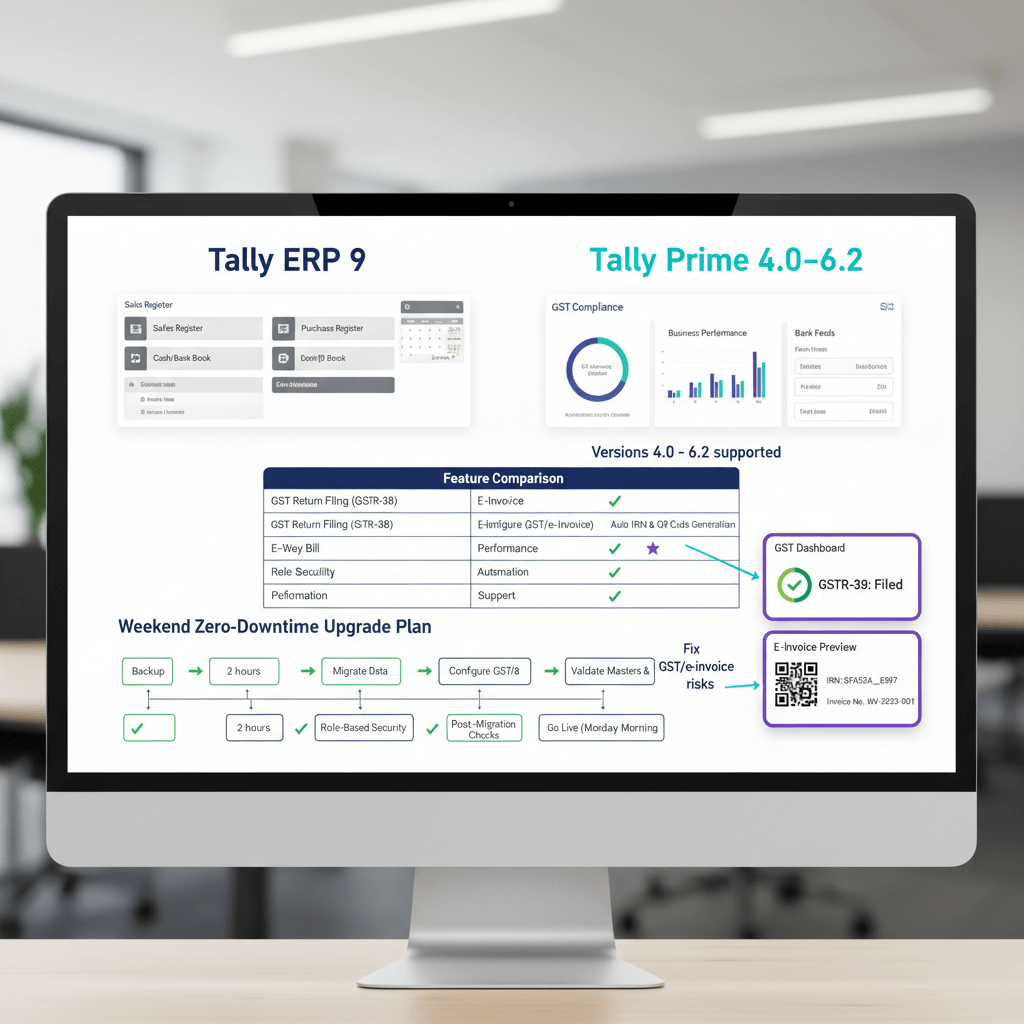
Tally ERP 9 is legacy, Tally Prime is the actively updated platform. If you are above the e-invoicing threshold, running ERP 9 is a compliance liability, not a cost saving.
- GST feature updates: ERP 9 stopped, Prime stays aligned with GST Council changes.
- E-invoice and IRN: ERP 9 lacks native support, Prime generates IRN and prints QR codes.
- E-way bills: ERP 9 is manual or browser based, Prime connects workflows inside the product.
- GSTR-2B reconciliation: ERP 9 relies on exports and spreadsheets, Prime provides an in-product reconciliation view.
- Audit trail: ERP 9 is basic, Prime adds deeper, tamper-evident logs.
- Security and performance: ERP 9 is uncertain, Prime receives ongoing security and performance improvements.
- TDL compatibility: ERP 9 add-ons may require changes for Prime, test before go-live.
- Data migration: Prime opens ERP 9 company data directly, no separate converter for standard files.
The common mistake is treating this as a “data migration” project. It is not. The real work is validating GST masters and testing TDLs after Prime opens your existing company data.
What Changed Across Tally Prime 4.0 to 6.2
Prime 4.0 to 5.0: Connected Compliance
Prime 4.0 embedded e-invoice and e-way bill workflows inside Tally, so IRN generation and QR-coded invoices no longer required browser juggling. Prime 5.0 refined IRP connectivity, improved GSTR-1 and 3B accuracy, and handled credit and debit note flows more cleanly.
Prime 6.0 to 6.2: Scale, Security, and Audit
Prime 6.0 accelerated high-volume ledgers and introduced stronger authentication options. Prime 6.1 expanded audit trail depth, logging user, time, and field-level edits. Prime 6.2 tightened security controls and sharpened purchase register, GSTR-2B reconciliation views.
E-Invoice and IRP Support: How It Works in Prime
Tally Prime supports native IRN generation, connecting to the IRP with your GSTIN and e-invoice credentials. Once configured, Prime generates IRN on save, signs the invoice, and prints the QR code. This capability does not exist in ERP 9, which forces manual portal steps or third-party tools that add reconciliation overhead.
GSTR-2B Reconciliation Inside Tally Prime
Prime provides a purchase register vs. GSTR-2B comparison report. Import the 2B JSON, map it to purchases, and surface mismatches by vendor. This replaces spreadsheet matching and speeds vendor follow-ups before filing 3B.
Why Upgrade Now: Penalties, ITC Risk, and Hidden Hours
E-Invoice Penalties and Buyer ITC Blocking
Issuing an invoice without a valid IRN, where e-invoicing applies, can attract high penalties under Section 122 of the CGST Act, 2017, and the invoice can be invalid for ITC under Rule 48(4) of the CGST Rules, 2017. On a ₹5 lakh invoice with 18% GST, risk exposure can exceed ₹90,000, plus buyer credit issues and relationship damage.
ITC Blocking: The Cash Flow Hit
Section 16(2)(aa) ties ITC to 2B appearance. If suppliers miss GSTR-1, your credit is blocked for that period. Even a 10% miss on ₹10 lakh monthly purchase GST is ₹1 lakh parked outside working capital.
Manual Hours You Are Not Counting
Manual entry and matching consume hours that never show in your P&L. Finance teams spend hours each month typing purchase bills and bank lines, then reconciling 2B late in the cycle. That is capacity you can reclaim immediately after upgrading.
Zero-Downtime Upgrade Plan from ERP 9 to Prime
The core data move is simple—Prime opens ERP 9 company data directly. Focus on TDLs, ODBC connectors, and validation.
Pre-Migration Checklist
- Audit TDLs: List all files and vendors, confirm Prime 6.2 compatibility.
- Document ODBC integrations: Note connection strings, test in staging.
- Take a verified backup: Use ERP 9 backup, store off-device.
- Record license details: Keep serial and activation info handy.
- Capture GST masters: Screenshot ledger mappings, HSN/SAC, and rates.
Migration Day Steps
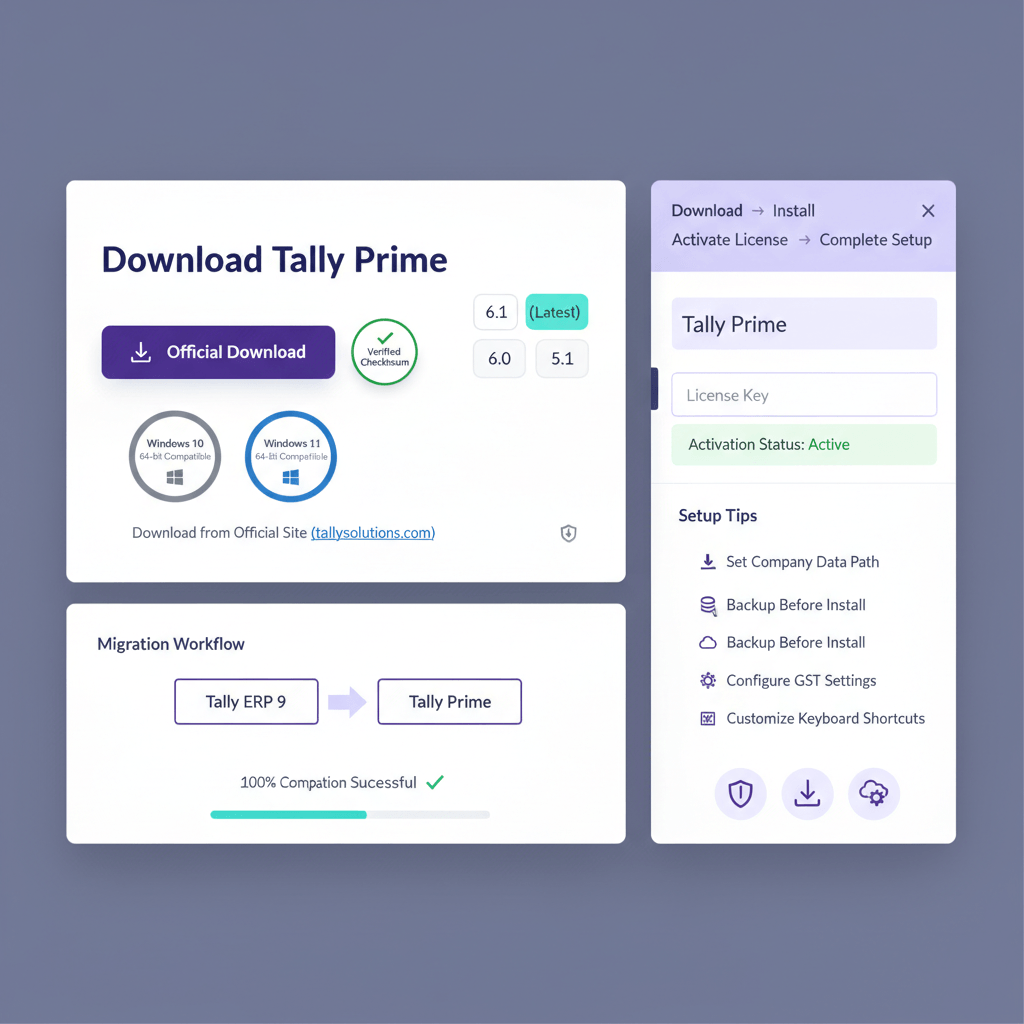
- Install Tally Prime 6.2, keep ERP 9 intact.
- Open the ERP 9 company in Prime, accept the migration prompt.
- Match trial balance to the pre-migration report.
- Load TDLs one by one, note any failures.
- Configure IRP credentials and generate a test IRN.
- Generate a test e-way bill for a qualifying voucher.
- Run a sample bank reconciliation and confirm balances.
Post-Migration
Retain ERP 9 in read-only mode for 30 days for historical lookups, then archive and uninstall.
Post-Upgrade Validation: GST, E-Invoicing, and GSTR-2B
Day 1 GST Ledger Checks
- Open the GST computation report for the last closed period, confirm output, input, and net liability match your filed 3B.
- Verify sales ledgers for correct rates, HSN/SAC, and supply types, so GSTR-1 flows correctly from day one.
IRN and QR Code Confirmation
- Ensure IRN generates on save and displays on the voucher.
- Print the invoice, confirm the QR code scans and verifies on the portal.
- Test cancel and re-generate within the allowed window.
2B Reconciliation
- Import the latest 2B JSON, review matched, unmatched, and partial matches.
- Classify root causes: late filing, number mismatch, GSTIN error, or exempt proportion issues.
You can also speed this step by automation. AiA ingests bank and credit card statements and bulk bills, predicts ledgers from your own history, and posts back into Prime for review, so your team approves instead of typing.
What to Automate Next in Prime
Where the Hours Go
For ₹5–₹50 crore businesses, manual purchase entry, bank posting, and last-minute 2B matching create a 7–12 day close, when 3–4 days is achievable with ingestion and prediction.
Automation Priorities
- Bank statement ingestion first: High-volume, low-variance, immediate time savings.
- Purchase invoice processing next: Extract key fields and propose vouchers for approval to reduce errors and cycle time.
- 2B reconciliation at scale: Automate matching, root-cause tagging, and reversal JV creation to avoid month-end scrambles.
References
- Section 122, CGST Act, 2017 – CBIC Tax Information Portal
- Rule 48(4), CGST Rules, 2017 – CBIC Tax Information Portal
- Section 17, CGST Act, 2017 – CBIC Tax Information Portal
- Rule 43, CGST Rules, 2017 – CBIC Tax Information Portal
- CBIC Circular 237/31/2024-GST dated 15 October 2024 – Rectification Procedure
FAQ
Is Tally ERP 9 still viable in FY 2025–26, or should I install Prime 6.2 directly?
Tally ERP 9 is legacy and does not receive new GST or e-invoice features. Install the latest Tally Prime, currently 6.2, to stay aligned with IRP changes, security updates, and reconciliation improvements. There is no advantage to installing older Prime builds first.
Do I need to buy Tally Prime separately if I already have an ERP 9 license?
Most active subscriptions can upgrade to Prime within the subscription. Perpetual licenses may need to move to subscription pricing. Confirm specifics with your Tally partner before migration weekend.
How long does the ERP 9 to Prime migration take for a 5-year company file?
Five to twenty minutes is typical for SMB data volumes. The process is in-product, do not use the machine for other tasks while migration runs. The longer timeline is usually caused by very large ledgers or networked data directories.
Will my TDL add-ons work in Tally Prime 6.2 without change?
Not guaranteed. Many ERP 9 TDLs require updates for Prime. Ask each vendor for a Prime-compatible build and test TDLs one by one after opening your migrated company to isolate incompatibilities before go-live.
Does Prime 6.2 support IRN for all turnover brackets, including ₹8 crore?
Yes. If your aggregate turnover is above ₹5 crore, e-invoicing applies to your B2B invoices, credit notes, and debit notes. Configure IRP credentials in Prime and verify one test IRN and QR print before bulk invoicing.
What is the penalty exposure if I issue invoices without IRN and my buyer already claimed ITC?
Penalties under Section 122 can be ₹10,000 per invoice or the tax amount, whichever is higher. Additionally, invoices without IRN are not valid tax invoices under Rule 48(4), so your buyer’s ITC is at risk and may be recovered with interest, creating a two-sided problem.
How do I reconcile GSTR-2B efficiently right after upgrading?
Import the 2B JSON into Prime’s reconciliation view, match to your purchases, and tag mismatches by cause. For higher volumes, consider automation to classify vendor delays, number mismatches, and GSTIN errors, then auto-create reversal journals so 3B filing does not slip.
Can AI Accountant help reduce my team’s manual workload after moving to Prime?
Yes. AiA can read bank statements and vendor bills, predict ledgers based on your historical patterns, and post draft vouchers into Prime for approval. Teams typically reclaim several hours per month and reduce close cycles by two to three days once ingestion and reconciliation are automated.

Rohan Sinha is a fintech and growth leader building aiaccountant.com, focused on simplifying accounting and compliance for Indian businesses through automation. An IIT BHU alumnus, he brings hands-on experience across 0 to 1 product building, growth, and strategy in B2B SaaS and fintech.