-01%201.svg)
Key takeaways
- E invoice IRN integration connects your ERP to the Invoice Registration Portal via API, automating IRN generation, status checks, and signed QR retrieval so invoices are compliant before they leave your system.
- Pre-submit validation of GSTIN status, HSN length, POS codes, and tax totals eliminates 80%+ of IRP rejections, saving hours of manual correction each filing cycle.
- Proper IRN configuration API setup (sandbox testing, idempotency keys, adaptive throttling) ensures stable bulk operations without duplicate submissions or throttling failures.
- Storing IRN, signed JSON, and QR artifacts with automatic document locking gives you an audit ready trail that survives departmental scrutiny without last minute scrambles.
- Three way reconciliation (IRP acknowledged list, ERP register, GSTR-1) catches mismatches early, cutting month end close time and preventing notices.
- Platforms like AI Accountant handle JSON prep, IRP submission, error resolution, and post back to Tally in a single automated workflow, turning a multi step compliance burden into a background process.
E Invoice IRN Integration: What's New in 2026
Until March 2025, the e-invoicing threshold stood at ₹5 crore aggregate turnover. From April 2025, CBIC lowered it to ₹1 crore, pulling a significantly larger pool of SMEs and small CA firms into the mandatory e-invoicing net. By early 2026, enforcement has tightened further: the IRP now rejects invoices with document dates older than 30 days for taxpayers with AATO above ₹100 crore, per CBIC's phased notification framework.
The day to day workflow has shifted. Businesses that previously uploaded invoices manually once a week now need near real time API connectivity. The IRP's updated validation engine checks HSN at 6-digit minimum (8-digit for taxpayers above ₹5 crore AATO), rejects mismatched POS more aggressively, and flags inactive GSTINs within seconds. If your IRN configuration API is not set up to handle these stricter checks, you will see higher rejection rates starting Q1 2026.
Who is hit hardest? Small manufacturers, distributors, and service firms between ₹1 crore and ₹10 crore turnover who previously relied on portal uploads or semi-manual processes. CA firms managing 15+ clients in this bracket now face volume that manual methods cannot sustain without errors or delays.
The cost of inaction is concrete: late IRN generation blocks e-way bill creation, delays ITC for your buyers (creating relationship friction), and repeated failures can trigger compliance flags during GST reconciliation audits. Penalties under Section 122 for non-issuance can reach ₹25,000 per instance.
What to do now:
- Audit your current IRN success rate. If it is below 95%, your validation layer needs immediate attention.
- Confirm your HSN master is updated to 2025-26 CBIC notifications and enforces the correct digit length per turnover slab.
- Test your IRN check status workflow: can your team verify acknowledgment status programmatically, or are they logging into the portal manually?
AI Accountant's bookkeeping automation layer now includes pre-built validation rules aligned to 2026 IRP specs, reducing the gap between invoice creation in Tally and successful IRN acknowledgment to under 10 seconds for most document types.
What is e-Invoicing in India and Why It Matters
At its core, e-invoicing means reporting B2B, export, and credit or debit note documents to the Invoice Registration Portal before sharing with customers. The IRP validates your invoice, generates an Invoice Reference Number (IRN), returns a signed JSON and QR code, and auto-populates your GSTR-1. Think of it as a digital stamp of authenticity, one that also streamlines downstream compliance.
The flow in brief:
- You generate the invoice in your ERP or accounting system.
- The IRP validates the payload and de-duplicates it.
- It generates an IRN, returns a digitally signed JSON, and a signed QR code.
- The same data flows into the GST system and auto-populates GSTR-1.
If your aggregate turnover exceeds the notified threshold, you must comply. Real time reporting works best. Batch uploads are possible, but duplicates are rejected quickly. Tools built for e invoice IRN integration make the process predictable and auditable.
Want the official reference? See the GST e-Invoice System Detailed Overview and the GST Portal for the latest notifications on applicability thresholds.
Understanding the Architecture of e Invoice IRN Integration
Your ERP holds invoice data. The integration layer extracts and validates it, converts it into the IRP JSON schema, submits it to the IRP, then writes back IRN and artifacts. Data quality is non-negotiable: active GSTINs, correct HSN length, accurate POS codes, clean UQC, and unique document numbers.
Conceptually, you are wiring ERP → Validator/Converter → IRP → ERP & GST.
Core flow
- Extract invoice and master data from ERP.
- Validate GSTIN, HSN, POS, pin-to-state mapping, totals, and rounding.
- Generate hash, build JSON payload, and submit via IRP API.
- Receive IRN, acknowledgment details, signed JSON, and QR payload.
- Post back to ERP, lock documents, and archive artifacts.
IRN Configuration API: Getting Connected
Always start in sandbox. Production requires a GSP or NIC credentials. Respect API rate limits and use idempotency to prevent duplicates. The IRN configuration API setup involves registering your GSTIN on the e-invoice portal, obtaining authentication tokens, and configuring your endpoints for both sandbox and production environments.
Key configuration steps include:
- Register on the e-invoice portal and obtain client ID and secret.
- Generate authentication tokens with proper expiry handling.
- Configure API endpoints (sandbox first, production after validation).
- Set up callback or polling mechanism for IRN check status responses.
- Implement token refresh logic to avoid session expiry failures.
Reference the official API integration specs from NIC. For broader context on India's e-invoice framework, the CBIC portal carries all applicable notifications and circulars.
Prerequisites and Setup Checklist for Smooth Implementation
- Enable e-invoicing for your GSTIN on the portal. Register, verify, and confirm turnover applicability.
- Obtain IRP credentials from NIC or your GSP. Test connectivity in sandbox thoroughly.
- Clean master data: active GSTINs, valid HSN lengths, correct state and pin mapping, robust document series.
- Map ledgers to tax rates, set rounding tolerance, define export and SEZ defaults.
- If you use Tally, leverage automation to sync masters and reduce setup time.
For step-wise walkthroughs, check this step-by-step process for IRN generation.
How to Generate IRN and QR Code Step by Step
Build the payload
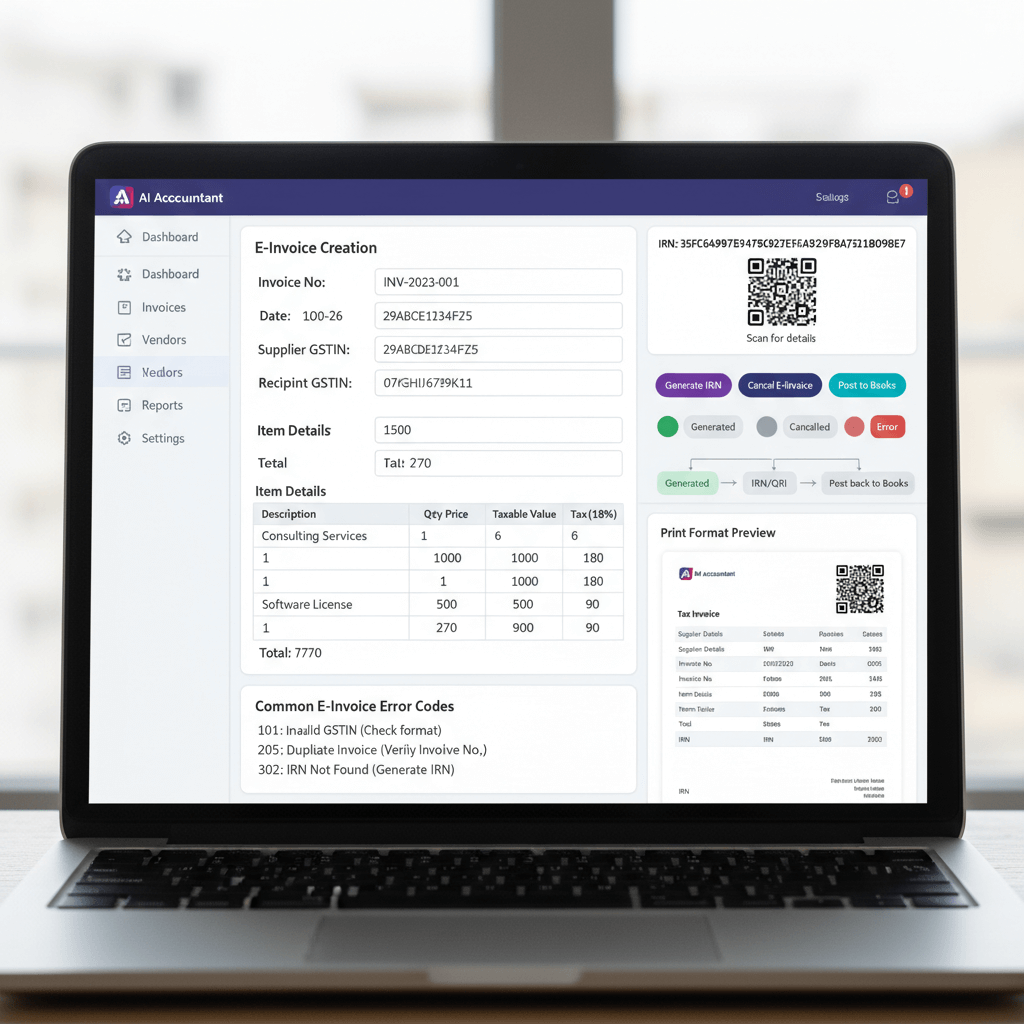
Prepare the JSON with mandatory fields: seller and buyer GSTINs, document number and date, line items with HSN, quantity, taxable value, tax breakup, totals, and POS. Missing or mismatched fields will trigger IRP errors immediately.
The IRN code is generated from a hash of four key fields: supplier GSTIN, financial year, document type, and document number. This combination ensures uniqueness across the system.
Submit to IRP
Send the JSON via API or upload. For volume, use scheduled batches with proper throttling. On success, the IRP returns IRN, acknowledgment details, signed JSON, and QR payload for your invoice print.
For API based submissions, your system should handle:
- Authentication token management with auto-refresh.
- Request payload compression for large batches.
- Response parsing with proper error code handling.
- Timeout configuration aligned to IRP response times.
Post-processing and storage
Persist IRN, acknowledgment number and date, signed JSON, and QR in your ERP. Link e-way bill where applicable, and automate GSTR-1 readiness. For reference architecture, see Microsoft's localization notes for India in Dynamics 365 India e-invoices.
Bulk operations
Implement automatic retries for transient failures. Capture IRP error messages for analytics. Ensure idempotency using unique keys (supplier GSTIN + document type + document number + financial year).
Design your retry logic with exponential backoff. A common pattern:
- First retry after 2 seconds.
- Second retry after 8 seconds.
- Third retry after 30 seconds.
- After three failures, queue for manual review with full error context.
IRN Check Status: Verifying Acknowledgment Programmatically
After submission, you need a reliable way to check IRN status. This is especially important when network timeouts occur or when you need to verify whether a previous submission succeeded before retrying.
The IRN check status API accepts the IRN code (the 64 character hash) and returns:
- Current status (active, cancelled, or not found).
- Acknowledgment number and date if active.
- Cancellation details if cancelled.
- The signed invoice data for verification.
Use IRN check status in these scenarios:
- After a timeout during submission (to confirm if IRN was generated despite no response).
- During reconciliation runs to verify ERP records against IRP state.
- Before attempting cancellation (to confirm the IRN is still active and within the cancellation window).
- As part of audit workflows where you need to prove the current status of a document.
Build this check into your automated workflow rather than relying on manual portal lookups. The API endpoint accepts both IRN and document details as lookup parameters, giving you flexibility based on what data you have available.
Validation Rules and Common e-Invoice Error Fixes
Pre-submit checks prevent late night firefighting. Validate GSTIN status, HSN formatting, POS and pin congruence, uniqueness of document number, acceptable date range, and tax total consistency.
- Duplicate IRN: Ensure idempotency and check prior acknowledgments before resubmission. Use the IRN check status API to verify before retrying.
- Invalid HSN: Enforce correct length (6 or 8 digits depending on turnover slab) and code validity against the master list. Update your HSN master quarterly.
- Inactive GSTIN: Refresh master data frequently. Skip or issue a credit note if needed. Validate GSTIN status within 24 hours of invoice generation for high-risk counterparties.
- POS mismatch: Align state and location data. Recompute tax structure accordingly (IGST vs CGST+SGST).
- Tax total discrepancies: Apply rounding tolerance, typically plus or minus one rupee. Reconcile line totals with header totals before submission.
- Document date out of range: For taxpayers above ₹100 crore AATO, the IRP now rejects documents dated more than 30 days prior to submission (2026 update).
- IRN code format errors: Verify that your hash generation follows the exact algorithm specified by NIC: SHA-256 of supplier GSTIN + financial year + document type + document number.
Systematize fixes. Build a reusable error library. See the GST e-Invoice System Detailed Overview for the complete error code reference.
Post Back to Books: Closing the Loop
Compliance is complete only after you write back to your ERP and lock the invoice. Store the IRN, acknowledgment number and date, signed JSON, and QR image or link. Then restrict edits to preserve audit integrity.
Tally typically uses versioning and exception journals. Your sync should run on a predictable cadence, surface conflicts, and prevent modifications after IRN generation.
Key post-back best practices:
- Write IRN and acknowledgment data to dedicated fields (not free text notes).
- Set document status to "IRN Generated" or equivalent locked state.
- Archive the signed JSON in a separate, immutable storage layer.
- Log the timestamp and user context of the post-back for audit trails.
- Run a daily reconciliation comparing ERP IRN count against IRP acknowledged count.
Handling Cancellations and Amendments Like a Pro
Within the cancellation window (typically 24 hours), submit a cancellation request to IRP. The IRP updates status, your print carries a clear "Cancelled" watermark, and GSTR-1 reflects the change automatically.
After the window, issue a credit or debit note and maintain the linked audit trail. Direct amendments are not allowed post-cancellation window.
Major changes like recipient GSTIN, POS, or tax structure often require cancellation and reissue. Minor corrections are best handled through notes. Track e-way bill linkages carefully during these changes.
Before cancelling, always run an IRN check status call to confirm the document is still active and within the window. This prevents wasted API calls and confusing error messages.
For policy references, review GST Portal notifications on cancellation timelines, which have been updated periodically.
Creating Compliant Print Formats
Your invoice print should include IRN, acknowledgment number and date, signed QR, seller and buyer GSTINs, POS, and itemized tax breakup. Keep QR scannable. Place it prominently. Support A4 and thermal variants. Ensure cancelled invoices carry a clear watermark.
Print format checklist:
- IRN (full 64 character string or truncated with reference to retrieve full version).
- Acknowledgment number and date/time.
- QR code generated from signed payload (minimum 2cm x 2cm for scannability).
- Seller and buyer GSTINs with legal names and addresses.
- Place of supply with state code.
- Item-wise HSN, quantity, rate, taxable value, and tax breakup.
- "Cancelled" watermark where applicable (visible on both digital and printed copies).
Automate delivery via PDFs, emailing, and archiving. For distribution workflows that scale, ensure your system generates prints dynamically including bilingual formats where needed.
Controls, Audit, and Compliance Hygiene
Establish immutable logs that show who generated or cancelled which IRN and when. Follow retention rules (minimum 6 years as per GST law). Test backups periodically.
Reconcile IRP records with ERP and GSTR-1 routinely to catch variances early. A three-way reconciliation should run at minimum:
- Weekly during the first month post go-live.
- Fortnightly once stable.
- Monthly as part of regular close process.
Track these signals for compliance health:
- Gap between invoice date and IRN generation date (should be same day for real time flows).
- Number of invoices in ERP without corresponding IRN.
- Cancelled IRNs without corresponding credit notes.
- GSTR-1 line items that do not match IRP acknowledged data.
For foundational documentation, refer to the GST e-Invoice System Detailed Overview and the GST Council recommendations on e-invoicing compliance.
Practical Implementation Timeline
Week 1: Secure credentials, complete sandbox tests, cleanse master data, fix GSTIN and HSN mismatches. Configure your IRN configuration API endpoints and test authentication flows.
Week 2: Run a pilot with friendly vendors. Validate print formats. Catalog error scenarios and fixes. Train users on IRN check status workflows and exception handling.
Week 3: Go live with monitoring. Finalize SOPs. Track KPIs daily for the first week, then weekly.
Key metrics to monitor:
- IRN success rate (target: above 95% in first month, above 99% by month three).
- Average turnaround time from submit to acknowledge.
- Error rate by type (HSN, GSTIN, POS, rounding, duplicates).
- Mean time to resolution for failed submissions.
- Percentage of auto-posted invoices (no manual intervention).
- Cancellation rate (high rates indicate upstream data quality issues).
Automation-first setups usually improve these metrics substantially within the first billing cycle.
Tools to Streamline Your e-Invoice Journey
- AI Accountant automates JSON preparation, IRP submissions, error handling, posting back to books, and real time dashboards for Tally users. Supports IRN check status, bulk operations, and adaptive throttling.
- ClearTax e-Invoice offers robust GSP services, bulk operations, and multi ERP connectivity.
- Tally Prime with e-Invoice brings native e-invoicing for Tally users with direct IRP connectivity.
- Zoho Books GST supports e-invoicing within Zoho's ecosystem, a good fit for Zoho-centric stacks.
- IRIS Sapphire provides enterprise controls, analytics, and multi entity capabilities for complex organizations.
Making e-Invoicing Work for Your Business
Start small. Get the basics right. Automate iteratively. Generate a few IRNs manually to learn the flow. Then move to scheduled batches, validations, and automated post-back.
Document SOPs. Train users. Monitor KPIs weekly. Treat e-invoicing as a process and data improvement project, not just a compliance checkbox.
The goal is not just compliance. It is faster monthly close, fewer disputes, and smooth audits. With clean data, sandbox practice, and a reliable workflow, e-invoicing will run quietly in the background while your team focuses on value-added work.
Ready to simplify the journey? Start with a sandbox walkthrough, build your error library, and keep a handy checklist alongside references like the NIC e-Invoice overview.
FAQ
How do I check IRN status using the API, and what responses should I expect?
Call the Get IRN Details API with either the 64-character IRN code or document identifiers (supplier GSTIN, document type, document number). The API returns current status (active or cancelled), acknowledgment number and date, and the signed invoice payload. Use this for reconciliation, timeout recovery, and pre-cancellation verification.
What is the correct IRN configuration API setup process for production?
Register your GSTIN on the e-invoice portal, obtain client credentials (client ID and secret), authenticate via the token API, and configure your production endpoints. Test thoroughly in sandbox first, including token refresh logic, error handling, and timeout scenarios. Production access requires either direct NIC credentials or GSP intermediation depending on your integration approach (2026 update).
What does the IRN code represent, and how is it generated?
The IRN code is a unique 64-character hash generated using SHA-256 of four fields: supplier GSTIN, financial year, document type code, and document number. This ensures global uniqueness across the e-invoice system. Your system should generate this hash locally for idempotency checks before submission.
How do I handle an invoice that needs correction after the 24-hour cancellation window?
Issue a credit note or debit note referencing the original IRN, then reissue a corrected invoice if needed. Direct amendments are not permitted post-window. Maintain a clear paper trail and update e-way bill linkages accordingly.
What is the recommended idempotency strategy to prevent duplicate IRN submissions?
Use a composite key: supplier GSTIN + document type + document number + financial year. Store acknowledgment status locally and always check this state (or call the IRN check status API) before resubmitting. This prevents the most common "duplicate document" rejection from IRP.
How can I reconcile IRP acknowledgments with my ERP and GSTR-1 at month end?
Run a three-way reconciliation comparing the IRP acknowledged list, your ERP invoice register, and GSTR-1 summary. Investigate missing IRNs, value mismatches, and cancelled documents without corresponding credit notes. Automate this with scheduled reports rather than manual portal exports.
What are typical IRP rate limits, and how should I batch submissions to avoid throttling?
Rate limits vary by IRP and GSP but generally allow 100 to 500 requests per minute depending on your registration tier. Design adaptive throttling with exponential backoff. Use small frequent batches during peak hours (10am to 6pm) and schedule large backlog processing for off-peak windows (early morning or late evening).

Rohan Sinha is a fintech and growth leader building aiaccountant.com, focused on simplifying accounting and compliance for Indian businesses through automation. An IIT BHU alumnus, he brings hands-on experience across 0 to 1 product building, growth, and strategy in B2B SaaS and fintech.