-01%201.svg)
Key takeaways
- Vendor bill entry automation Tally cuts entry time from minutes to seconds, boosts accuracy to over 95 percent, and slashes reconciliation effort.
- Start with vendor master hygiene, GST configuration, and process documentation to accelerate implementation and reduce exceptions.
- Pick the right path for your volume and complexity, from native Tally features, to Excel CSV pipelines, to full AI plus OCR automation with tools like AI Accountant.
- CA firms need multi client governance, maker checker controls, and standardized templates to scale automation across diverse portfolios.
- Robust validations, audit trails, and exception handling protect compliance for GST, RCM, TDS, credit notes, and ITC eligibility.
- Track ROI with throughput, error rate, and cycle time, expect payback within three months for firms processing over 100 bills monthly.
- Use guides like purchase bill entry in Tally and automate purchase entry in Tally to design and benchmark your rollout.
What Vendor Bill Entry Automation Tally Actually Covers
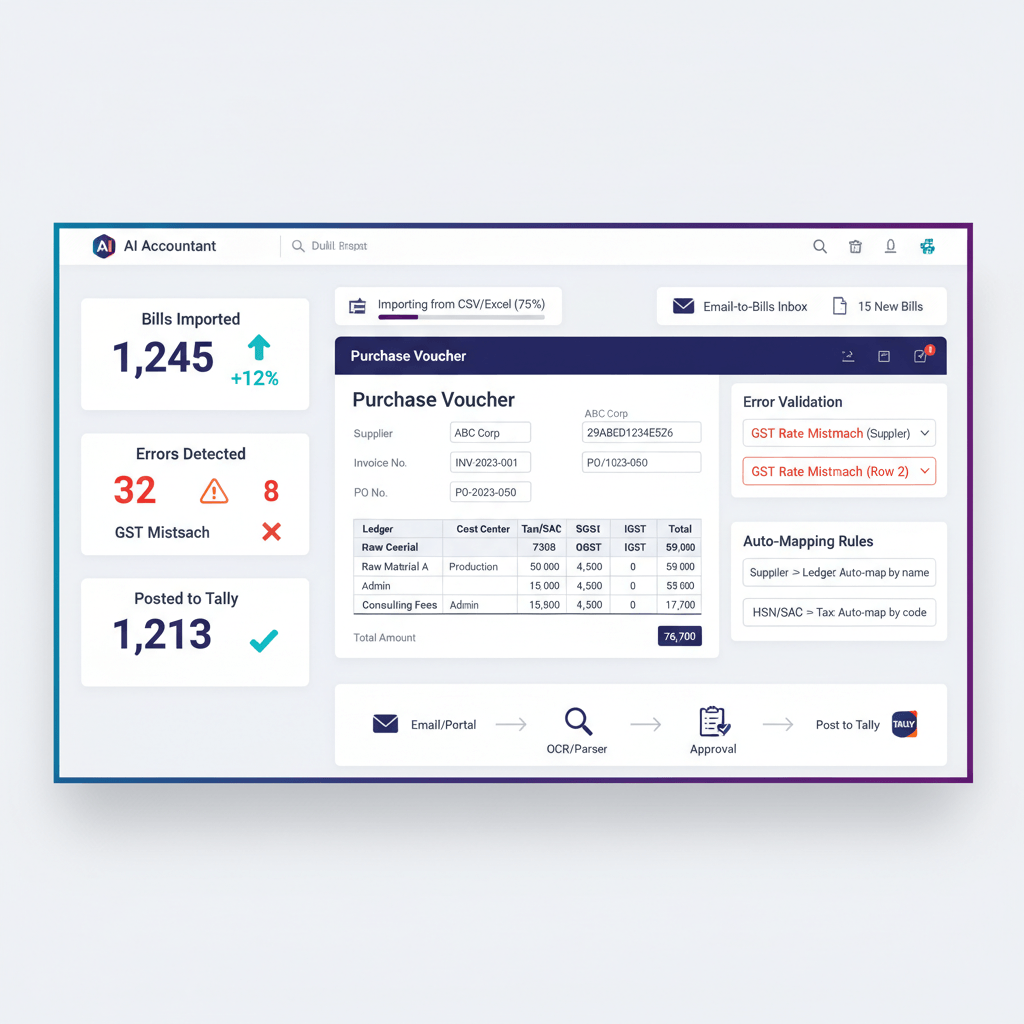
From document ingestion to posted vouchers, automation streamlines every step. Modern systems read PDFs and images with OCR, import Excel and CSV with field mapping, and harvest email attachments automatically. They produce clean purchase vouchers with GST breakup, accurate ledger and cost center allocations, and narrations, all linked to the source file for an airtight audit trail.
Beyond entry, automation validates GST math, flags vendor mismatches, detects duplicates, and enforces compliance like TDS and RCM. The engine learns from corrections, steadily improving accuracy. See deep dives in purchase bill entry in Tally, automate TDS vendor bills Tally, and this overview on how to automate purchase entry in Tally.
Result: Seconds per invoice, consistent ledgering, and a complete audit trail from bill to books.
Benefits and Readiness Checklist for Purchase Entry Automation
Benefits you can bank on
- Time saved, from 3 to 5 minutes per bill to under 30 seconds per bill
- Accuracy above 95 percent for GST and vendor mapping, fewer reconciliation delays
- Maker checker workflows and end to end traceability for audit readiness
Readiness checklist
Vendor Master Hygiene
- GSTIN and PAN numbers verified for all active vendors
- Vendor names standardized, no duplicates or variations
- Payment terms and credit limits updated
- Contact details current for queries
Tally Configuration
- GST settings configured with correct rates
- Purchase ledgers mapped to proper groups
- Cost centers and tracking categories defined
- Voucher numbering sequences established
Process Documentation
- Current approval workflow mapped
- Exception handling procedures defined
- Month end cutoff timings documented
- Reconciliation ownership assigned
Read more in this field guide to invoice processing automation that saves hours, an explainer on purchase bill entry in Tally, and how to automate purchase entry in Tally.
Native Tally Methods to Automate Purchase Entries Tally
Voucher Classes standardize frequent purchases. Pre set GST rates, ledger accounts, and rounding so clerks only verify the essentials.
PO and GRN linking prevents double entry. Convert approved POs or GRNs into purchase vouchers with vendor, items, quantity, and rates auto pulled.
XML or Excel imports allow bulk creation. Use governed templates with mandatory fields, HSN, and GST breakup, test in a sandbox, then import to live with auto numbering.
Pros: zero extra software, direct data access, familiar UI. Cons: template discipline needed, limited OCR, manual prep, constrained scalability.
Reference templates in purchase bill entry in Tally and see examples of Tally data entry automation.
Semi Automation with Excel CSV Pipelines
Excel bridges manual control with automated checks, a practical middle path to automate purchase entry in Tally.
- Governed template with fields for invoice date, number, vendor, GSTIN, taxable, GST breakup, TDS and TCS sections
- Data validation for duplicates, mandatory fields, negative amounts, with conditional formatting for exceptions
- Automated GST logic keyed to HSN, plus drop downs for IGST versus CGST plus SGST
Run checks, export clean CSV, import into Tally, then verify via trial balance. This is effective up to about 100 bills monthly, but struggles with scanned files. For TDS heavy workflows, review automate TDS vendor bills Tally.
Full Automation via AI Plus OCR: How AI Accountant Plugs into Tally
AI plus OCR removes manual entry. Upload PDFs and images in bulk, extract vendor data, GSTIN, invoice details, lines, and taxes with high confidence. Models learn ledger predictions, GST treatment, cost centers, and even multi split allocations.
Complexities like RCM, multi currency, and TDS sections 194C, 194J, or 194H, are handled by rules and predictions. Bills move to a quick validation queue, then push to Tally over APIs with complete audit trails.
AI Accountant’s connector syncs masters, posts vouchers with attachments, and enforces maker checker, giving you faster closes and effortless GSTR 2B reconciliation.
Explore workflows in purchase bill entry in Tally and a broader approach to automate purchase entry in Tally.
Tally Vendor Automation Guide: End to End Implementation Plan
Phase 1: Foundation and Cleanup, Week 1 to 2
Clean vendor masters, verify GSTIN and PAN, standardize naming, update terms, create missing ledgers, and document current approvals.
Phase 2: Process Design, Week 2 to 3
Map the target flow from bill receipt to posting, define routing by amounts and categories, set exception playbooks, and maker checker rules.
Phase 3: System Configuration, Week 3 to 4
Configure your tool using this Tally integration AP automation guide, then sync masters, map ledgers, and codify business rules for GST, TDS, and predictions.
Phase 4: Testing and Training, Week 4 to 5
Pilot with 20 to 30 bills, compare outputs, refine mappings, train staff on validation and exception handling, and build a knowledge base.
Phase 5: Rollout and Optimization, Week 5 to 6
Scale from pilot vendors to all suppliers, track accuracy and cycle times, tune models from correction patterns, and review monthly.
See TDS specifics in automate TDS vendor bills Tally.
Vendor Bill Tally CA Firm: Special Considerations for CA Firms
CA firms must balance scale with confidentiality. Standardize across clients, yet allow industry nuances. Enforce role based access, SLAs, and two level reviews for high value bills. Educate clients on document quality for better OCR and set clear timelines and escalation paths.
Templates should span retail, services, and manufacturing needs without sacrificing accuracy. Consider partner models, white labeling, and volume pricing to gain economies of scale. Learn how others automate purchase entry in Tally at scale.
GST and Compliance Nuances in Automation
- IGST versus CGST plus SGST based on place of supply, ensure mismatch flags for location logic.
- HSN and SAC codes drive rates, map codes to masters, handle mixed supplies and updates.
- Reverse Charge Mechanism needs distinct ledgers, payment vouchers, and ITC timing controls.
- TDS provisions must apply on taxable value excluding GST, under sections like 194C or 194J, with thresholds and exemptions considered.
- Credit and debit notes must link to original invoices with correct GST reversals.
- Input Tax Credit eligibility requires classification, blocked credit flags, and payment status tracking.
Deepen your setup with automate TDS vendor bills Tally and practical guides to automate purchase entry in Tally.
Controls, Quality Checks, and Troubleshooting
Pre processing: Detect duplicates, validate GSTIN, test reasonableness, and verify document quality.
Processing: Monitor field confidence, route low confidence for review, enforce mandatory fields, and verify GST totals.
Post processing: Reconcile trial balance, review vendor aging, confirm tax registers, and perform sampling audits.
Common troubleshooting
- OCR failures: Use at least 200 DPI scans, straighten pages, and avoid shadows, consider manual capture for hard handwritten fields.
- Vendor matching: Favor GSTIN over names, standardize naming, maintain alias tables, and merge duplicates.
- GST mismatches: Recheck HSN rate masters, place of supply logic, cess settings, and rounding rules aligned to Tally.
- Integration issues: Verify credentials, firewall rules, and rate limits, keep error logs for quick escalation.
Troubleshooting patterns in automate purchase entry in Tally pair well with TDS controls from automate TDS vendor bills Tally.
Metrics and ROI for Automation Implementation
Processing efficiency improves dramatically.
| Metric | Before Automation | After AI Automation |
|---|---|---|
| Bills processed per FTE daily | 20 to 30 | 100 plus |
| Average time per invoice | 3 to 5 minutes | Under 30 seconds |
| Month end closing days | 7 to 10 days | 2 to 3 days |
| Exception rate | 15 to 20 percent | Under 5 percent |
Quality and compliance gains show as fewer GST mismatches, near zero duplicate payments, and fewer audit adjustments. Staff productivity shifts from entry to analysis and advisory. Expect 40 to 60 percent cost reduction within six months, supported by case notes in purchase bill entry in Tally and invoice processing automation that saves hours.
Common Mistakes and How to Avoid Them
- Automating broken processes: Streamline then automate.
- Poor master data: Fix duplicates, names, and GSTIN before rollout.
- Insufficient edge case testing: Pilot partial deliveries, advances, freight, composite supplies, RCM, TDS, and multi currency.
- Change management gaps: Train, communicate, and celebrate wins.
- Over customization: Start standard, add only critical custom rules.
- Weak security: Enforce roles, audit trails, encryption, and regular reviews.
For TDS edge cases, refer to automate TDS vendor bills Tally.
Tools and Software for Purchase Bill Automation
AI Accountant brings AI plus OCR with deep Tally sync, advanced GST, RCM, and TDS handling, attachments in vouchers, and maker checker controls, trusted by hundreds of companies and many CA firms.
QuickBooks offers basic bill capture, export to CSV for Tally, suitable for simpler needs.
Xero delivers strong multi currency and approvals, with middleware needed for Tally.
FreshBooks fits service workflows and recurring invoices, requires extra steps for Tally.
Zoho Books supports document capture, Indian GST, and approvals, with custom Tally connectivity.
TaxOne by Vyapar targets Indian GST and Tally connectivity for reconciliation and purchase entry, see how to automate purchase entry in Tally.
Conclusion and Next Steps
Vendor bill entry automation Tally turns AP from manual entry into a controlled, analytical, and compliant engine. Whether you start with native features, Excel pipelines, or adopt AI plus OCR, the payoff is rapid and measurable.
Immediate Actions, this week
Audit time and error rates, clean vendor masters, and assemble an implementation checklist.
Short Term Goals, next month
Choose your approach, configure a test environment, and train a core team.
Long Term Success, quarter ahead
Roll out in phases, track metrics, refine rules, and extend to payments and reconciliations.
Firms processing over 100 bills monthly typically achieve positive ROI within three months, with reconciliation friction and GST mismatches dropping sharply.
Explore practical steps in purchase bill entry in Tally and TDS automation in automate TDS vendor bills Tally. The future of accounting is automated, accurate, and analytical, start now.
FAQ
How do I quantify the ROI for automating vendor bill entry in Tally for a 150 bill per day CA client?
Compute throughput gain, from 3 to 5 minutes per bill down to under 30 seconds, then add avoided error correction time, fewer GST mismatches, lower duplicate payments, and penalty avoidance. Include license and implementation costs. Many firms see 40 to 60 percent processing cost reduction within six months, consistent with results reported in purchase bill entry in Tally.
What is the cleanest path to move from Excel based imports to full automation without disrupting month end?
Run both lanes in parallel for one close: keep your Excel CSV pipeline for bulk, introduce an AI OCR tool like AI Accountant on a pilot vendor set, compare outputs, tune mappings, then expand scope. Maintain a rollback plan via daybook filters so you can revert imported vouchers if needed.
How does an AI tool decide IGST versus CGST plus SGST during Tally voucher creation?
It reads supplier and recipient GSTINs, infers place of supply, then applies configured rate masters. If the tax type conflicts with locations, it flags the bill for manual review. Ensure rate masters and place of supply logic mirror your Tally settings for consistency.
What is the recommended duplicate detection logic to avoid double posting vendor invoices in Tally?
Match on vendor GSTIN plus invoice number as the primary key, then add fuzzy checks on date and amount with tolerances. Automation platforms maintain a historical index to block repeats before posting. AI Accountant also exposes a review queue for suspected duplicates.
How should a CA firm handle RCM and TDS on the same vendor bill through automation?
Configure rule engines to split flows, RCM lines move tax liability to the recipient with separate ledgers, TDS applies on taxable value excluding GST under the correct section like 194C or 194J. Validation should confirm thresholds and PAN status. See details in automate TDS vendor bills Tally.
Can an AI workflow auto allocate expenses across cost centers and projects for multi location clients?
Yes. Models learn from historical postings and narrations, then predict cost centers or projects per line item. Reviewers approve or correct suggestions, the feedback loop refines accuracy over time. AI Accountant supports multi level allocations during posting.
What scan quality standards do you recommend to keep OCR exceptions below five percent?
Use a minimum 200 DPI, preferably 300 DPI, straight pages, high contrast, and no shadows. Ask vendors for digital PDFs when possible. Train staff to reject unreadable bills at intake, reducing correction load downstream.
How do I reconcile GSTR 2B with automated purchase vouchers more efficiently?
Leverage GSTIN level matching, invoice number normalization, and date window tolerances. Automation maps tax amounts to return sections, flags mismatches, and proposes adjustments. AI Accountant pairs posted vouchers with 2B data to accelerate reconciliation reviews.
What controls should I enable to satisfy statutory audit expectations after AP automation?
Implement maker checker approvals, immutable logs, attachment preservation, exception reports, and periodic sampling. Reconcile trial balance post import, maintain a change history for vendor master edits, and restrict roles by client for CA firms.
How do I structure a six week rollout plan for a multi entity AP function on Tally?
Week 1 to 2, master cleanup and workflow mapping. Week 2 to 3, target process design and exception playbooks. Week 3 to 4, system configuration using the Tally integration AP automation guide. Week 4 to 5, pilot and training. Week 5 to 6, phased rollout and optimization with metrics tracking.
Is XML import safer than direct API posting for bulk purchase vouchers in Tally?
Both are safe with proper controls. XML is batch friendly and easy to validate in a sandbox. APIs provide real time posting and better error feedback. In both cases, enforce mandatory field checks, voucher auto numbering, and backups before large runs.
How does AI Accountant differentiate itself versus simple OCR tools for Tally users?
It combines OCR with ledger prediction, GST and RCM logic, TDS calculations, attachment management, maker checker, and direct Tally sync. It processes PDFs, images, and emails at scale, and learns from corrections to raise accuracy beyond basic extraction tools.
What is the remediation path if imported entries need to be rolled back before filing?
Identify the batch in daybook, filter by date and import reference, delete or edit vouchers as needed, and rerun the corrected import. Maintain an import log linking source files to voucher numbers. Backups ensure point in time recovery if a full rollback is necessary.