-01%201.svg)
Key takeaways
- GSTIN mismatches block ITC, inflate interest and penalties, and trigger notices, so early detection and disciplined fixes are essential.
- Use Tally Prime error or exception reports, voucher level checks, and GSTR-2B comparisons to catch both obvious and subtle mismatches.
- Clean the vendor master first, then correct vouchers, document every change with portal evidence, and revalidate before filing.
- Adopt a strict vendor GSTIN check before payment to prevent bad invoices from slipping through AP.
- Make monthly GSTR-2B reconciliation, variance tracking, and vendor follow ups a routine to protect ITC.
- Institutionalize preventive SOPs, role based checks, and quarterly master validations to reduce recurring errors.
- Track metrics like ITC at risk, first time validation rate, and resolution time to drive continuous improvement.
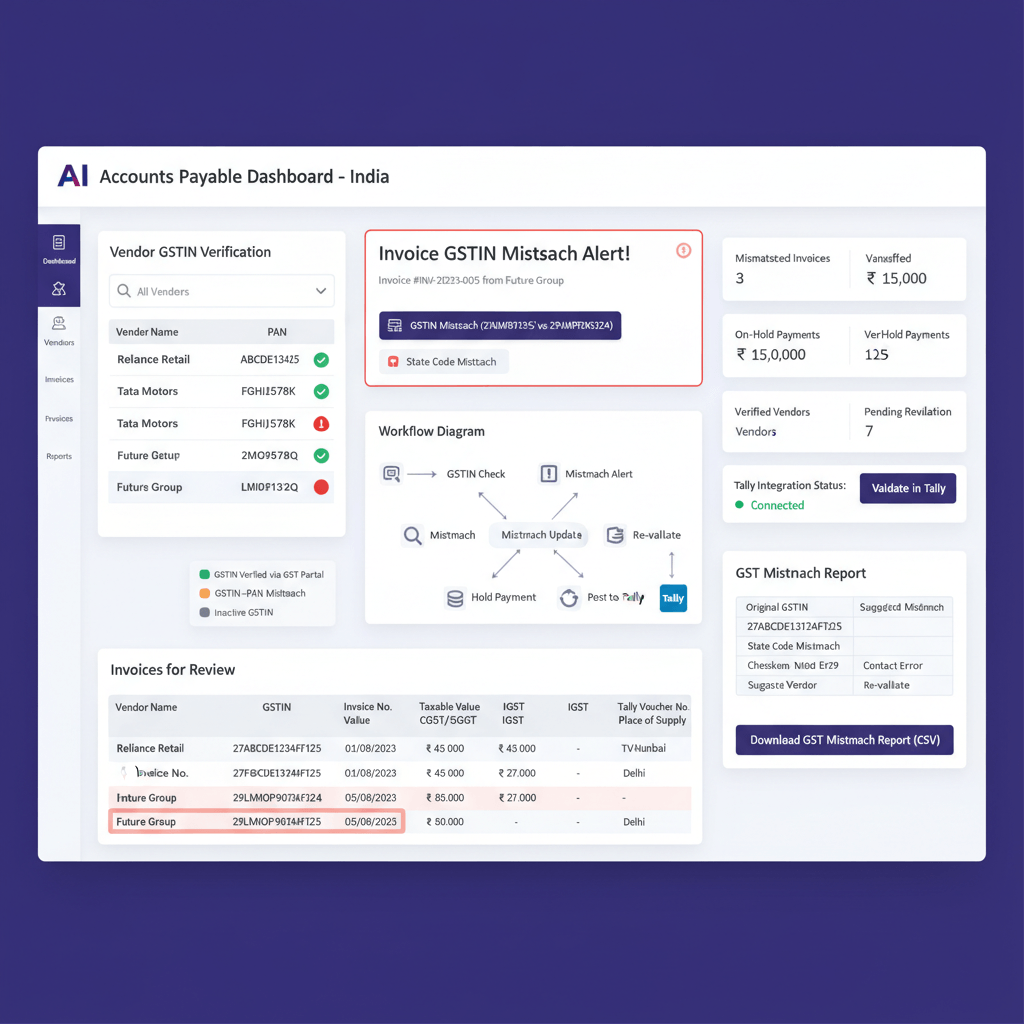
- Automation platforms, for example AI Accountant, can validate GSTINs at ingestion, reconcile with GSTR-2B, and sync corrections back to Tally.
Why GSTIN mismatches matter and common scenarios
Every GSTIN mismatch costs money and time. When vendor GSTINs do not match between Tally and the GST portal, ITC gets blocked, returns are rejected, and penalties can follow. Month end reconciliation stretches from hours into days.
What typically goes wrong
- Wrong GSTIN in the ledger, extra spaces or special characters, or incorrect digits, even when Tally seems to accept it.
- State code errors, the first two digits must align with the vendor address and place of supply.
- Vendor changes, new registration or branch billing, with no update to your vendor master.
- Bulk imports, small spreadsheet errors multiplied across many invoices.
- GSTR-2B reconciliation gaps, your purchase register uses one GSTIN, the vendor files under another.
Tip: Review practical causes and solutions in this concise guide on mismatch in GSTIN or party details in Tally Prime, and keep an eye on common GSTIN verification errors.
Detecting GSTIN mismatches in Tally Prime
Start with the built in error or exception reports. Go to Gateway of Tally, Display More Reports, Statutory Reports, GST, GSTR-1, Error or Exception Reports, then open Mismatch in Party GSTIN or UIN. This flags invalid lengths, illegal characters, or impossible state codes.
Deeper checks require comparison. Match your GSTR-2 purchase register to GSTR-2B, look for vendor GSTIN differences and tax type inconsistencies. If an invoice exists in books but not in GSTR-2B, the vendor may have filed under a different GSTIN. If tax types differ, IGST may have been chosen where CGST and SGST should apply.
At voucher level, open the purchase invoice, press F12, enable Provide GST Details, then compare seller GSTIN and state with the invoice and vendor master. Correct anything that is off immediately.
Run exception views regularly, HSN summaries, party wise tax, and tax liability reports. Export vendor masters and bulk validate GSTINs through the portal search. See examples in mismatch in seller GSTIN and state and this primer on GSTR-2B reconciliation mismatches.
Tally specific fixes and cleanup
Correct the vendor master first
- Open the vendor ledger, Statutory Details, verify the 15 character GSTIN format and correct state code.
- Ensure registration type is accurate, regular, composition, or unregistered.
- Match the legal name exactly with the GST certificate.
For bulk corrections, export the master, verify each GSTIN on the portal, note validity and status, flag duplicates, clean in Excel, then re import. Reference steps and safeguards in preventing GST notices with correct accounting and common GSTIN verification errors.
Then fix the vouchers
- Open the voucher, press F12, enable Provide GST Details, re select the correct party with updated GSTIN.
- Verify place of supply, IGST for interstate, CGST plus SGST for intrastate, and save.
- If the vendor GSTIN was cancelled before the invoice date, reverse and re enter correctly, keep evidence.
At month end, run GSTR-2 versus GSTR-2B mismatches, generate party wise tax summaries, export exceptions, and validate all corrections before filing. Practical walkthrough here, mismatch in GSTIN or party details in Tally Prime.
Vendor GSTIN check before payment, pre payment SOP
Adopt a non negotiable rule, no payment until the invoice GSTIN matches your ledger and shows as active on the portal. A disciplined vendor GSTIN check before payment saves you from compliance surprises.
- Match GSTIN across invoice, Tally, and portal, no spaces, no missing characters.
- Confirm the portal shows active status on the invoice date, keep a screenshot.
- Validate state code and place of supply alignment, verify legal name and PAN.
- For e invoices, confirm the IRN exists and validates.
Escalate mismatches instantly, alert the vendor, request a revised invoice or credit note, store portal screenshots and mail trails. Explore automation enablers like three way match automation for GST for scalable controls.
GSTR-2B reconciliation to protect ITC
Monthly GSTR-2B reconciliation is where GSTIN mismatches surface sharply. Match GSTIN plus invoice number between your Tally purchase register and GSTR-2B, then chase the gaps.
Why mismatches occur
- Vendors file under a branch or the wrong registration.
- Delayed GSTR-1 filing, valid invoices do not appear in your GSTR-2B yet.
- Vendors tag B2B as B2C, invoices become invisible for ITC.
Build a structured flow, download GSTR-2B as soon as available, import to your tool or Excel, reconcile, follow up with vendors for amendments, and reverse ITC where legally required, with full documentation.
| Mismatch scenario | Fix in Tally | Documentation required |
|---|---|---|
| Typo in GSTIN digits | Obtain corrected invoice, update ledger and voucher | Email from vendor, portal validation screenshot |
| GSTIN cancelled after invoice | Verify status on invoice date, retain ITC if valid then | Portal status screenshot for the invoice date |
| Branch versus head office used | Shift to the correct branch ledger, repost taxes | Revised invoice with correct GSTIN |
| Composition scheme error | Block ITC, seek corrected invoice | Registration type proof from portal |
| Wrong state code | Update vendor address and state, align tax type | State code check from GST site |
Further reading, GSTR-2B reconciliation mismatches and a practical note on GSTR-3B mismatch in Tally.
Preventive SOP for AP teams, ready to use
Prevention beats correction. Begin with airtight onboarding. Use structured data, clear naming, and enforced checks at every stage.
- Collect PAN, GST certificate, and e invoice settings up front, verify on portal before creating the master. See vendor onboarding best practices.
- During booking, match GSTIN, tax type, and IRN, make verification mandatory.
- Before payment, run the same checks again, your quality gate.
- At month end, reconcile GSTR-2B with a variance log, track every exception to closure.
- Quarterly, bulk validate all vendor GSTINs and statuses, update ledgers.
- Define roles, maker checks at entry, approver validates before payment, compliance reconciles at month end.
- For multi entity groups, tailor workflows per entity and state.
- Maintain a simple playbook with screenshots, examples, and checkpoints, easy for new joiners.
Templates and walk throughs, prevent GST notices with correct accounting and this practical GSTIN mismatch guide.
Compliance note: Always document your fixes thoroughly, portal screenshots, emails, and correction logs. For complex cases involving RCM or branch transfers, consult your tax advisor, base ITC decisions on the vendor’s portal status as of the invoice date.
Metrics for finance leaders
- ITC at risk, total credit tied to unmatched or disputed GSTINs, should trend down.
- First time validation percentage, invoices that pass all checks without edits, target ninety five percent plus.
- Resolution time, detection to correction, under forty eight hours for simple cases, under one week for complex cases.
- Vendor recurrence rate, repeated errors by supplier, candidates for special handling.
- Month end closure time, reconciliation should not delay closing.
- Compliance score, percentage of transactions audit ready without adjustments.
Use dashboards to show trend lines, celebrate gains, and prioritize weak spots. For process control ideas, see three way match automation for GST.
How accounting automation tools can help
Manual validation drains focus. Modern tools perform bulk checks, reconcile faster, and create airtight audit trails.
- AI Accountant flags GSTIN mismatches at PDF ingestion, validates name, GSTIN, and address, performs bulk extraction and GSTR-2B mapping, and syncs corrections back to Tally, ideal for multi entity AP.
- QuickBooks offers GST compliance features with automatic GSTIN validation and audit trails.
- Xero provides GST return preparation with built in validation rules and early mismatch flags.
- Zoho Books includes GSTIN checks at transaction entry and strong GSTR reporting.
- FreshBooks supports Indian GST configuration and vendor validation workflows.
- TallyPrime continues to improve error detection and reporting with each update.
Choose tools based on volume, integration needs, and change management appetite, focus on reducing manual effort without adding complexity.
Ready to use resources
- Pre payment checklist, GSTIN match, portal verification, state code, tax type, approvals.
- Tally vendor CSV template, columns for GSTIN, state, registration type, validation status.
- AP workflow flowchart, from invoice receipt to payment, with GSTIN validation gates.
- Reconciliation tracker spreadsheet, tabs by mismatch type, ITC at risk, and aging.
- Email templates for vendor corrections, clear and evidence backed.
- Training deck for new joiners, GSTIN formats, validation steps, Tally navigation for fixes.
Conclusion
GSTIN mismatches can derail ITC, extend close cycles, and invite notices. With targeted detection, systematic cleanup, and prevention through pre payment checks and monthly reconciliation, you can cut the noise quickly.
Track a few clear metrics, ITC at risk, first time validation, and resolution time, then iterate. Consider automation like AI Accountant to validate at the point of entry, reconcile at scale, and sync fixes back to Tally, your team can focus on exceptions rather than routine checks.
Perfection is not the goal on day one, steady improvement is. Bake these controls into daily work, document everything, and month ends will become predictable, with far fewer compliance headaches.
FAQ
What triggers a GSTIN mismatch GST notice, and how should a CA respond?
Notices usually follow discrepancies between your returns and portal records, for example ITC claimed in GSTR-3B that does not appear in GSTR-2B because vendors filed under a different GSTIN or did not file on time. A CA should immediately reconcile Tally with GSTR-2B, obtain vendor amendments in GSTR-1, and document corrections with portal screenshots and email trails.
Can ITC be claimed if the vendor’s GSTIN was cancelled after the invoice date?
Yes, if the GSTIN was active on the invoice date, ITC can be claimed subject to other eligibility conditions. Capture portal evidence showing active status on that date, store it with the voucher, and reference it during audit.
How do I fix cases where GSTR-2B is missing an invoice due to a vendor GSTIN error?
Request the vendor to amend GSTR-1 with the correct GSTIN, then wait for the correction to flow to your next GSTR-2B. If timing is tight, reverse the ITC temporarily to avoid interest, then re avail when the document appears. Tools like AI Accountant can track such exceptions automatically.
What is the fastest way to bulk validate vendor GSTINs from Tally for audit readiness?
Export the vendor master to Excel, run bulk checks on the GST portal or through an API, capture status, legal name, state code, and registration type, then re import cleaned data. Maintain a validation log with date, checker name, and evidence links.
Should I book invoices under head office GSTIN or the branch GSTIN when vendors operate multiple registrations?
Always use the GSTIN printed on the tax invoice, which identifies the supplier registration that raises the supply. Align place of supply and tax type accordingly, and maintain separate ledgers in Tally for each vendor location to prevent cross posting.
How should CAs handle vendors switching between regular and composition schemes mid year?
Monitor registration type monthly, composition dealers cannot charge GST and you cannot claim ITC on their supplies. On change of scheme, update the ledger immediately, disallow ITC on composition period invoices, and obtain corrected documents where chargeability was wrong.
What controls should AP run before releasing payment to catch GSTIN issues early?
Enforce a zero exception pre payment checklist, exact GSTIN match across invoice, Tally, and portal, active status on invoice date, correct state code and tax type, IRN validity for e invoices. A workflow enabled tool like AI Accountant can automate these checks and block payments when mismatches persist.
How do I evidence that an ITC reversal was necessary due to vendor non compliance?
Maintain a reconciliation note referencing the invoice, vendor GSTIN, GSTR-2B period, and the reason for reversal, vendor not filed, wrong GSTIN, or B2C tagging. Attach portal screenshots, vendor communication, and the journal voucher reference. Reinstate ITC only when the corrected document appears.
What is the recommended Tally cleanup order when widespread GSTIN mismatches are discovered?
First, validate and correct the vendor master, GSTIN, legal name, state, and registration type. Second, re link and correct vouchers, including place of supply and tax type. Third, rerun GSTR-2B reconciliation, seek vendor amendments, and finalize with documented evidence.
How do I handle invoices where the vendor used the wrong state code, yet tax was charged correctly?
Request a revised invoice with the correct GSTIN or state code, update the ledger and voucher, and retain portal proof. If correction cannot be issued, consult on the best available documentation to defend ITC, since identity and place of supply must be consistent.
What KPIs should a CA present to management to prove control over GSTIN mismatches?
Show ITC at risk, first time validation rate, average resolution time, vendor recurrence, and month end close duration. Use trend lines and vendor wise heat maps, and demonstrate the impact of interventions like pre payment checks or quarterly master validations.
Can AI tools reliably map invoices to the correct vendor GSTIN when suppliers have many branches?
Yes, systems like AI Accountant use invoice header extraction and portal validation to auto match GSTIN, legal name, and address, then recommend or auto select the correct branch ledger in Tally. Human review focuses on exceptions only, improving both speed and accuracy.