-01%201.svg)
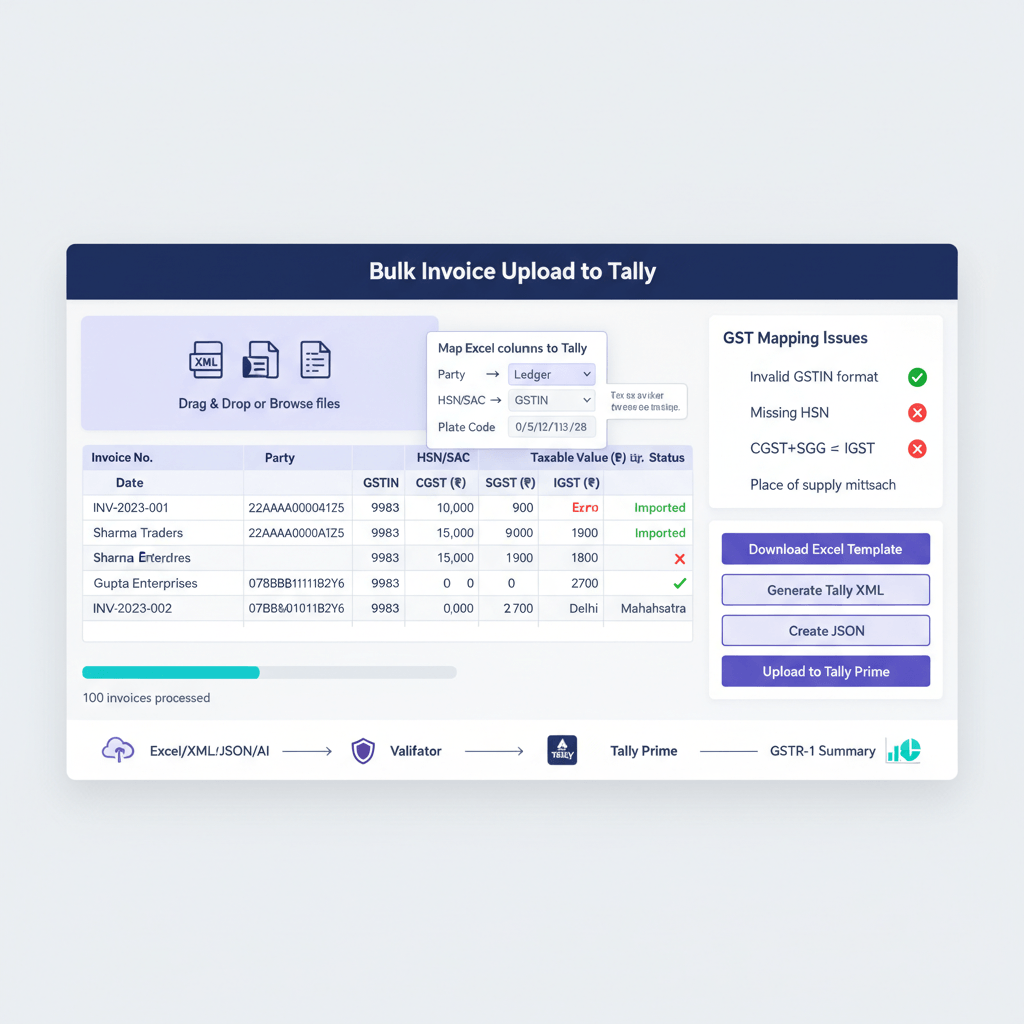
Key takeaways
- Bulk invoice upload in Tally means importing many vendor bills at once with correct GSTINs, tax breakups, and ledger mappings, cutting hours of manual work and reducing errors.
- You have three practical paths, native XML or JSON import in TallyPrime, Excel-to-Tally utilities, and AI-powered automation that reads PDFs and pushes clean data to Tally.
- Always run a pre-upload checklist, validate vendor masters with correct GSTINs, confirm GST ledgers, and prepare for special cases like RCM, IGST, and credit notes.
- Native Tally imports offer precision, Excel utilities are simpler for non-technical teams, AI tools like AI Accountant deliver the fastest results for 200+ invoices or mixed PDFs and scans.
- For India GST accuracy, place of supply drives CGST or SGST versus IGST, maintain consistent ledger naming, handle credit notes and cess carefully, and use round-off ledgers.
- Import in batches of 200 to 500, keep detailed logs, take backups before each run, and have a rollback plan to stay safe and compliant.
- Modern reconciliation, including GSTR-2B, is simpler after clean bulk imports, tools like AI Accountant’s Tally integration guide show end-to-end automation.
Why bulk invoice upload in Tally matters now
Month-end crunch, GST deadlines, and hundreds of vendor bills create real pressure. Manual entry invites GST mismatches, ledger posting errors, and reconciliation gaps. With bulk invoice upload, you import many bills in one go, include GSTIN, CGST, SGST, IGST, and proper ledgers, then verify reports with confidence. The outcome, faster closings, fewer errors, and better audit trails.
For 100 to 500+ invoices, bulk processes are not optional, they are essential for accuracy and turnaround time.
Your options for bulk invoice upload in Tally
Manual voucher entry
Works for tiny volumes, but at 100+, expect 6 to 8 hours with a non-trivial error rate. It remains useful for edge cases and corrections.
Native Tally XML or JSON import
Precise and built-in. Use Tally’s Exchange features, prepare clean XML or JSON, and process vouchers in batches. See bulk generation of e-invoices in TallyPrime and e-invoice JSON file upload for the official approach. For a quick visual overview, watch this video walkthrough and this import demo.
Excel-to-Tally utilities
Ideal for spreadsheet-friendly teams. Map columns to Tally fields, validate, and import, no XML coding needed. Keep an eye on date formats, unique invoice numbers, and exact ledger names.
AI-powered automation
Tools like AI Accountant read PDFs, scans, Excel, and CSVs, auto-extract GST details, validate against masters, and push clean vouchers directly to Tally. For a quick sense of speed, check this short demo.
Essential pre-upload checklist for all methods
Spend 15 minutes here, save hours later.
Safety first, take a full Tally backup before any import.
Masters, vendors with correct GSTINs, GST ledgers for CGST, SGST, IGST, purchase ledgers aligned to your chart, cost centers and items if used.
Minimum data fields, vendor name and GSTIN, invoice number and date, place of supply, taxable value, CGST or SGST or IGST breakup, round-off if any, ledger classification, clear narration.
Special flags, RCM purchases, IGST or SEZ, TDS or TCS, credit notes linked to originals, advances adjusted against invoices.
Step-by-step native XML or JSON import in TallyPrime
Prepare structured data, build Excel with invoice number, date, vendor, GSTIN, taxable, tax breakup, total, then convert to Tally XML or JSON with templates or scripts.
Use Tally Exchange, Gateway of Tally, Alt+Z, choose Send for e-invoicing, select pending vouchers, and proceed. Refer to Tally’s bulk e-invoice guide and JSON upload guide. See an example video walkthrough if you prefer visuals.
Offline route, export JSON from Tally, upload on the IRP with the government bulk feature for more control.
Post-import validation, check Day Book with date filters, run GST analysis, review ledgers, and fix exceptions. For another quick video overview, watch this TallyPrime session.
Excel-based import without XML coding
Install a trusted utility, connect to your Tally company, load or design a mapping template, and import. Validate first with a dry run.
Watch for exact ledger names, unique invoice numbers, correct GST rates, and strict date formats. Start with 10 to 20 invoices, confirm results, then scale to 200 to 500 per batch. If you later need JSON files for statutory upload, refer to Tally’s JSON upload reference.
Batch bill entry Tally India with AI Accountant
Connect using the Tally integration guide, the tool syncs vendors, ledgers, cost centers automatically.
Drag and drop PDFs, scans, Excel, or CSV. AI extracts vendors, GSTINs, dates, invoice numbers, and tax breakups, even from low-quality images. It auto-matches to your masters, predicts ledgers and cost centers, flags RCM, IGST, or credit notes.
Review in a spreadsheet-like grid, bulk-edit with filters, approve, then data posts to Tally in the right voucher format. See a quick demo in action. The result, 1000 invoices in minutes, not days.
GST mapping and tax accuracy for India
Place of supply drives tax, intra-state means CGST and SGST, inter-state means IGST. Align ledger postings accordingly.
Consistent ledger names, for example, Purchase, 18% GST, Input CGST 9%, Input SGST 9%, Input IGST 18%. For RCM, maintain distinct ledgers and mark liability correctly.
Credit notes, use a separate voucher type, link to original invoices to reverse GST properly.
Mixed purchases, expense versus inventory, exempt items, composition vendors, and cess require separate handling and ledgers. Round-off should hit a dedicated round-off ledger. For reference, see Tally’s e-invoice JSON notes.
Common errors and quick fixes
Ledger not found, ensure exact, case-sensitive names, pre-create ledgers, avoid trailing spaces.
Voucher already exists, check numbering, avoid duplicates by changing series or appending prefixes.
Invalid dates, standardize to your Tally date format, and ensure dates fall within the financial year.
Stock or GST rate mismatches, pre-create items with correct rates, use date-effective rates for changes.
Wrong place of supply, verify state codes, update vendor masters before import, handle SEZ and exports as zero-rated or IGST. For additional context, this short video helps spot common pitfalls quickly.
Performance tips and import controls
Import in 200 to 500 voucher chunks, verify after each batch. Keep an import log with batch numbers, invoice ranges, totals, and the operator’s name.
Always back up before big runs, note last voucher numbers, and document mappings. Create SOPs for recurring imports, and monitor system resources. For very large runs, process off-hours to avoid network slowdowns.
Comparing bulk upload methods for Tally
Native XML or JSON, maximum precision and compatibility, requires technical setup and strict format discipline. Learn more from Tally’s bulk e-invoice guide and this quick demo for the overall flow.
Excel utilities, easier mapping in spreadsheets, license cost and compatibility to consider.
AI Accountant, fast for 200+ mixed documents, learns from your patterns, includes reconciliation dashboards. While subscription-based, the time saved usually offsets cost quickly. See Tally’s JSON guide for official schema context, then automate end-to-end with AI Accountant.
Real-world case study
A Mumbai CA firm with eight clients, 100 to 500 bills each per month, moved from 6 to 8 hours per client of manual entry to under 30 minutes using AI Accountant. PDFs and scans flow in, AI extracts GST details, validations take minutes, and vouchers post to Tally directly. GSTR-2B reconciliation runs with clear mismatch reporting. For a quick feel of the workflow, watch this demo.
Security considerations for bulk operations
Ensure encryption in transit and at rest, confirm vendor certifications such as ISO 27001 and SOC 2. Use role-based access for upload, validation, and posting, and maintain detailed audit logs.
Check data residency for compliance, schedule automatic backups before imports, and verify restore procedures. Validate vendors against GST data during bulk runs to reduce fraud risk, and set approval thresholds for high-value bills.
Best accounting tools for bulk invoice management
- AI Accountant, PDF and scan extraction, GST validation, direct Tally sync, multi-entity support, reconciliation dashboards.
- QuickBooks, strong Excel-based bulk imports, good reporting, Tally integration via connectors.
- Zoho Books, robust bulk operations and APIs, Tally integration through third-party tools.
- FreshBooks, simple uploads for smaller volumes, export-import workflows to Tally.
- Xero, bulk imports and a bills inbox, Tally connection via intermediaries.
- TallyPrime, powerful native XML or JSON capabilities when you need precise control.
Moving forward with bulk invoice upload in Tally
Choose the right path for your volume and timelines. Native XML or JSON suits technical teams with structured data, Excel utilities help spreadsheet-first operators, AI automation delivers speed, accuracy, and scale for recurring high volumes.
The aim is not just to upload quickly, but to post accurate data that reconciles smoothly and supports smarter decisions. Start with a pilot batch, document your process, and build confidence. When month-end turns from days to hours, you will see the payoff immediately.
FAQ
Can Tally import purchase invoices in bulk, and what formats does it accept?
Yes, TallyPrime supports bulk vouchers via XML or JSON. Use Exchange options for batch processing, and structure files per Tally’s schema. For official references, see Tally’s bulk e-invoice guide and e-invoice JSON upload.
How can I upload 100 to 500 vendor bills to Tally without writing XML?
Use Excel-to-Tally import utilities that map columns to voucher fields, or deploy AI Accountant to extract data from PDFs and Excel, validate GST, and post directly to Tally.
What is the recommended batch size for safe bulk imports in Tally?
Import in 200 to 500 voucher chunks, verify totals after each batch, maintain logs, and always take a backup beforehand for quick rollback if needed.
How do CAs handle RCM purchases, IGST, and credit notes during bulk imports?
Create dedicated ledgers for RCM, mark the RCM flag in import data, use IGST for inter-state purchases based on place of supply, and treat credit notes as a separate voucher type linked to the original invoice to reverse GST correctly.
Can Tally auto-calculate CGST, SGST, or IGST during import, or must I provide amounts?
Provide explicit tax breakup in your data. Tally validates against configured rates, it does not recalculate if you submit exact tax amounts with the voucher payload.
What are the fastest options for bulk invoice upload when I only have PDFs and scans?
Use an AI extractor like AI Accountant, it reads PDFs and images, validates GSTINs, maps ledgers, and posts clean vouchers into Tally. For a quick feel, watch this demo.
How do I prevent duplicate vouchers when importing large batches?
Enforce unique invoice numbers, enable duplicate checks in your utility, maintain an import log, and consider prefixes for overlapping series across vendors or branches.
Why do I get “ledger not found” or “invalid date” errors, and how do I resolve them?
Ledger names must match exactly, including spaces and case. Pre-create ledgers and items. Standardize dates to your company’s format, and ensure they fall within the financial year.
What is the best approach for GSTR-2B reconciliation after a bulk upload?
Use tools with reconciliation dashboards. AI Accountant’s Tally integration guide shows how imported vouchers align with 2B, surfacing matches, mismatches, and missing invoices for easy closure.
How should a CA firm structure SOPs for recurring bulk invoice imports?
Document field mappings, date formats, ledger naming standards, validation rules, approval steps, and rollback procedures. Keep versioned templates and run a 10 to 20 voucher pilot before each major import.
Is XML or Excel better for audit trails and accuracy in Tally?
XML or JSON offers maximum control and traceability in native Tally terms. Excel is simpler to prepare, but you will need a converter or utility. Many firms use Excel for prep, then generate XML or JSON for final import.
Can multi-company CA setups run centralized bulk imports safely?
Yes, import company by company in standard Tally, or use a multi-entity tool. AI Accountant supports role-based access and entity segregation, letting teams upload, review, and post per company with proper controls.