-01%201.svg)
Key Takeaways
- GST registration is mandatory for every Flipkart seller under Section 24(ix) of the CGST Act, regardless of turnover
- The standard ₹40 lakh / ₹20 lakh threshold exemption does not apply to e-commerce sellers
- Registration is done at www.gst.gov.in using Form GST REG-01, with approval typically in 3 to 7 working days after Aadhaar authentication
- Composition Scheme is unavailable to sellers operating through e-commerce platforms
- Flipkart deducts TCS at 1% (0.5% CGST + 0.5% SGST) on net taxable sales under Section 52 of the CGST Act
- Selling without a GSTIN can result in penalties of ₹10,000 or 100% of tax evaded, whichever is higher, plus account suspension and blocked payouts
- You must file GSTR-1 and GSTR-3B monthly or quarterly, reconcile Flipkart's TCS with your GSTR-2B, and file an annual GSTR-9
Is GST Registration Mandatory For Flipkart Sellers?
Yes, and the law is unambiguous about it.
Section 24(ix) of the CGST Act, 2017 lists categories of persons for whom GST registration is compulsory. Selling through an e-commerce operator is one of them. This provision overrides the standard turnover thresholds entirely. It does not matter whether you are a solo founder in Jaipur selling 20 units a month or a Mumbai D2C brand turning over ₹5 crore annually. GST for selling on Flipkart is mandatory from day one.
Flipkart is classified as an E-Commerce Operator (ECO) under Section 2(45) of the CGST Act. As an ECO, it has its own compliance obligations under the Act, and every seller using its platform is a "person supplying through an ECO" by definition.
The normal threshold protection for goods sellers (₹40 lakh turnover for regular states, ₹20 lakh for special category states) and services sellers (₹20 lakh and ₹10 lakh respectively) simply does not extend to e-commerce sellers. Section 24 is a hard override. A first-time seller who lists 10 products and sells zero units still needs a valid GSTIN before going live. Retrospective registration after your first sale is not permitted for e-commerce sellers.
One narrow exception exists: if you exclusively sell goods that are fully exempt from GST, registration is not required. But this applies to a tiny fraction of what actually gets listed on Flipkart. If you sell electronics, clothing, footwear, household goods, or anything that carries a GST rate, you are within the mandatory registration universe. For a reference overview, see GST On Online Sellers.
This applies uniformly across all business structures: individuals, sole proprietorships, partnerships, LLPs, and private limited companies.
GST Registration Threshold And Eligibility For Flipkart Sellers
Even though the zero-threshold rule eliminates the turnover question, you still need to meet basic eligibility criteria before you can register.
Minimum requirements for any applicant:
- A valid PAN card — your GSTIN is a PAN-based number; without PAN, registration is not possible
- A principal place of business in India, supported by an address proof document
- A bank account in the name of the business (or the proprietor, for sole proprietorships)
State-wise registration matters more than most sellers realise. GST is a state-level registration. If you dispatch goods only from your own warehouse in Karnataka, you need one GSTIN for Karnataka. But if you enrol in Flipkart Fulfilment (FF) and your inventory sits in Flipkart warehouses in Maharashtra, Haryana, or Tamil Nadu, supplies from those states technically originate from those states. That can create a multi-state registration obligation. Sellers using FF services should audit which states hold their inventory and seek advice on whether additional state registrations are required. For a reference overview, see GST On Online Sellers.
Composition Scheme is not available to Flipkart sellers. Section 10(2)(d) of the CGST Act explicitly bars composition dealers from making supplies through e-commerce operators. If you are currently registered under the Composition Scheme and want to sell on Flipkart, you must first switch to the regular scheme. Selling on Flipkart while remaining a composition dealer creates both a GST law violation and a breach of Flipkart's seller terms.
Step-By-Step GST Registration Process For Flipkart Sellers
This is the online seller GST registration process as it currently stands on the GST portal.
Step 1: Visit The GST Portal
Go to www.gst.gov.in. Navigate to Services → Registration → New Registration.
Step 2: Complete Part A Of Form GST REG-01
Select your taxpayer type (Taxpayer), enter your legal name exactly as it appears on your PAN, choose your state and district, and provide your email ID and mobile number. You will receive OTPs on both. Once verified, the system generates a Temporary Reference Number (TRN), which is valid for 15 days. Save this number.
Step 3: Complete Part B Of Form GST REG-01
- Business details (trade name, constitution, commencement date)
- Promoter or partner details (PAN, Aadhaar, address)
- Authorised signatory
- Principal place of business (with address proof upload)
- Additional places of business (if applicable)
- Goods and services — this is where you enter your HSN code (Harmonised System of Nomenclature). Identify the correct 4-digit HSN for your primary product category before you sit down to file. Incorrect HSN codes are a common audit trigger.
- Bank account details
- State-specific information
- Aadhaar authentication
- Document uploads
Step 4: Complete Aadhaar Authentication
Do this. The GST portal sends an OTP to the Aadhaar-linked mobile number for biometric validation. If you complete this step, your application is processed in 3 to 7 working days. If you skip it, a physical verification is triggered, which can take 21 to 30 working days. There is no good reason to delay your Flipkart launch by three weeks. Complete the Aadhaar authentication online.
Step 5: Receive Your ARN
After submission, an Application Reference Number (ARN) is generated. Use this to track your application status under Services → Track Application Status on the GST portal.
Step 6: Respond To Any Notice
The assigned GST officer may issue Form GST REG-03 (a clarification notice) within 3 working days. If you receive one, you must respond via Form GST REG-04 within 7 working days. Respond promptly with the requested documents or clarifications. If satisfied, the officer approves your application via Form GST REG-06, which is your official GST Registration Certificate.
Step 7: Download Your GSTIN And Certificate
Your GSTIN is a 15-digit alphanumeric number: the first 2 digits are the state code, the next 10 are your PAN, followed by an entity number, the letter Z, and a check digit. Download your registration certificate from Services → User Services → View/Download Certificates. This is the document Flipkart will ask you to upload.
Documents Required For GST Registration As A Flipkart Seller
Prepare these before you open the portal. Uploading incomplete documents is the most common reason for GST REG-03 clarification notices.
Sole Proprietor or Individual:
- PAN card of the proprietor
- Aadhaar card of the proprietor
- Passport-size photograph
- Proof of principal place of business: electricity bill, rent agreement, or property tax receipt (utility bills must not be older than 2 months)
- Bank proof: cancelled cheque or bank statement showing account number, IFSC code, and branch name
- NOC from landlord if the premises are rented and proof is in the landlord's name
Partnership Firm:
- PAN of the firm
- Partnership deed
- PAN and Aadhaar of each authorised partner
- Business address proof
- Bank account proof in the firm's name
Private Limited Company or LLP:
- PAN of the company or LLP
- Certificate of Incorporation
- Memorandum and Articles of Association (for Pvt Ltd)
- PAN and Aadhaar of all directors or designated partners
- Board resolution authorising the signatory
- Registered office address proof
- Bank account proof in the entity's name
General document specs: Each file must typically be under 1 MB in JPEG or PDF format. All documents must be self-attested. Address proof must be in the applicant's name or accompanied by an NOC.
How To Add Your Flipkart Seller GST Number On Seller Hub
Once you have your GSTIN, the next step is onboarding on Flipkart Seller Hub at seller.flipkart.com.
For new seller registration: During the onboarding flow, you will reach a "Business Details" section. Enter your GSTIN here. Flipkart validates every GSTIN entered against the live GST portal database. An inactive, incorrect, or recently issued GSTIN that has not yet synced will be rejected. If your GSTIN was issued in the last 24 hours, wait a day before attempting to enter it.
For existing sellers updating their GST details: Go to Seller Hub → Account → Tax Details → Update GSTIN. The same validation applies.
A critical point: your GSTIN must correspond to the state from which you dispatch goods. If your GSTIN is registered in Maharashtra but you are shipping from a facility in Karnataka, there will be a mismatch. Flipkart flags this during verification. Get the state right at the registration stage.
After successful GSTIN validation, Flipkart will issue a Seller Agreement for execution. This is a legal contract covering product listing, payment terms, and compliance obligations. Read it before signing.
On invoicing: You are responsible for generating tax-compliant invoices under Section 31 of the CGST Act for every sale. For B2B orders, the invoice must include the buyer's GSTIN, your GSTIN, HSN code, tax rate, and tax amount. Flipkart's platform generates invoices for B2C orders in most seller setups, but verify this in your specific account configuration.
TCS tracking: Once your GSTIN is linked, TCS deducted by Flipkart on your sales will appear automatically in your GSTR-2A and GSTR-2B. You will be able to see it and claim it as a credit. Without a linked GSTIN, this credit is invisible to you and the tax department assumes something is wrong.
What Happens If You Sell On Flipkart Without A GST Number?
Short answer: you cannot list products on Flipkart without a GSTIN. It is a mandatory field during seller onboarding. There is no workaround.
But for sellers who manage to have their GSTIN lapse post-registration, or who somehow make sales before their GSTIN is active:
- Section 122(1) of the CGST Act: penalty of ₹10,000 or 100% of the tax evaded, whichever is higher, for supplying goods without registration
- Sections 73 and 74: demand notices for unpaid tax plus interest at 18% per annum on the outstanding amount
- In cases involving fraud or deliberate suppression: penalties can reach 200% of the tax under Section 74
The data trail is real. Flipkart files GSTR-8 every month with seller-wise TCS details, and GST authorities have direct visibility into this data.
If a seller appears in Flipkart's GSTR-8 but has no active GSTIN or has not filed returns, it is a near-automatic trigger for a notice. There is no hiding in the GST ecosystem once you sell on a platform this large.
Platform-level consequences: Flipkart can suspend your seller account and hold payouts if GST compliance lapses after registration. Return non-filing is treated as a compliance breach by the platform, not just a tax matter.
If managing ongoing GST obligations feels like a distraction from running your business, services like Virtual Accounting handle monthly GSTR-1, GSTR-3B filing, notice responses, and TCS reconciliation for Flipkart sellers, so you are never behind on compliance.
GST Rates On Products Sold Through Flipkart
GST is levied on the transaction value of goods under Section 15 of the CGST Act. Rates vary significantly by product category, and getting this wrong on your invoices creates rate mismatch issues during return filing.
Common rate slabs for Flipkart product categories:
- 0%: Fresh fruits, vegetables, unbranded cereals, books
- 5%: Footwear priced up to ₹1,000, packaged food items, tea, coffee, edible oils
- 12%: Footwear above ₹1,000, mobile phones, processed food, butter, cheese
- 18%: Laptops, tablets, cameras and most electronics, clothing above ₹1,000, personal care products, furniture, kitchenware, stationery
- 28%: Luxury goods, certain auto accessories, aerated beverages
Two categories worth flagging specifically:
Mobile phones: 12% GST. If you are still applying 18% on smartphones, you are overcharging customers and creating a reconciliation problem.
Clothing and apparel: 5% if MRP is ₹1,000 or below; 12% if MRP exceeds ₹1,000. This is a per-item threshold, not a turnover threshold.
HSN code requirements by turnover:
- Turnover up to ₹5 crore: 4-digit HSN code required on invoices
- Turnover above ₹5 crore: 6-digit HSN code required
Verify your HSN codes using the CBIC HSN search tool before registering and before filing. Miscategorisation is one of the most consistent audit triggers for e-commerce sellers.
TCS Deducted By Flipkart — What Sellers Must Know
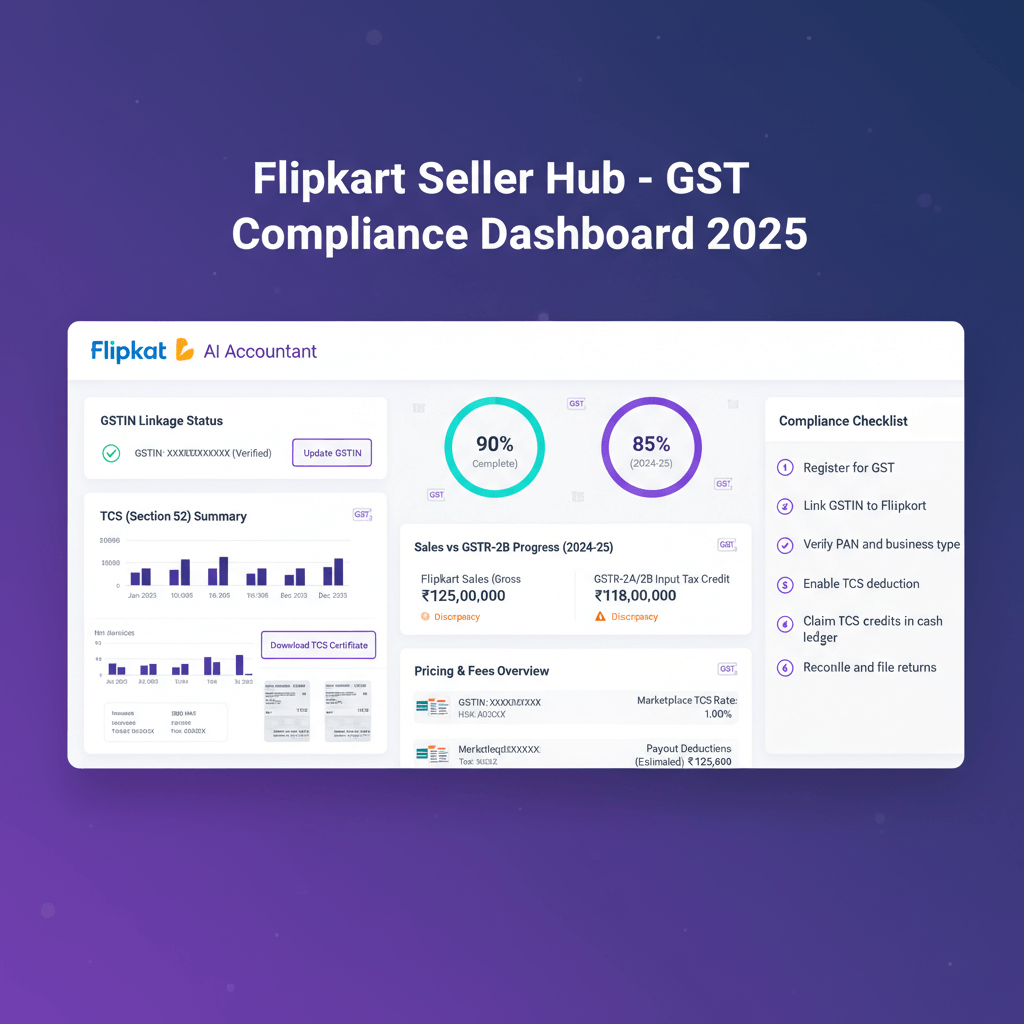
Under Section 52 of the CGST Act, every e-commerce operator must collect Tax Collected at Source (TCS) from the payments it makes to sellers. Flipkart deducts this at 1% of the net taxable value of your sales made through its platform.
The breakdown is 0.5% CGST + 0.5% SGST for intra-state supplies, or 1% IGST for inter-state supplies.
TCS is deducted on the net value, meaning sale value minus returns. It is not deducted on the gross transaction value. If you sold ₹1,00,000 worth of goods this month and ₹10,000 worth was returned, Flipkart deducts TCS on ₹90,000, which comes to ₹900.
Flipkart deposits TCS with the government and files GSTR-8 by the 10th of the following month. This data flows directly into your GSTR-2A and GSTR-2B.
How to claim the TCS credit:
- Open your GSTR-2B for the relevant month
- The TCS amount Flipkart has deposited will be visible under TCS credits
- Claim it in Table 3 of GSTR-3B under "TCS credit received"
- It reduces your net GST cash payment for that period
TCS is not an additional cost to you. It is an advance payment of your GST liability that gets reconciled through your monthly returns. However, it does create a temporary working capital squeeze because Flipkart remits the TCS to the government, not to you, and you recover it through your return filing cycle. A seller with ₹5 lakh monthly sales will have ₹5,000 locked in TCS credits each month until returns are filed. Plan your cash flow accordingly. For a reference overview, see GST On Online Sellers.
Ongoing GST Compliance For Flipkart Sellers After Registration
Registration is the start of a monthly compliance cycle. Here is exactly what that looks like.
Monthly Returns (for sellers with turnover above ₹5 crore):
- GSTR-1 (outward supplies): due by the 11th of the following month
- GSTR-3B (summary return and tax payment): due by the 20th of the following month
Quarterly Returns (QRMP scheme, turnover up to ₹5 crore):
- GSTR-1: due by the 13th of the month following the quarter
- GSTR-3B: due by the 22nd or 24th of the month following the quarter, depending on your state category
GSTR-2B is auto-generated by the 14th of each month. Use it to reconcile TCS credits from Flipkart and ITC from your purchases.
Annual Return:
- GSTR-9: due by 31 December of the following financial year (FY 2024-25 return due 31 December 2025)
- Mandatory if your annual turnover exceeds ₹2 crore; optional but recommended below that
Reconciliation is the work most sellers skip. Every month, download the Tax Report from Flipkart Seller Hub (Reports → Tax Reports) and reconcile it against your GSTR-2B TCS credits and the sales you have declared in GSTR-1. Discrepancies between what Flipkart has reported in its GSTR-8 and what you have declared in GSTR-1 will generate automated notices from the GST system.
Input Tax Credit (ITC): You can claim ITC on legitimate business purchases under Section 16: packaging material, freight costs, advertising, and office supplies all qualify. You cannot claim ITC on personal expenses or items blocked under Section 17(5) (food, club memberships, motor vehicles in most cases).
Late filing penalties:
- GSTR-1 and GSTR-3B: ₹50 per day (₹25 CGST + ₹25 SGST); NIL return late fee is ₹20 per day
- Interest on late tax payment: 18% per annum on the outstanding amount
File on time, even if you need to file a NIL GST return. The penalty clock starts the day after the due date.
Common GST Mistakes Flipkart Sellers Must Avoid
These are the errors that generate notices, create cash losses, or result in platform action.
- Selecting the wrong HSN code. This is the most common mistake. An incorrect HSN code produces a rate mismatch between what you charge and what the GST system expects. It shows up in return scrutiny. Use the CBIC HSN search tool before listing your products and before filing your first return.
- Not claiming TCS credits. Every month that Flipkart deducts TCS on your sales, that amount appears in your GSTR-2B. If you do not claim it in GSTR-3B, you are effectively paying your GST liability twice.
- Assuming Composition Scheme applies. If you receive advice to register under the Composition Scheme to simplify compliance, understand that you cannot use it as a Flipkart seller. Doing so violates Section 10(2)(d) of the CGST Act and puts you in breach of Flipkart's seller terms simultaneously.
- Not registering in all relevant states. If your inventory is sitting in Flipkart fulfilment centres across multiple states, supplies dispatched from those centres may require separate state registrations.
- Filing GSTR-3B before GSTR-1. Always file GSTR-1 first to avoid mismatch flags.
- Not accounting for returns and cancellations. TCS is on net taxable value. If a returned order is not captured correctly, you may pay GST on a sale that was reversed.
- Starting sales before GSTIN activation. Even one transaction before your GSTIN is active is non-compliant for e-commerce sellers. Wait for your registration certificate before going live.
If keeping all of this current is not a priority you want to manage internally, Virtual Accounting manages monthly GSTR-1, GSTR-3B, annual GSTR-9, TCS reconciliation, and notice handling for Flipkart sellers starting at ₹4,000 per month.
Ready To Sell On Flipkart With Full GST Compliance?
Getting your GST registration right is the first step. Staying compliant every month is the real discipline. If you would rather focus on product, marketing, and operations while someone else manages the GST cycle, the Virtual Accounting team handles exactly that.
Explore Virtual Accounting's GST And Compliance Services →
FAQ: Flipkart GST Registration
Can I Sell On Flipkart Without A GST Number?
No. Flipkart requires a validated GSTIN during seller onboarding. You cannot activate a seller account or list products without one. This mirrors the legal obligation under Section 24(ix) of the CGST Act.
What Is The Minimum Turnover Required To Register For GST As A Flipkart Seller?
There is no minimum turnover requirement for Flipkart sellers. The standard ₹40 lakh and ₹20 lakh thresholds do not apply to those selling through e-commerce platforms. Register before your first sale, regardless of projected revenue.
How Long Does GST Registration Take?
If you complete Aadhaar authentication during the application, approval typically takes 3 to 7 working days. Skipping Aadhaar triggers physical verification, which can take 21 to 30 working days.
Can I Use My Existing GST Registration For Flipkart?
Yes. If you already have a regular GSTIN, enter it in the Tax Details section in Seller Hub. You do not need a separate registration unless you are also dispatching from a state where you currently do not have a GSTIN.
What Is TCS And How Does It Affect My Payouts From Flipkart?
TCS is Tax Collected at Source under Section 52 of the CGST Act. Flipkart deducts 1% of your net taxable sales and deposits it with the government. On ₹1,00,000 in sales, you receive ₹99,000 and ₹1,000 appears in your GSTR-2B as TCS credit to claim in GSTR-3B. If you prefer hands-off reconciliation, Virtual Accounting by AI Accountant can automate TCS matching in GSTR-2B and GSTR-3B for you.
What Happens If I Am Registered Under The Composition Scheme And Want To Sell On Flipkart?
You must first convert to the regular GST scheme. Composition dealers are barred from supplying through e-commerce operators under Section 10(2)(d). Selling while under Composition is a legal violation and a breach of Flipkart's terms.
Do I Need Separate GST Registrations For Different States If I Use Flipkart Fulfilment?
Possibly. GST registration is state-specific. If Flipkart stores your inventory in centres located in other states and dispatches from those states, you may need separate GSTINs. Review your fulfilment footprint with your CA.
Which GST Returns Do I Need To File As A Flipkart Seller?
File GSTR-1 and GSTR-3B monthly or quarterly depending on your turnover and QRMP selection. File GSTR-9 annually if turnover exceeds ₹2 crore. File NIL returns in periods with no transactions to avoid late fees.
What Are The Penalties For Not Registering For GST As A Flipkart Seller?
Under Section 122(1), the penalty is ₹10,000 or 100% of the tax evaded, whichever is higher. In fraud or suppression cases under Section 74, penalties can reach 200% of the tax. Interest at 18% per annum applies on unpaid tax.
How Do I Find The Correct HSN Code For My Products On Flipkart?
Use the CBIC HSN search on cbic-gst.gov.in to identify the correct code and rate. For turnover up to ₹5 crore, include a 4-digit HSN on invoices; above ₹5 crore, include a 6-digit HSN. Consistent use in invoices and GSTR-1 prevents rate mismatch notices. For ongoing classification support and periodic reviews, Virtual Accounting by AI Accountant can assist with HSN validation and updates.

Rohan Sinha is a fintech and growth leader building aiaccountant.com, focused on simplifying accounting and compliance for Indian businesses through automation. An IIT BHU alumnus, he brings hands-on experience across 0 to 1 product building, growth, and strategy in B2B SaaS and fintech.