-01%201.svg)
Key Takeaways
- Filing a nil GST return is mandatory even when there is no business activity for the tax period. Skipping it triggers late fees.
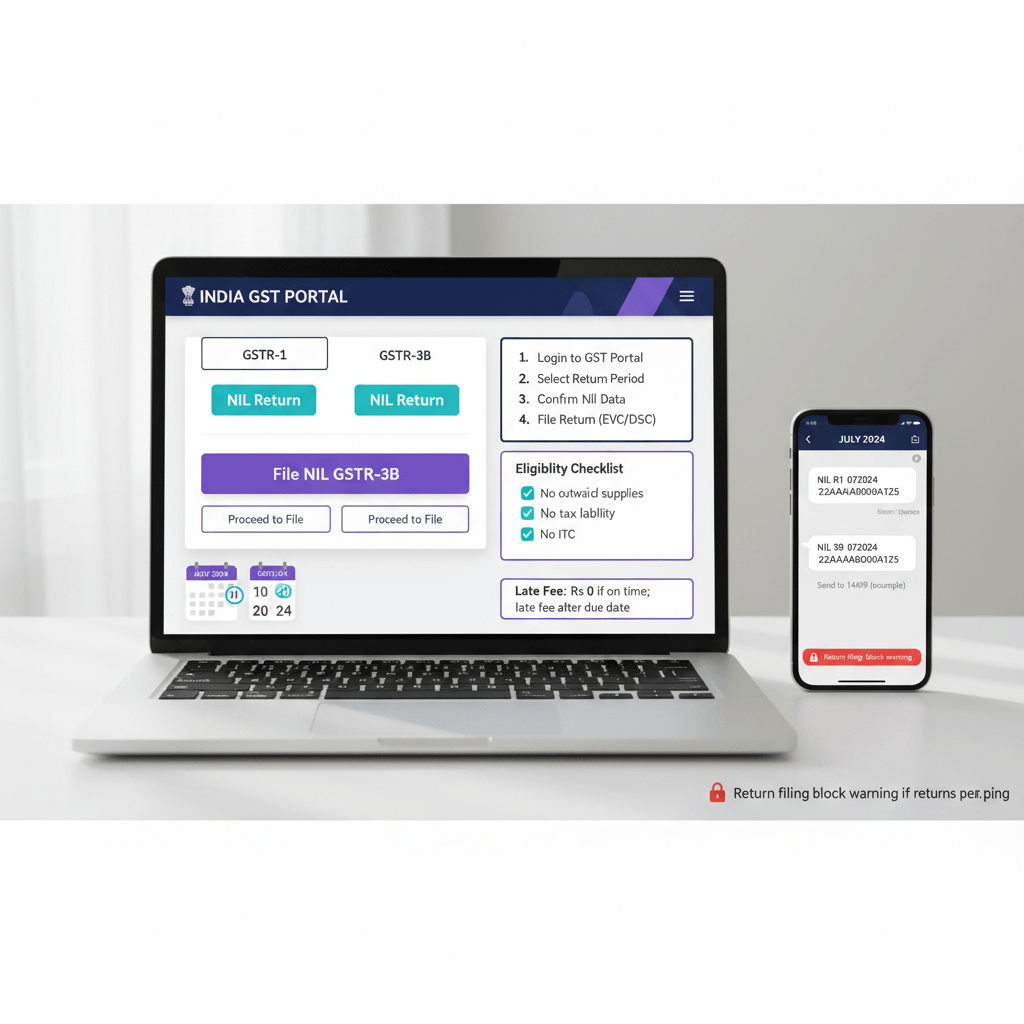
- You can file nil GSTR-1 and nil GSTR-3B via SMS by texting 14409, no portal login required.
- The SMS format for nil GSTR-1 is: NIL R1 [GSTIN] [MMYYYY]
- The SMS format for nil GSTR-3B is: NIL 3B [GSTIN] [MMYYYY]
- Both returns require a two-step SMS confirmation, initiate, receive a verification code, then confirm.
- A nil GSTR-3B can only be filed if no data is auto-populated from GSTR-1 or GSTR-2B, no manual entries exist, and there is no outstanding interest or late fee.
- Late fee for nil returns is ₹20 per day (₹10 CGST + ₹10 SGST), capped at ₹10,000 per return.
- Once filed, a nil return cannot be revised.
Who Can File A Nil GST Return
Not everyone qualifies for nil filing. Before you send that SMS or click submit on the portal, confirm that your situation actually meets the conditions.
For GSTR-1 (outward supplies return):
You can file a nil GSTR-1 if you had no outward supplies at all during the tax period. This means no sales, no exports, no deemed supplies, and no advances received. Every registered normal taxpayer including SEZ units, SEZ developers, and casual taxable persons must file GSTR-1 for every tax period, even if the return is nil.
[Source: tutorial.gst.gov.in]
For GSTR-3B (summary return and tax payment):
You can file a nil GSTR-3B if all of the following are true for that tax period:
- No outward supplies of any kind, including nil-rated, exempt, or non-GST supplies
- No inward supplies attracting reverse charge (RCM)
- No Input Tax Credit (ITC) to claim
- No tax liability payable
- No interest or late fee outstanding
- No other liabilities to discharge
If even one of these conditions is not met, you cannot file nil. You need to file a regular GSTR-3B with the relevant figures.
[Source: tutorial.gst.gov.in]
A practical example: A Bengaluru SaaS founder who incorporated in March but had no revenue in April can file nil returns for April. A Delhi consulting firm that had one client payment come in during the month cannot, even if the tax amount is small.
How To File Nil GST Return Through SMS
This is the fastest method and the one most business owners actually use once they know about it. No portal login, no OTP from the GST portal, no browser issues.
Prerequisites Before You Send The SMS
Before you can file nil GST return by SMS, confirm:
- Your mobile number is registered on the GST portal as the authorised signatory's number for the GSTIN.
- There is no data saved or submitted on the portal version of that return. If you or your CA started entering data in GSTR-1 online and saved it, that saved data must either be filed or deleted before the SMS method will work.
- The tax period has already ended. You can file from the 1st of the month following the tax period onwards. So for April's nil return, you can file from May 1st.
One mobile number can be the authorised signatory for multiple GSTINs, and you can use the same number to file nil returns for all those GSTINs.
[Source: tutorial.gst.gov.in]
How To File Nil GSTR-1 By SMS — Step By Step
Step 1: Send the initiation SMS
Open your phone's SMS app. Type and send the following message to 14409:
NIL R1 [GSTIN] [MMYYYY]
Replace [GSTIN] with your 15-digit GST identification number and [MMYYYY] with the tax period in that exact format.
Example: If you are filing nil GSTR-1 for April 2024 with GSTIN 07AQDPP8277H8Z6, the SMS looks like this:
NIL R1 07AQDPP8277H8Z6 042024
Step 2: Receive the verification code
After sending the SMS, you will receive a reply from 14409 with a 6-digit verification code. This code is time-sensitive, so move to the next step promptly.
Step 3: Confirm the filing
Send a second SMS to 14409 in this format:
CNF R1 [Verification Code]
Example:
CNF R1 748291
Step 4: Get your ARN
Once the confirmation SMS is processed, you will receive a reply with your ARN (Acknowledgement Reference Number). This is your proof of filing. Save it.
That is the entire process. Your nil GSTR-1 is filed.
How To File Nil GSTR-3B By SMS — Step By Step
The process for nil GSTR-3B via SMS is almost identical. The format changes slightly.
Step 1: Send the initiation SMS to 14409
NIL 3B [GSTIN] [MMYYYY]
Example for May 2024:
NIL 3B 09XXXXXXXXXXXZC 052024
[Source: pib.gov.in]
Step 2: Receive the 6-digit verification code
You will receive a reply with a verification code valid for 30 minutes. If you do not confirm within 30 minutes, the code expires and you need to start over.
Step 3: Confirm the filing
Send:
CNF 3B [Verification Code]
Example:
CNF 3B 512847
Step 4: Confirmation with ARN
You will receive a confirmation SMS with the ARN, confirming that the nil GSTR-3B has been filed successfully.
[Source: cleartax.in]
What Happens If You Enter The Wrong Code
If you enter an incorrect verification code more than three times in a single day, the system blocks that GSTIN and mobile number combination for 24 hours. You will not be able to attempt SMS filing again until the block lifts. If the code is not coming through clearly, do not keep guessing. Wait for the block to clear or use the portal method instead.
[Source: tutorial.gst.gov.in]
How To File Nil GST Return On The Portal
If you prefer the GST portal, or if the SMS method fails because of saved data in the return, here is the portal route for both GSTR-1 and GSTR-3B.
Filing Nil GSTR-1 On The Portal
- Log in at gst.gov.in with your credentials.
- Go to Services → Returns → Returns Dashboard.
- Select the financial year and return filing period.
- Click on GSTR-1 → Prepare Online.
- Since you have no supplies to enter, do not add any data.
- Scroll to the bottom and click Generate GSTR-1 Summary.
- Once the summary generates, all figures will be zero. Click Submit.
- After submission, click File GSTR-1 and verify using EVC or DSC.
- Your ARN is generated. Filing is complete.
Important: If you see any auto-saved data from a previous session, delete it before proceeding. Submitting with residual data means it is no longer a nil return.
Filing Nil GSTR-3B On The Portal
- Log in at gst.gov.in.
- Go to Services → Returns → Returns Dashboard.
- Select the period and click GSTR-3B → Prepare Online.
- The system will auto-populate data from GSTR-1 and GSTR-2B. If any figures appear here, you cannot file nil. Check whether your GSTR-1 was filed as nil and whether GSTR-2B has any entries.
- If all sections show zero, proceed to the declaration and click Submit.
- Confirm with EVC or DSC.
- ARN generated, filing complete.
The portal method takes slightly longer than SMS but gives you a visual confirmation of every field before you submit.
Conditions That Block Nil Filing — What To Check Before You Start
This is where many founders trip up. They try to file nil and get an error, not understanding why.
For nil GSTR-3B specifically, the system will not allow nil filing if:
- Your GSTR-1 for the same period was not filed as nil and has outward supply data that gets auto-populated into 3B.
- Your GSTR-2B (auto-drafted ITC statement) has entries from supplier invoices. Even if you did not make any purchases, if a vendor filed an invoice with your GSTIN, it will appear in GSTR-2B and block nil filing.
- You have manually entered any figures in GSTR-3B during an earlier session, even if not submitted.
- There is outstanding interest or late fee from a previous period.
The workaround for the GSTR-2B issue: if a vendor has incorrectly tagged your GSTIN on an invoice, you need them to amend it. Until they do, you cannot file nil GSTR-3B for that period. File a regular GSTR-3B instead, with zero figures in all tax payment fields but reflecting the ITC in Table 4. Speak to your CA if you hit this scenario.
Deadlines And Late Fees For Nil GST Returns
Filing nil does not exempt you from deadlines. The standard return due dates apply:
- GSTR-1 (nil), Monthly: 11th of the following month
- GSTR-1 (nil), Quarterly (QRMP): 13th of the month after quarter end
- GSTR-3B (nil), Monthly: 20th of the following month
- GSTR-3B (nil), Quarterly (QRMP, standard states): 22nd of the month after quarter end
₹20 per day (₹10 CGST + ₹10 SGST) per return, up to a maximum of ₹10,000 per return (₹5,000 CGST + ₹5,000 SGST).
For context, the late fee for non-nil returns is ₹50 per day. Nil returns get a reduced rate, but it still adds up. If you miss the nil GSTR-3B for three months in a row, you are looking at late fees that exceed the compliance cost of simply hiring someone for taxation compliance.
There is no interest on nil returns because there is no tax amount outstanding. Interest at 18% per annum applies only when there is actual tax liability not paid on time.
Can You Revise A Nil Return After Filing?
No. Once you file a nil GSTR-1 or nil GSTR-3B, whether via SMS or the portal, you cannot revise it. The return is final for that tax period.
If you later realise you had a supply or purchase that should have been reported, you will need to report it in the next period's return as an amendment. The mechanism for amending prior period figures exists in GSTR-1, Table 9 for B2B amendments and Table 10 for B2C amendments, and in GSTR-3B where you can adjust in subsequent months with appropriate notes.
This is exactly why you should double-check before filing nil. A Mumbai D2C brand owner who files nil for March and then finds an invoice from a vendor for that month will need to deal with the ITC amendment in April. It is not catastrophic, but it adds complexity.
Nil Filing For Quarterly Filers Under The QRMP Scheme
If you are under the QRMP scheme (Quarterly Return Monthly Payment, applicable if your turnover is ₹5 crore or below), the filing cadence is different.
You file GSTR-1 and GSTR-3B quarterly, but you still need to make monthly tax payments in months 1 and 2 of the quarter using the PMT-06 challan. If there is genuinely no tax liability in those months, you do not need to pay anything. But the nil GSTR-1 and GSTR-3B are filed at the end of the quarter.
For the in-between months, QRMP filers can use the IFF (Invoice Furnishing Facility) to upload B2B invoices. If you had no B2B invoices, IFF is simply skipped for those months. You do not need to file an IFF nil return.
Why Some Founders Keep Missing Nil Return Deadlines
The most common reason: they assume that zero activity means zero compliance. That assumption is wrong under GST non-compliance. Every registered entity, regardless of whether they transacted, owes the government a return for every period they are registered.
The SMS method exists to remove friction. If you are a solopreneur or a founder managing GST yourself, save the number 14409 in your phone contacts. Keep your GSTIN handy. On the 20th of every month, if you had no transactions, a 60-second SMS exchange keeps you fully compliant.
If you are managing GST returns for multiple GSTINs or the volume of returns is becoming a time drain, that is the point where handing it off makes financial sense. Virtual Accounting by AI Accountant manages GSTR-1, GSTR-3B, and annual returns (GSTR-9, GSTR-9C) for businesses across India, starting at ₹4,000 per month. You get a dedicated CA team and an AI dashboard so you always know what was filed and when: Virtual Accounting by AI Accountant.
FAQ
Is It Mandatory To File A Nil GST Return If There Are No Transactions?
Yes. Every registered taxpayer must file GSTR-1 and GSTR-3B for every tax period, even when there is zero business activity. Skipping either return triggers late fees of ₹20 per day per nil return until filed.
What Is The SMS Number To File Nil GST Returns In India?
Send your nil return SMS to 14409. This is the government-designated number for GST SMS filing for both GSTR-1 and GSTR-3B.
What Is The Correct SMS Format To File Nil GSTR-1?
Use NIL R1 [GSTIN] [MMYYYY], then confirm with CNF R1 [Code] after you receive the verification code. Example: NIL R1 07XXXXXXXXXXXZ6 042024, then CNF R1 123456.
What Is The Correct SMS Format To File Nil GSTR-3B?
Use NIL 3B [GSTIN] [MMYYYY], then confirm with CNF 3B [Code]. Example: NIL 3B 09XXXXXXXXXXXZC 052024, then CNF 3B 654321.
How Long Is The Verification Code Valid When Filing Nil Returns Via SMS?
The verification code is valid for 30 minutes. If you do not send the confirmation SMS within that window, the code expires and you must initiate again.
What Happens If I Enter The Wrong Verification Code Multiple Times?
After three incorrect attempts in a single day, the system blocks the GSTIN and mobile number combination for 24 hours. You will have to wait for the block to lift or file on the portal for that period.
Can I File Nil GSTR-3B Via SMS If GSTR-2B Has Entries From Supplier Invoices?
No. Any entry in GSTR-2B blocks nil filing. File a regular GSTR-3B for that period and work with the vendor to amend the incorrect invoice if needed.
Can I Revise A Nil GST Return After Filing It?
No. Nil GSTR-1 and nil GSTR-3B cannot be revised. If a transaction was missed, report it via amendment in the next period's returns using the appropriate tables.
What Is The Late Fee For Filing A Nil GST Return After The Due Date?
The late fee is ₹20 per day (₹10 CGST + ₹10 SGST) per return, capped at ₹10,000 per return per period. To avoid repeated penalties and save time, consider a managed compliance workflow such as Virtual Accounting by AI Accountant.
Can One Mobile Number Be Used To File Nil Returns For Multiple GSTINs Via SMS?
Yes. A single registered mobile number can be used to file nil returns for all GSTINs where you are an authorised signatory. Always verify the correct GSTIN and period before confirming.
Does Filing Nil Returns Improve Or Hurt My Business Standing?
Timely nil filings do not hurt your standing. A clean filing record with no late fees supports lender evaluations and enterprise vendor onboarding checks that look for compliance discipline.
Do QRMP Filers Need To File Nil Returns Every Month?
No. QRMP filers submit GSTR-1 and GSTR-3B quarterly. In months 1 and 2 of the quarter, you only pay via PMT-06 if any liability exists. If there is no liability, those months are skipped and the nil return is filed at quarter end.
What If I Keep Missing Nil Return Deadlines Despite Having No Activity?
Set internal reminders for the 11th, 13th, 20th, and 22nd as applicable, and use the 14409 SMS flow to file in under a minute. If you manage multiple GSTINs or travel frequently, outsourcing routine filings to a specialist, for example Virtual Accounting by AI Accountant, can eliminate late fees and reduce coordination overhead.

Rohan Sinha is a fintech and growth leader building aiaccountant.com, focused on simplifying accounting and compliance for Indian businesses through automation. An IIT BHU alumnus, he brings hands-on experience across 0 to 1 product building, growth, and strategy in B2B SaaS and fintech.