-01%201.svg)
Key takeaways
- Bookkeeping automation captures, categorizes, reconciles, and reports financial data end to end, delivering faster closes, fewer errors, and live dashboards.
- Bank feeds, OCR, rules, workflows, and APIs form a practical stack, with people reviewing exceptions and sensitive items for accuracy and control.
- Benefits include reduced manual work, real time visibility, and compliance readiness, risks reduce when you keep human reviews, audit trails, and clear access controls.
- AI powered bookkeeping adds classification, anomaly alerts, duplicate detection, and predictive cash flow, with explainability, confidence scores, and human in the loop.
- A simple blueprint, clear chart of accounts, and monthly close checklists stabilize operations, while automated reporting keeps MIS, variance alerts, GST and TDS preparation on track.
- AI Accountant runs CA led Virtual Accounting with a dashboard, audit trails, and compliance coverage, blending automation with expert review and maker checker controls.
Bookkeeping Automation for modern teams
Bookkeeping automation helps you capture data, sort it, match it, and report it without slow manual work. It turns messy inputs into clean books and real time dashboards. When done well, it cuts errors and speeds up your close, it also gets you ready for tax and compliance. At AI Accountant, we use bookkeeping automation every day across startups, small companies, and freelancers, this guide shows what it is, how it works, and how to roll it out safely.
Automate the routine, supervise the exceptions, keep audit trails on.
For a live view of cash flow, burn, and runway, see our overview on dashboards here, Cash flow dashboard, liquidity and runway.
Outcome: faster close, fewer re classifications, fewer surprises at year end.
What is bookkeeping automation
Bookkeeping automation is the full flow from capture to reporting. It is more than a tool, it is a system. It brings in bank feeds to import transactions, uses OCR to scan bills and receipts, applies rules to tag and categorize, routes tasks for approvals, and connects data through APIs so information moves across apps on its own.
It is not the same as outsourcing alone, outsourcing hands work to experts, DIY keeps it manual with spreadsheets. Automation sits in the middle, software does repeat work while people review edge cases, data keeps flowing with less copy paste.
Sources: https://wagepoint.com/blog/benefits-of-automated-bookkeeping/ https://www.invensis.net/blog/what-is-accounting-automation
Core parts you will see
- Bank feeds to pull in transactions from banks and payment gateways
- OCR to read invoices and receipts from photos or PDFs
- Rules engines to categorize and assign tax codes
- Workflows to route approvals and set who checks what
- API integrations to link bank, accounting app, billing app, and payroll
This stack works best inside a clear chart of accounts and simple workflows, the goal is to make every recurring step happen the same way each time.
Benefits and risks of bookkeeping automation
Benefits
- Less manual work, automated data entry and matching cut hours each month
- Fewer errors, machines do math and matching with high accuracy
- Faster month close, rules and schedules move routine tasks without delays
- Real time visibility, view cash flow, profit and loss, and balances any day
- Compliance ready, clean records make GST, TDS, and income tax steps smoother
These gains show up in time saved, fewer re classifications, and fewer surprises at year end, they help planning, you can see burn and runway on demand, and spot trends by vendor and category in a few clicks.
Risks
- Bad inputs lead to bad outputs, messy source data can drive misclassifications
- Poor rules, wrong mappings push transactions to incorrect accounts or tax codes
- Over reliance on opaque AI, without exception reviews, errors can slip through
- Security gaps, weak logins or loose access create risk
Ways to reduce risk
- Keep human reviews in the loop for exceptions and high value items
- Use audit trails to track changes
- Apply role based access and maker checker controls
- Use secure integrations and strong identity controls
Sources: https://wagepoint.com/blog/benefits-of-automated-bookkeeping/ https://paro.ai/blog/how-to-master-automated-bookkeeping/ https://www.redwood.com/article/automation-accounting-process-benefits/ https://www.bill.com/accountant-resource-center/articles/benefits-of-accounting-automation https://www.invensis.net/blog/what-is-accounting-automation https://nowcfo.com/bookkeeping-automation/
Automated bookkeeping tools and evaluation
Think of tools as building blocks you pick and link.
Common categories
- Bank feed connectors for banks and wallets
- Receipt and OCR capture for bills, invoices, and expense claims
- Categorization rules to map merchant names to accounts and tax codes
- Reconciliation modules to match bank lines with invoices and bills
- Payment gateway syncs for Stripe, Razorpay, PayPal, and UPI
- Vendor and customer management for contacts, terms, and credit limits
When you pick tools, check
- Accuracy, test with messy data, measure error rates
- Integrations, banks, ERPs, e invoice, GST, payroll, CRM
- Auditability, audit logs show who did what and when
- Role based access, least privilege and team permissions
- Scale, volume, entities, and users later
- Support and SLA, response times and uptime commitments
Example automation flows
- Tag monthly subscriptions by merchant, post to correct expense and GST code
- Auto match customer receipts in bank feed to open invoices when amounts and invoice numbers match
- Schedule daily bank reconciliations, flag exceptions to an inbox
If you want a shortlist to evaluate, consider these platforms, AI Accountant https://aiaccountant.com, QuickBooks Online, Xero, Zoho Books, FreshBooks, Sage Business Cloud Accounting, NetSuite.
Sources: https://wagepoint.com/blog/benefits-of-automated-bookkeeping/ https://www.bill.com/accountant-resource-center/articles/benefits-of-accounting-automation
AI powered bookkeeping
AI powered bookkeeping uses machine learning to make smart suggestions and detect issues. It classifies transactions based on patterns, flags anomalies and duplicates, predicts cash flow based on due dates and past behavior, and suggests vendors or GL codes for new merchants.
Good guardrails keep AI safe and useful
- Explainability, show why a model made a choice
- Confidence scores, help reviewers focus
- Audit logs, capture every action
- Human in the loop, route low confidence items to reviewers
- Feedback loops, learn from corrections
Use cases that work well
- Auto categorization with confidence scores and side by side suggestions
- Duplicate detection for bills and expense claims
- Anomaly alerts for odd spikes in spend or missing receipts
- Predictive cash flow with spend and collection trends
Sources: https://www.bill.com/accountant-resource-center/articles/benefits-of-accounting-automation https://nowcfo.com/bookkeeping-automation/
Cloud bookkeeping services
Cloud bookkeeping brings anywhere access, team collaboration, and automatic updates. You can work with your CA team in one place, backups and security controls are built in, integrations connect bank feeds, payment gateways, GST and e invoice, payroll, and TDS modules, centralizing finance work so you do not juggle email and spreadsheets.
Key things to check
- Data residency, where data is stored
- Encryption, protect data at rest and in transit
- Vendor lock in, ensure easy export and open formats
- SLAs, uptime, support, and backup commitments
Cloud setups also make document storage easy, bills, invoices, agreements, and working papers sit with the transaction, compliance checks and audits move faster.
Sources: https://paro.ai/blog/how-to-master-automated-bookkeeping/ https://www.redwood.com/article/automation-accounting-process-benefits/
Automated financial reporting
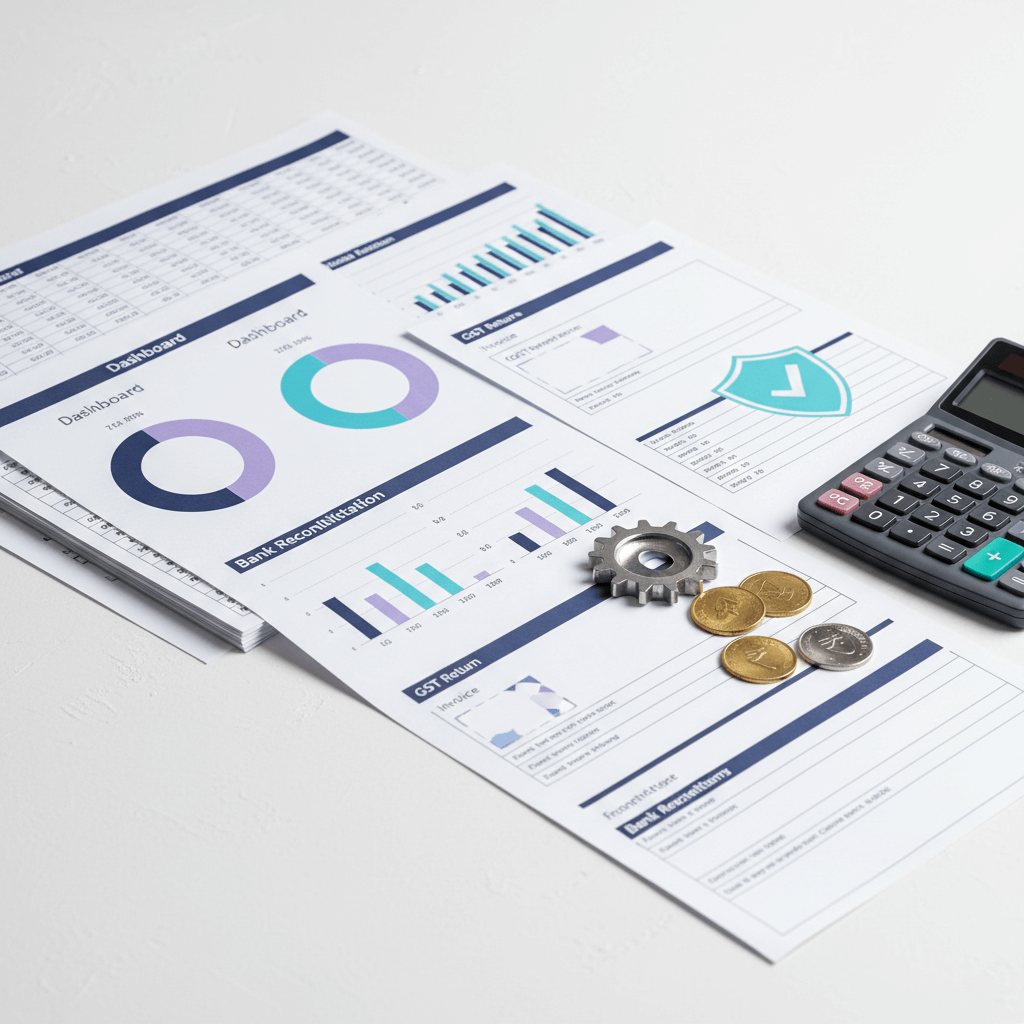
Automated reporting turns clean books into live views and scheduled reports.
- Real time profit and loss, balance sheet, cash flow
- Burn rate and runway views, MIS dashboards for management
- Tag and dimension based reporting by project, market, or region
- Variance alerts on budget versus actual
On the compliance side, automate data flows for GST filings, GSTR 1 and GSTR 3B, plus annual GSTR 9 and 9C, TDS returns like 26Q, 24Q, 27Q, and property or rent forms 26QB, 26QC, 26QD, and advance tax tracking and reminders.
Tactics that help
- Schedule monthly and weekly report packs
- Use tags for projects and cost centers
- Set alerts for variance thresholds and overdue collections
Sources: https://wagepoint.com/blog/benefits-of-automated-bookkeeping/ https://www.redwood.com/article/automation-accounting-process-benefits/ https://www.netsuite.com/portal/resource/articles/accounting/accounting-automation-benefits.shtml
Bookkeeping process automation blueprint
Design your chart of accounts
- Keep it simple, aligned to how you manage the business
- Map tax codes and GST rates to relevant accounts
- Define dimensions like projects or cost centers
Integrate banks and gateways
- Connect bank feeds for all bank accounts and wallets
- Connect payment gateways like Razorpay, Stripe, PayPal, and UPI
- Turn on daily sync, test statement coverage
Set categorization rules
- Rules by merchant name, amount range, tax code, and description
- Exception filters for foreign currency or large amounts
- Quarterly rule reviews
Build workflows and approvals
- Use maker checker for bills and expense claims
- Set thresholds for single or dual approval
- Create exception queues for unmatched items
Run reconciliations
- Auto match bank lines to invoices and bills
- Clear small unmatched amounts with approved rules
- Review unmatched items daily
Execute close checklists
- Monthly close checklist with tasks and owners
- Reconcile bank, gateways, vendor, and customer balances
- Review revenue cutoff, accruals, and prepaids
Trigger reporting
- Schedule MIS packs
- Push dashboards and variance alerts
- Share summaries with cash, AR, AP, and runway
Ongoing hygiene
- Ledger reviews and clean ups
- Keep fixed asset and inventory registers current
- Reconcile year end balances, prepare schedules
Controls to maintain integrity
- Maker checker for key entries
- Threshold approvals by amount and vendor
- Exception queues with audit logs
Sources: https://wagepoint.com/blog/benefits-of-automated-bookkeeping/ https://www.redwood.com/article/automation-accounting-process-benefits/ https://nowcfo.com/bookkeeping-automation/
Implementation roadmap for bookkeeping automation
Phase 1, Assess
- Map your current process
- Check data quality and gaps
- List pain points, delays, errors, manual exports
Phase 2, Select the stack
- Pick tools and services for your needs
- Define KPIs, close cycle time, exception rate, on time filings
Phase 3, Configure and pilot
- Configure rules, mappings, and tax codes
- Migrate data and chart of accounts
- Pilot with one entity or one business unit
Phase 4, Scale and improve
- Roll out to all entities
- Monitor alerts and exceptions
- Run health checks, tune rules monthly
Keep operations stable with a short parallel period, compare results, fix gaps, then switch fully.
Sources: https://paro.ai/blog/how-to-master-automated-bookkeeping/ https://nowcfo.com/bookkeeping-automation/
Best practices and pitfalls in bookkeeping automation
Best practices
- Validate data at the source, standardize vendor names, invoice formats, and tax fields
- Use a filing calendar with reminders for GST, TDS, and year end tasks
- Apply role based access control and multi factor authentication
- Keep audit trails and backups on by default
- Use change management, announce changes, train users, track adoption
Common pitfalls
- Inconsistent data across apps
- Skipping human reviews for exceptions
- Weak documentation of rules and workflows
- Letting rules go stale after configuration
Security must haves
- Encryption at rest and in transit
- Clear data residency and SLA commitments
- Routine access reviews and log monitoring
Sources: https://wagepoint.com/blog/benefits-of-automated-bookkeeping/ https://www.bill.com/accountant-resource-center/articles/benefits-of-accounting-automation https://www.invensis.net/blog/what-is-accounting-automation
Use cases by segment for bookkeeping automation
Freelancers
- Use bank feeds and simple rules to track income and expenses
- Automate quarterly tax reports and profit and loss
- Keep receipts in the cloud with OCR and tags
Startups
- Sync multiple payment gateways and wallets
- Get burn rate and runway on a live dashboard
- Automate GST and TDS data preparation and filings
Growth stage companies
- Automate multi entity consolidations
- Keep inventory and fixed assets registers updated
- Use MIS reporting with tags and dimensions for deep insight
In each case, the goal is the same, reduce manual work, keep data clean, and see the business in real time.
Sources: https://wagepoint.com/blog/benefits-of-automated-bookkeeping/ https://www.redwood.com/article/automation-accounting-process-benefits/ https://nowcfo.com/bookkeeping-automation/
How AI Accountant Virtual Accounting operationalizes bookkeeping automation
AI Accountant runs bookkeeping automation as a CA led managed service, you get a dedicated CA team and a central dashboard. The service covers accounting, GST, TDS, income tax, and related compliance. It is one managed service with two parts that work together. See our detailed overview, Virtual Accounting services included.
What the dashboard shows
- Financial overview with revenue, expenses, profit and loss, and balances
- Category breakdowns of income and expenses
- Cash flow trends, burn rate, and runway
- AI generated insights and alerts
- Recent transactions and bank statement analysis
- Document repository for invoices, bills, and working papers
- Compliance dates and filing status across GST, TDS, and ROC
- One place to message your CA team
What the CA team delivers
- Monthly bookkeeping across sales, purchases, expenses, and banks, see Bookkeeping Services for Indian businesses
- Ledger scrutiny and clean up
- Year end closing and schedules
- Fixed asset and inventory records with reconciliations
- Accounts receivable and payable management
- Bank and payment gateway reconciliations
- Cash flow preparation and MIS reporting
- Support with coordination with the statutory auditor
- GST registrations, monthly and annual GST filings, GSTR 1, 3B, 9, and 9C
- TDS advisory and filings, 26Q, 24Q, 27Q, 26QB, 26QC, and 26QD
- Income tax returns for individuals, partnerships, and companies
- Advance tax calculations and payments
- E invoice enablement
- International and expat tax advisory
- Payroll TDS calculations and salary structure advice
- ROC for small companies, MGT 7, AOC 4, DIR 3 KYC, board events, and registers
How the automation comes together
- Automated bookkeeping tools for banks, gateways, ledger clean up, AR, AP, and fixed assets
- AI powered bookkeeping for insights, anomaly detection, and duplicate checks
- Cloud bookkeeping services for real time views, document storage, and compliance timelines
- Automated financial reporting for MIS, cash flow, burn rate, and management packs
This replaces fragmented email, Excel, and chat threads with structured visibility and audit trails, you get a single source of truth with a team that executes and reviews, you still keep human in the loop for exceptions and complex items.
Sources: https://wagepoint.com/blog/benefits-of-automated-bookkeeping/ https://paro.ai/blog/how-to-master-automated-bookkeeping/ https://www.redwood.com/article/automation-accounting-process-benefits/
Decision checklist for bookkeeping automation
- Automation coverage, capture through reporting
- AI transparency, explanations and confidence scores
- Compliance, GST and TDS integration, audit logs
- Integrations, banks, ERPs, and e invoice
- SLA and support, uptime and response time
- Auditability, trails and role based access
- Cost and ROI, do time savings justify fees
- Security, encryption, clear data residency, MFA
Score each item, review with your finance lead and CA, ask for a pilot before you commit.
Sources: https://wagepoint.com/blog/benefits-of-automated-bookkeeping/ https://www.redwood.com/article/automation-accounting-process-benefits/ https://www.netsuite.com/portal/resource/articles/accounting/accounting-automation-benefits.shtml
Recommended tools for automated bookkeeping
If you are building your stack, here are options to consider, always run a pilot and test data quality before go live.
- AI Accountant, https://aiaccountant.com
- QuickBooks Online
- Xero
- Zoho Books
- FreshBooks
- Sage Business Cloud Accounting
- NetSuite
Look for native bank feeds, OCR, rules, approvals, reconciliation, GST and TDS integrations, audit logs, and open APIs.
Sources: https://wagepoint.com/blog/benefits-of-automated-bookkeeping/ https://www.bill.com/accountant-resource-center/articles/benefits-of-accounting-automation
Closing thoughts and next steps
Bookkeeping automation is not a silver bullet, it is a big step forward. It saves time, reduces errors, and brings real time views to your team, with the right controls and a CA team in the loop, compliance moves smoother. If you want to see a CA led managed service that runs this end to end, book a demo of AI Accountant Virtual Accounting, or ask for a free bookkeeping and compliance health check. Explore related guides, Virtual Accounting Overview, Real time financial statement analysis, Virtual Accounting cost in India.
Keep automation disciplined, keep reviews sharp, keep books clean.
FAQ
How do founders quantify ROI on bookkeeping automation, and what baseline should we use for a monthly close
Start with manual hours per month for data entry, reconciliations, and report preparation, multiply by fully loaded cost of the finance team, add delay costs like late fees or missed decisions. After automation, track exception rate, close cycle time, and re classification count. A practical baseline is hours saved times cost per hour, plus avoided penalties and improved decision value, for example, a 20 hour monthly save at ₹1,200 per hour yields ₹24,000 per month, add one avoided GST late fee and faster AR collections to see total ROI. AI Accountant shares these metrics in the dashboard so you can measure impact quarter to quarter.
What maker checker and role based access controls are essential to keep books audit ready
Use maker checker on bills, expense claims, and manual journals, set thresholds for dual approval above defined amounts, restrict bank feed reconciliation, tax code changes, and chart of accounts edits to senior roles, enforce MFA, and record every action in audit logs. AI Accountant configures least privilege roles, runs monthly access reviews, and keeps audit trails on by default.
How reliable is AI transaction classification, and how do you handle low confidence or novel vendors
AI classification is strong when trained on your data and rules, reliability improves with feedback loops. We use confidence scores and explanations, items below threshold go to human review, novel vendors get suggested GL codes, reviewers confirm or adjust, corrections feed the model for next time. With AI Accountant, you see side by side suggestions and the confidence score so reviewers focus where it matters.
Will Indian bank feeds, wallets, and gateways sync consistently, and what is the fallback when a feed breaks
Coverage is solid for major banks and gateways, yet feeds can break due to bank policy changes or credential issues. We schedule daily syncs, monitor exceptions, and keep a fallback using statement imports and reconciliation rules. AI Accountant maintains a feed health check, alerts your team on failures, and completes reconciliations with maker checker approvals when manual steps are required.
How do you integrate GST, TDS, and e invoice data with the accounting system without manual exports
Use API connectors and standardized tax mappings, capture GST and TDS fields at source, attach documents to transactions, and push summarized data to compliance modules. Automate GSTR 1 and 3B preparation, link TDS transactions to 24Q and 26Q schedules, and schedule e invoice validations. AI Accountant’s Virtual Accounting aligns tax codes to the chart of accounts, reduces manual exports, and keeps audit support documents in the repository.
What KPIs should a finance head track during a parallel pilot, and how long should the pilot run
Track close cycle time, exception rate, unmatched bank lines, classification accuracy, re classifications post close, and on time filings. Two to four weeks is typical, enough to cover a billing cycle and a reconciliation cadence. AI Accountant provides a pilot scorecard, compares manual versus automated results, and signs off on readiness before full switch.
How is multi entity consolidation handled, including intercompany eliminations and foreign currency
Set uniform charts of accounts and dimensions, enforce entity level rules, use consolidation modules for eliminations, and apply consistent FX policies for translation and remeasurement. AI Accountant configures tags for projects and cost centers across entities, prepares consolidation journals, and documents assumptions for statutory audits.
What data residency, encryption, and backup policies should we demand from a cloud bookkeeping setup
Insist on clear data residency location, encryption at rest and in transit, daily backups with tested restores, and SLAs for uptime and support. Review vendor lock in and export formats. AI Accountant operates on compliant cloud platforms, keeps export paths open, and documents SLAs so finance leaders know recovery objectives.
How are vendor statements and AR aging reconciled, and how do you surface exceptions quickly
Automate import of vendor statements, match to ledger entries, flag mismatches, and route exceptions to an approval inbox, for AR, sync invoices, receipts, and credit notes, push aging reports and DSO trends to the dashboard. AI Accountant schedules daily reconciliations and posts exception queues with maker checker controls.
What reporting cadence should a startup adopt, and which MIS views are non negotiable
Weekly cash snapshots, monthly P&L, balance sheet, and cash flow, burn and runway dashboard, AR and AP aging, and variance alerts on budget versus actual. For compliance, automate GST and TDS data readiness. AI Accountant delivers scheduled report packs, with tags by project or market for decision clarity.
How do you price Virtual Accounting, and what cost drivers matter for scaling
Pricing typically depends on entity count, transaction volume, complexity like multi entity or inventory, and compliance scope, GST, TDS, ROC, and tax. AI Accountant offers tiered packages, founders can start lean, then scale with volume and entities, ROI ties to hours saved, fewer errors, and on time filings.
What change management steps reduce risk when moving from manual books to automation
Announce scope and benefits, train users on workflows and approvals, document rules and tax mappings, run a parallel period, and set adoption KPIs. AI Accountant provides training, playbooks, and a checklist for rule reviews each quarter, then tracks adoption in the dashboard so leaders can intervene early if needed.