-01%201.svg)
Key takeaways
- Centralize invoices, challans, and filings in one online repository, your audit and GST or TDS responses become faster and cleaner.
- Adopt a simple folder tree, a strict naming convention, and tags with OCR, so search takes seconds, not minutes.
- Enable encryption, MFA, granular permissions, and immutable audit logs, trust and compliance improve immediately.
- Follow Indian retention norms, GST and Income Tax usually six or more years, Companies Act books eight financial years.
- Automate capture from email, gateways, and scanners, link documents to ledger entries for quick reconciliations.
- Measure retrieval time, audit days, and notice rate, use metrics to prove ROI and drive process fixes.
- Start small with a pilot, migrate in batches, deduplicate, and validate against ledgers and returns.
- If you want a managed route, AI Accountant offers a CA led virtual accounting service with a central repository and live dashboards.
Why online financial document storage matters now
If your invoices live in email, WhatsApp, and random USB drives, you will feel the pain during audit time. In India, missed GST and TDS proofs can cause delays, notices, and penalties. A simple, centralized online financial document storage system changes that story. With a clean folder plan, smart tags, access controls, and automation, you can keep every bill and filing ready for your CA and auditor. This matters when GSTR 3B runs monthly, TDS runs quarterly, and ITR deadlines stack up near July.
AI Accountant helps teams build a simple digital repository that your CA can use day to day. Let us walk through how to set this up well.
Further reading: Tips for storing financial documents, Financial document management guide, Organization tips for freelancers.
What is online financial document storage
Online financial document storage is a secure digital home for your money records. It is more than a generic cloud folder. A proper document management system uses indexing, version control, and audit trails. It makes files easy to find, track, and share with your finance team and CA.
Key components to look for:
- Encryption for data at rest and in transit
- Tagging for fast search by month, tax, and entity
- Retention policies for long term compliance
- Sharing links with time bound access and role permissions
- OCR so scanned PDFs are searchable
- Version history and immutable logs for audit
This storage sits next to your accounting software. Think of your stack as entries in Tally or similar, documents in the DMS, and CA portals for filings. When these tools talk to each other, compliance workflows become simple.
Best practice: Keep documents close to the ledger but not trapped inside it, a dedicated repository gives scale, structure, and audit trails.
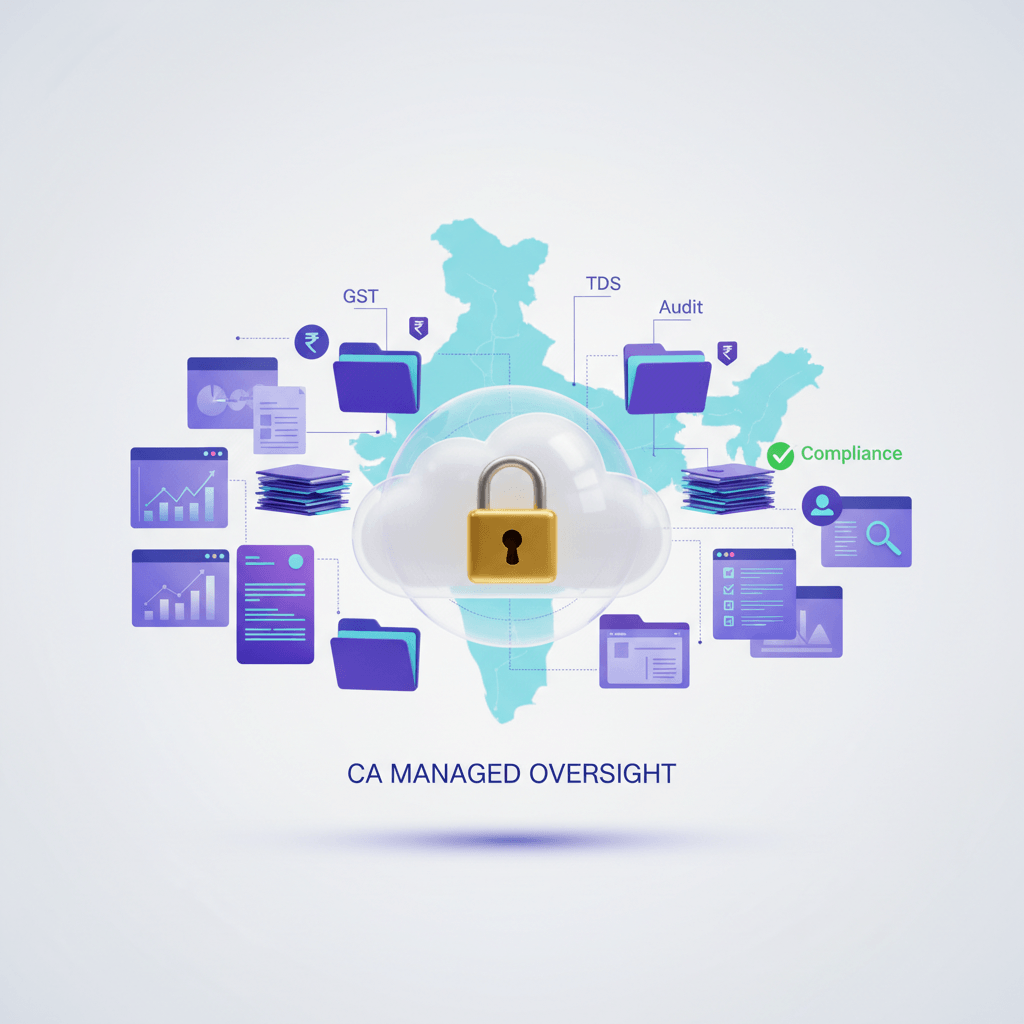
AI Accountant’s Virtual Accounting includes a central dashboard with live financial data and a repository for documents and filings. It brings structure and visibility to your records, month after month.
Further reading: Freelancer document must haves, How to store financial documents, Best cloud storage for financial documents, DMS features and practices.
What to store for GST, TDS, and year end
A good system starts with a clear list. Store the following, grouped by stream.
Sales
- E invoices and IRN confirmations
- Credit notes and debit notes
- Delivery challans
Purchases
- Vendor bills and receipts
- Purchase orders
- Bill of entry and import papers
Banking
- Bank statements for all accounts
- UPI reports
- Payment gateway statements
- Monthly bank reconciliations
GST
- GSTR 1, GSTR 3B, GSTR 9, and GSTR 9C
- E way bills
- Reverse charge proofs
- HSN and rate reports
TDS and Income Tax
- Challans for 26Q, 24Q, 27Q, and others
- Form 26AS and AIS
- ITR computation files and ITR V acknowledgments
- Advance tax receipts
Payroll
- Form 16
- Monthly salary sheets
- PF and ESIC challans if applicable
ROC and Secretarial
- MGT 7 and AOC 4
- Statutory registers
- Board meeting minutes and AGM minutes
Other
- Contracts and agreements
- Fixed asset register
- Goods receipt notes
- Department emails that confirm tax positions
Tip: Store digitally, in clean folders, with clear names and tags. This makes GST reconciliations and audit schedules fast.
Further reading: DMS documentation best practices, Practical storage tips.
Benefits of online financial document storage
Compliance readiness
When every invoice and return is at your fingertips, audit turnaround is short. Auditors can test samples fast. CAs can reconcile GST and TDS quickly. This reduces notices and stress.
Collaboration with CA and teams
Role based access lets your CA view filings and bank statements without email back and forth. Auditors get time bound, read only links. You keep control.
Efficiency gains
OCR search and tags cut retrieval time from minutes to seconds. Smart folder structures and naming rules keep it clean. No more hunting through old threads.
Security and trust
Backups protect against loss. Immutable logs tell you who did what and when. That trail matters during audits. See: Automated audit trails for businesses.
Business insights
When documents link to transactions, your MIS is richer. You can trace revenue and costs to source documents, which supports better decisions.
Further reading: Storage tips, Document management benefits, Cloud considerations, How to store documents.
Security and compliance fundamentals
Core controls
- Encryption in transit and at rest
- Multi factor authentication
- Fine grained permissions and group roles
- Detailed audit trails
- IP restrictions where possible
Governance and retention
- GST records generally kept for six or more years
- Income Tax records kept for six years from end of assessment year
- Companies Act books of account kept for eight financial years
Confirm exact rules with your CA, timelines can differ based on disputes and assessments. Reference: Financial records management in India.
Vendor checks
- ISO 27001 or similar security certifications
- Data residency options or India servers where needed
- Strong data processing agreements and clarity on backups
AI Accountant uses structured workflows and controlled sharing through the dashboard, this helps your CA track compliance status in one place.
Further reading: Storage fundamentals, Cloud DMS insights, Security controls in DMS.
Choosing a solution for document management
You have choices. Each option has strengths and trade offs. Here is a simple view. Deep dive: Document management for accounting.
Generic cloud storage
- Basic folders and sharing
- Low cost and simple start
- Needs manual structure and careful naming
- Often weak audit trails and permissions for compliance heavy teams
Document management systems
- Tags, OCR, versioning, and audit trails
- Strong controls and workflow features
- Requires time to set up from scratch
Accounting attachments
- Documents linked to entries inside the ledger
- Easy for day to day tasks
- Can be limited in scale across many entities and compliance tasks
CA led managed storage
- A CA team manages the repository and calendar
- Centralized view of filings and financials
- Subscription based and run as an ongoing service
Vendors to explore: AI Accountant, QuickBooks, Xero, FreshBooks, Zoho Books, Tally, Folderit, ShareFile.
Further reading: Freelancer organization tips, Document storage guide, DMS guide, Cloud storage for financial docs.
Setting up your online financial document storage system
Follow this step by step guide. Keep it simple, make it repeatable.
- Define your folder tree. Create top folders for Sales, Purchases, Banking, GST, TDS, Payroll, ROC, Legal, Assets, and Audits. Under each, add Year and Month folders, keep names short and clear.
- Set a naming convention. Use a pattern like YYYY MM DD Type Party Amount Ref. Example, 2025 04 02 Invoice Acme 15000 INV 984.
- Use tags for fast filters. Tag by Financial Year, Month, Tax type, Entity, and Project, combine with OCR for powerful search.
- Lock down permissions. Give auditors read only access. Share time bound links. Limit downloads where possible. Keep edit rights with finance and your CA.
- Automate capture. Auto forward invoices to the right folder, enable OCR, save as PDF A for long term readability.
- Backups and tests. Follow the three two one rule, three copies, two media types, one offsite. Test RPO and RTO each quarter.
- Start with a pilot. Do this for the current quarter first, fix friction, then extend to the full year.
Further reading: Practical folder and naming tips, DMS setup ideas, Workflow and automation, Archival formats.
Migration plan from scattered files to one clean system
You may have files across email, ERP, old drives, and USB sticks. Move with care.
- Inventory sources. List every inflow, email accounts, cloud drives, local folders, ERP exports.
- Deduplicate and bulk upload. Remove duplicates, use a bulk uploader with tags to drop files into the right Year and Month.
- Validate against ledgers and returns. Cross check sales invoices against ledger totals, validate GST filings with stored proofs, fix gaps quickly.
- Redirect future inflows. Update vendor instructions for e invoices, change email rules, train staff to scan and file in the right place.
Run this like a short project, define a clear end date, responsibilities, and acceptance checks. Your CA can help with sequence and validations.
Further reading: Migration and organization tips.
Ongoing hygiene and checklists for compliance
Do small tasks regularly, it keeps work light and clean.
Monthly
- Upload bank statements and reconcile
- Store vendor bills and receipts
- File GST documents and keep proofs ready
Quarterly
- Prepare TDS challans and returns
- Reconcile sales and purchases
- Review access logs and approvals
Year end
- Store ITR computations and ITR V
- Compile audit provided by client list
- Update fixed asset register and schedules
Track upload status, approvals, and access logs inside your DMS or dashboard. This small routine pays off during audits.
Further reading: Checklists and workflows.
Common pitfalls in online financial document storage
- No OCR. Scanned PDFs that are not searchable make work hard. Turn on OCR to find words inside files.
- Mixing personal and business. Keep business records separate, this prevents confusion during audits.
- No retention policy. Document sprawl grows fast. Set rules to archive and retain with clarity.
- Public links without control. Open links can leak data. Use restricted, time bound access for outside parties.
Fix these with simple settings and training, your CA can help pick defaults.
Further reading: Common DMS mistakes, Record keeping best practices, Storage dos and donts, Cloud security tips.
Use cases for freelancers, startups, and growth stage teams
Freelancer workflow
Scan bills from your phone, tag by month and tax type, keep GST filings quarterly and ready. This saves time and avoids missed claims.
Startup workflow
Build investor packs fast. Store board minutes, bank statements, and MIS tied to source documents. Your diligence timeline gets shorter.
Growth stage workflow
Handle multiple entities and projects. Set tags for legal entity and project name, use permissions to segment team access.
AI Accountant supports these use cases with a CA led service. The dashboard shows live financials, documents, and compliance dates, so you stay on track.
Further reading: Freelancer document checklist, Freelancer record keeping, Team document management.
AI Accountant virtual accounting and the central document repository
AI Accountant’s Virtual Accounting is a CA led managed service. The team handles bookkeeping, GST, TDS, Income Tax, and ROC work. The dashboard gives you a central repository for documents, statements, and filings, plus live visibility into revenue, expenses, and cash flow.
How it helps your online financial document storage:
- A CA team runs your execution and keeps the repository clean
- Compliance timelines are tracked with filing status
- Documents link to entries and reports for quick audit support
- Communication stays inside the system so context is clear
If you prefer a managed path rather than a do it yourself setup, this option saves time and reduces risk.
Further reading: DMS collaboration patterns.
Metrics and ROI for your document system
Show value with simple metrics, track these numbers each quarter.
- Average document retrieval time
- Audit turnaround days
- Hours saved in month end
- Number of notices and penalties avoided
- Percentage of transactions with attached proofs
These near real time numbers tell you if your online financial document storage is working, they also justify upgrades or training.
Further reading: Operational metrics ideas.
Visuals and alt text for structure and permissions
For clarity, include simple visuals in your guide or wiki.
- A taxonomy diagram that shows the folder tree for online financial document storage
- A permissions matrix that lists who can view and who can edit
- A monthly checklist view with tasks and owners
- A dashboard screenshot to show filings and financials
Alt text example: Diagram of online financial document storage folder structure.
Further reading: Visualization ideas for DMS.
A soft CTA to explore AI Accountant
If you want a managed path, book a short demo of the AI Accountant dashboard and document repository. See how the CA team keeps compliance flowing while you focus on growth. Download a free folder template and a compliance checklist to start your setup today. Visit AI Accountant.
Compliance disclaimer
This guide shares best practices and general retention rules. Exact retention timelines and compliance needs can vary based on your facts. Please consult your CA or legal counsel for advice tailored to your entity and situation.
Internal links to explore
- AI Accountant Virtual Accounting: https://aiaccountant.com
- GST calendar and TDS resources: https://aiaccountant.com
Thank you for reading. With clean online financial document storage, you will be ready for GST, TDS, and audits all year long.
FAQ
Is generic cloud storage enough for statutory audits and GST or TDS reviews
It can work for a start, but compliance heavy teams usually need audit trails, retention policies, and granular permissions. A DMS or a CA managed repository adds versioning, immutable logs, and access controls that auditors expect. AI Accountant, as an AI enabled virtual accounting service, provides these controls out of the box along with CA oversight.
How should I structure folders and names to pass scrutiny from my auditor
Use a consistent tree, for example Entity, Function, Year, Month, then apply a naming convention like YYYY MM DD Type Party Amount Ref. Keep it human readable and machine sortable. Pair this with tags for Financial Year, Tax type, and Project, and turn on OCR so scanned PDFs are searchable.
What retention periods should a private limited company in India follow for GST, TDS, and books
Keep GST and Income Tax records for six or more years, measured from the end of the relevant assessment year for direct tax, and retain books of account for eight financial years under the Companies Act. If you have ongoing disputes or assessments, retain until the matter is closed. Always validate with your CA.
Are scanned copies and e signatures acceptable for audits and departmental queries
Yes, if the scans are clear and legible, and if the signature flows comply with applicable rules. For long term storage, save as PDF A and preserve metadata. Maintain a log showing when the file entered the system and who accessed it, this satisfies trail requirements. AI Accountant repositories maintain such immutable logs.
How do I give auditors and CAs access without risking data leakage
Provide read only, time bound links at the folder level, enable download restrictions where possible, and require MFA. Keep edit rights with finance and your CA. Review access logs monthly. A managed environment like AI Accountant enforces these controls centrally.
Can I automate collection of invoices, bank statements, and gateway reports every month
Yes. Set mailbox rules to auto forward vendor invoices to intake folders, schedule bank and gateway exports, and use OCR to auto index. Map tags based on sender, subject, or folder. Many teams start with email rules, then add API pulls as volume grows.
How do I migrate years of scattered files without breaking working days
Run a phased project. Inventory sources, deduplicate, bulk upload with tags, and validate against ledgers and GST or TDS returns. Lock the new intake process first, then backfill history quarter by quarter. Assign one owner for sign off. AI Accountant often executes this in two to four weeks for an SME.
What security baselines should I insist on with any document system
Encryption at rest and in transit, MFA, role based permissions, IP allow lists if possible, immutable audit logs, and tested backups following the three two one rule. Ask for ISO 27001 or equivalent and clarity on data residency. Document your RPO and RTO and test quarterly.
How do documents link to ledger entries in tools like Tally or Zoho Books
Use either native attachment features in the ledger or store in the DMS and link via a reference number. The key is consistency, the same invoice number and date should appear in both places. AI Accountant maps documents to vouchers and schedules so auditors can trace from report to source in one click.
What KPIs prove ROI on a document management initiative to my board
Track average retrieval time, audit turnaround days, month end hours saved, notices and penalties avoided, and percentage of transactions with attached proofs. Show before and after data for two quarters. Many teams see retrieval drop from minutes to seconds, and audit days compress by 20 to 40 percent.
We have multiple entities and projects, how do we avoid cross access and confusion
Segment the tree by legal entity at the top level, then use project tags. Apply permissions at the entity root, not at individual folders. Auditors receive read only access per entity, while finance leads can get cross entity read rights. AI Accountant provisions these roles centrally and audits access logs.
Do I still need to keep physical originals after digitization
Scan and store digitally for day to day work, then retain physical originals where legally required or as a risk control, usually offsite and inventoried. For most invoices and challans, clear scans suffice for working and audits, but confirm with your CA for specific document types or sectors.
What is the fastest way to start without overhauling everything
Launch a pilot for the current quarter, set the folder tree and naming rules, automate email intake, and enable OCR. Train users with a one page SOP, then expand to the full year. If bandwidth is tight, adopt a managed service like AI Accountant to run it for you while your team focuses on operations.