-01%201.svg)
Key takeaways
- GST notice automation pulls every notice from the portal, parses it with OCR, assigns tasks, and escalates before deadlines slip, cutting manual effort by up to 80% and virtually eliminating late penalties.
- Must have features include automatic notice retrieval across all GSTINs, smart parsing, centralized dashboards, tiered reminders, response templates, and a tamper proof audit trail.
- CA firms handling 50+ GSTINs typically recover implementation costs within two to three months through saved staff hours, avoided penalties, and freed billable capacity.
- From April 2025, tighter GSTR-1 and GSTR-3B matching and lower e-invoicing thresholds are triggering more automated notices from the department, making manual tracking riskier than ever.
- If your firm still relies on spreadsheets and calendar reminders, a single missed DRC-01 during peak season can cost more than a year of software subscription.
- Platforms like AI Accountant's GST reconciliation engine help identify mismatches before they turn into notices, shifting your practice from reactive to proactive compliance.
GST Notice Automation: What's New in 2026
The notice landscape in 2026 looks very different from early 2025. Until March 2025, the e-invoicing mandate applied to businesses with turnover above ₹5 crore. From April 2025, the threshold dropped to ₹1 crore, pulling lakhs of additional SMEs into the compliance net. More e-invoicing data means the GST portal's automated matching engine now flags mismatches faster, and firms are seeing a noticeable uptick in system generated notices like ASMT-10 and DRC-01.
The GST portal now cross validates GSTR-1 with GSTR-3B at the invoice level, not just at summary totals. If your outward supply figures don't reconcile line by line, expect an auto generated intimation within days, not weeks. This operational shift means CA firms need daily portal monitoring across every GSTIN, something that is simply not feasible manually at scale.
Who does this hit hardest? Firms managing 30+ GSTINs on Tally without automated reconciliation workflows. The cost of inaction is concrete: late response to a DRC-01 attracts interest at 18% per annum on the disputed tax amount, and repeated non compliance can trigger an ASMT-14 assessment, freezing your client's ITC until resolved.
What to do now:
- Audit your current notice tracking process this quarter. Identify any GSTIN where portal checks happen less than daily.
- Map your GSTR-1 versus GSTR-3B mismatches proactively using automated GST reconciliation tools before the portal flags them.
- Set up tiered escalation workflows so no notice sits unacknowledged beyond 48 hours.
Firms already running automated reconciliation and notice retrieval are resolving mismatches before they become notices, and that gap between reactive and proactive practices is widening fast in 2026.
Understanding GST Notices and Their Impact
GST notices vary in type and urgency. You might see a GSTR-3B notice for a missed deadline, a DRC-01 seeking clarification on input tax credit, or an ASMT-10 pointing out mismatches. Every notice carries specific requirements and timelines. Missing them can result in costly penalties.
For a CA firm handling dozens of GSTINs, manual tracking quickly becomes unmanageable. The CBIC has steadily increased the pace of automated notices as the portal's matching algorithms improve, making the volume problem worse each filing cycle.
The traditional routine involves checking the portal daily, downloading PDFs, updating Excel trackers, setting calendar reminders, and hoping nothing slips. That works until a busy week turns your workflow into firefighting. Automation changes the game by continuously monitoring the portal, organizing notices in one place, and ensuring deadlines are never missed.
Think of automation as a reliable colleague who never forgets a due date, never misfiles a document, and never takes a day off.
How GST Notice Automation Works
Automation platforms securely log in to the GST portal across all mapped GSTINs. They detect new notices and download PDFs automatically. OCR (optical character recognition) reads each notice, extracting key fields like notice type, due date, amounts, and specific instructions. It then structures that data into a searchable repository.
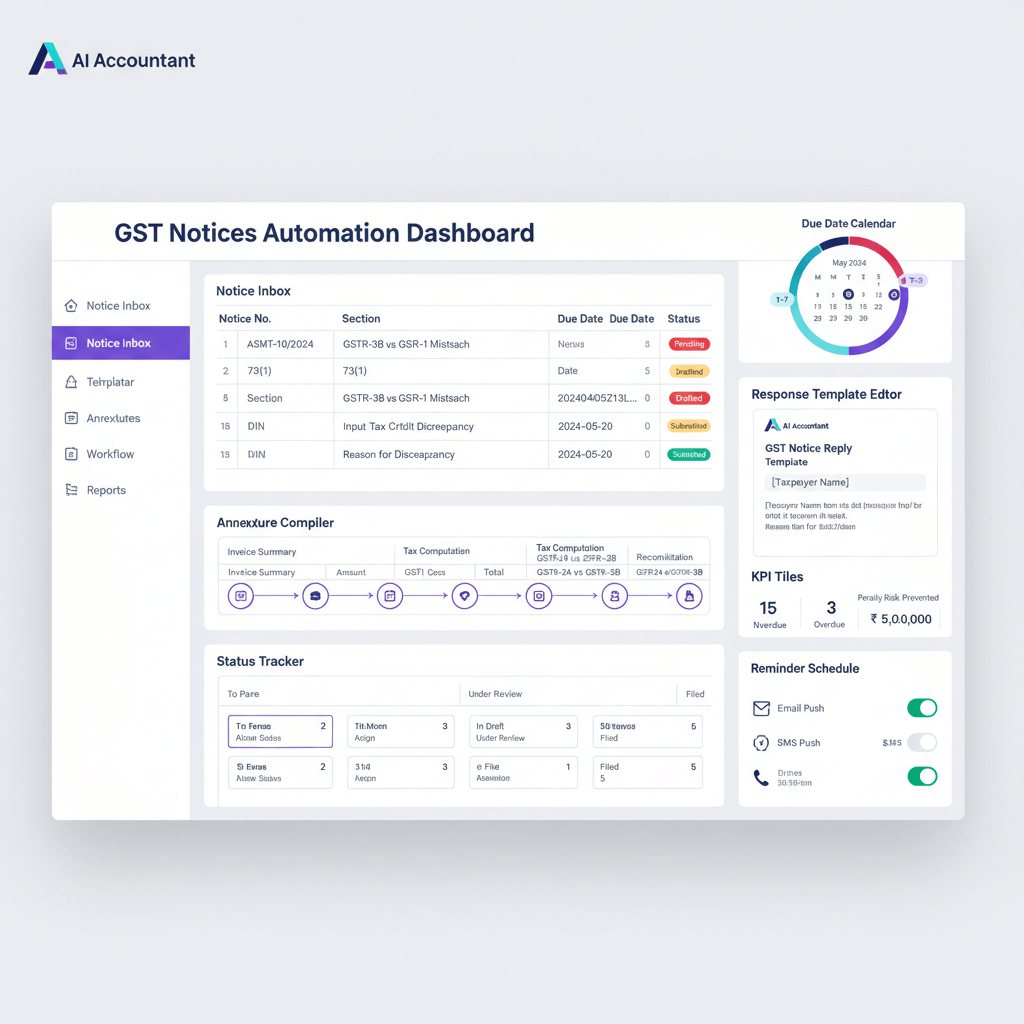
Tasks are generated based on the notice requirements. For example: collect documents, draft reply, or compute payment. These tasks are visible on a centralized dashboard with clear status and urgency markers.
Reminders escalate as deadlines approach. Managers get visibility without chasing updates. The entire workflow from retrieval to response sits in one place.
The result: fewer spreadsheets, clearer accountability, and no surprises.
Key Features of GST Notice Management Software
- Automatic notice retrieval: scheduled portal checks across all GSTINs with secure storage of downloaded notices.
- Smart parsing and data extraction: OCR driven capture of notice number, section, due date, amounts, and required actions.
- Centralized dashboard: filter by client, GSTIN, notice type, stage, or due date. Prioritize today's work versus upcoming tasks.
- Task assignment and tracking: assign owners, define steps, monitor progress from acknowledgment to submission.
- Document management: attach working papers, evidence, drafts, and final submissions in one audit ready trail.
- Automated alerts and reminders: multi channel nudges via email, SMS, or WhatsApp, aligned with your escalation matrix.
- Response templates: reusable drafts for common notice types. Customize by case while preserving consistency across replies.
- Audit trail: every action timestamped. Who did what and when, simplifying internal and departmental reviews.
Benefits for CA Firms and Finance Teams
Time savings that compound: manual checks can consume 30 minutes per GSTIN daily. At scale, automation returns entire workdays to your team.
Better client service: prompt responses reduce penalties and anxiety. Your firm becomes a proactive compliance partner rather than a reactive one.
Lower penalty risk: automated tracking and escalation prevent deadline slippage during crunch periods like quarterly filing windows.
Team collaboration: juniors handle routine notices. Seniors focus on complex matters. Everyone works from the same current data.
Scalability: adding new clients no longer means linear increases in effort. The system handles 100 GSTINs as easily as 10.
CFOs and finance leads benefit too, with real time visibility, predictable workloads, and fewer last minute fires.
Implementation Best Practices
Select the right tool
Match platform capacity to your GSTIN volume. Confirm integrations with your accounting stack (especially Tally, which most Indian CA firms run). Prioritize the features your team needs most.
Plan data migration
Upload historical notices where supported. Organize legacy documents for clean onboarding. Create a baseline view from day one so reporting covers open and resolved notices alike.
Train your team
Start with power users. Run hands on sessions with real notices. Publish quick reference checklists for common actions so even new hires can follow the workflow.
Roll out in phases
Pilot with high priority clients or specific notice types. Refine workflows based on feedback. Then scale across the full portfolio.
Define workflows and escalations
Clarify ownership by notice type. Set reminder cadence. Codify escalations for time sensitive cases so nothing depends on one person remembering.
Review and improve
Conduct monthly reviews. Update templates. Refine SLAs. Keep process documentation current as you learn what works.
Common Challenges and Solutions
- Portal connectivity changes: expect occasional GST portal downtime or UI updates. Choose vendors who adapt quickly and provide status advisories. Keep a manual fallback checklist ready.
- OCR misreads on scanned documents: build a quick verification step for dates and amounts on critical notices. Train the model with corrected samples over time to improve accuracy.
- Change management resistance: show clear time savings. Let skeptics see peers finish work faster. Celebrate quick wins to build momentum.
- Integration complexity: pick vendors with implementation support. Test integrations before going live. Document data flows between your notice tool and accounting software.
- Data security concerns: insist on encryption at rest and in transit, role based access, and external audits. The ICAI recommends that firms adopt documented IT security policies, and your vendor should align with these standards.
- Response quality: automation buys time, but expert review remains essential. Use templates as a starting point, not a substitute for professional judgment.
Top GST Notice Automation Tools
AI Accountant: intelligent automation for GST compliance with end to end notice management, seamless integration with Tally, and AI assisted categorization to accelerate action. ISO 27001 and SOC 2 Type II certified.
NoticeBot: focused on high quality OCR, multi GSTIN scale, instant alerts, and analytics on notice patterns.
Optotax: robust dashboards and reporting across direct and indirect tax notices, suitable for firms needing broad coverage.
Notice Ninja: straightforward tracking, email and SMS alerts, reusable response templates, and a complete audit trail.
ExpressGST: excels in bulk operations and includes automated reconciliation features that help identify potential triggers before notices arrive.
FnShift: AI driven notice reading and categorization, robust task management, and smooth alignment with existing workflows.
ROI and Cost Considerations
Direct time savings: if manual checks cost about ₹500 per GSTIN monthly, a 50 GSTIN book costs roughly ₹25,000 per month. Automation often cuts 80% of this, netting savings around ₹20,000 monthly.
Penalty prevention: avoiding even a couple of penalty events each year can cover subscription fees many times over. A single DRC-07 demand order can run into lakhs depending on the disputed tax amount.
Productivity uplift: if the team frees 20 hours a week, that converts into significant billable capacity or faster turnaround for priority clients.
Client retention: proactive handling reduces churn and raises perceived value. One saved client relationship often pays back the entire investment.
Scaling economics: growing GSTIN counts no longer force proportional hiring. This improves margins as your practice scales without adding headcount.
Account for implementation and training as one time costs. Most firms recover these in the first quarter of use.
Future of GST Compliance Automation
- AI drafted responses: models suggest first drafts based on notice type and past replies. Humans refine and finalize, cutting turnaround time significantly.
- Predictive analytics: anticipate likely notices from filing patterns and mismatch trends. Fix issues before they escalate into formal demands.
- Integrated workflows: end to end automation from receipt to submission with human oversight at key decision points.
- Real time portal links: tighter data exchange with the GST portal delivers faster handling and fewer delays.
- Mobile first approval: review, assign, and approve on the go during client visits or peak season.
- Blockchain verification: tamper proof records for document authenticity and dispute reduction.
- Voice enabled queries: ask for due notices this week and receive instant summaries without opening a dashboard.
Conclusion
GST notice automation has moved from optional to essential. The technology is mature, the benefits are proven, and the payback is fast. Start with a pilot, codify workflows, and scale confidently. Your team will shift from firefighting to proactive, organized compliance, and your clients will feel the difference.
The future of tax compliance is automated. The firms that move first will lead on efficiency, accuracy, and client trust.
FAQ
How can my CA firm automate GST notice handling across 50 plus GSTINs without adding headcount?
Deploy a notice management platform that automates portal checks, OCR parsing, task assignment, and escalations across all your GSTINs from a single dashboard. Start with a pilot set of GSTINs, define owner roles by notice type, and standardize response templates. Most firms see 80% reduction in manual checking time within the first month.
What evidence trail will I have for departmental audits if we use automation?
A compliant platform maintains a full audit trail: user actions, timestamps, document versions, and submission proofs. Every step from acknowledgment to final response is logged, including who drafted and approved the reply and when the response was filed. This satisfies both internal reviews and departmental scrutiny requirements.
Is OCR reliable for DRC-01, ASMT-10, and similar notices, and how do I validate critical fields?
Modern OCR is highly accurate on native PDFs and reasonably reliable on scanned uploads. Build a quick verification step for due dates and amounts on critical notices. Correcting misreads over time trains the model and improves accuracy for your specific notice types.
How should I structure an escalation matrix for time bound notices?
Assign ownership by notice type and set tiered reminders: associate at T minus 5 days, manager at T minus 3, partner at T minus 1. Automation should escalate automatically when progress stalls, so senior staff are informed only when action is needed rather than for every routine update.
Can we integrate notice workflows with Tally or SAP for smoother documentation?
Yes, most modern tools integrate through APIs or connectors with popular accounting stacks including Tally and SAP. You can push reference data, pull ledger details, attach payment proofs, and sync client masters so your notice response ties directly to accounting records.
What happens if the GST portal is down or the interface changes unexpectedly?
Good platforms monitor portal status, queue retrieval jobs, and retry automatically when service resumes. Keep a manual fallback checklist and ensure your vendor issues patches quickly for UI changes. During downtime, continue internal drafting so you can submit promptly once the portal returns.
How do I quantify ROI to convince partners that automation is worth it?
Calculate time saved per GSTIN per month (typically ₹400 to ₹500), add avoided penalties (a single DRC-07 can run into lakhs), and include revenue from freed billable hours. For a 50 GSTIN firm, this typically pays back the investment in two to three months (2026 update).

Rohan Sinha is a fintech and growth leader building aiaccountant.com, focused on simplifying accounting and compliance for Indian businesses through automation. An IIT BHU alumnus, he brings hands-on experience across 0 to 1 product building, growth, and strategy in B2B SaaS and fintech.