-01%201.svg)
Key takeaways
- Business forecasting tools turn clean, current financial data into forward views on revenue, costs, cash, and taxes, helping founders and finance heads make timely decisions instead of reacting to surprises.
- AI powered forecasting now improves accuracy by 20 to 50 percent over manual spreadsheets, automating data pulls from banks, ERPs, and CRMs while flagging anomalies in real time.
- Strong setups rely on driver based models, scenario analysis, and cash visibility that includes GST, TDS, and income tax calendars mapped to weekly cash plans.
- The biggest forecasting risk is stale or messy data. Automated bookkeeping and reconciliation eliminate this, and AI Accountant's bookkeeping automation keeps ledgers clean so your forecast inputs stay reliable.
- Pick tools using a simple scorecard: accuracy, ease of use, integration depth, scalability, total cost, and vendor support. Start simple and upgrade only when complexity demands it.
- Run rolling forecasts at three cadences: weekly for cash and runway, monthly for P and L and balance sheet, quarterly for deep re forecasts with updated assumptions.
AI Powered Business Forecasting: What's New in 2026
Until mid 2025, most startups and SMBs ran forecasts on periodic spreadsheet updates, pulling bank data manually and refreshing models weekly at best. In 2026, AI forecasting tools process continuous data feeds and produce updated projections in minutes rather than days. Studies show error rates have dropped by up to 50 percent compared to manual methods, and monthly close times have shrunk by roughly 7.5 days for teams using generative AI in their workflows.
The operational shift is significant. Instead of a finance team member downloading statements, cleaning data, and pasting into Excel, AI agents now sync with bank feeds, payment gateways, and accounting systems around the clock. They detect AR delays, flag unusual expenses, and update runway projections automatically. For Indian SMBs filing GST monthly, this means tax outflow forecasts stay aligned with actual collections and ITC positions without manual intervention.
Who does this hit hardest? Startups processing 500 plus transactions monthly and growth stage SMBs managing multiple entities or vendors. Teams still relying on manual reconciliation face compounding inaccuracies: one MIT Sloan study found that generative AI improved reporting granularity by 12 percent, a gap that widens each month for those without automation.
The cost of inaction: inaccurate forecasts lead to missed GST deadlines (late fees of ₹50 per day per return under GST portal rules), blocked ITC claims, and emergency cash bridges that erode margins. If your books lag by even two weeks, your forecast is already fiction.
What to do now:
- Pilot an AI forecasting layer alongside your current spreadsheets for 30 days, starting with AR data.
- Validate accuracy against actuals before switching fully.
- Ensure your base data is clean. Platforms offering automated MIS reporting can feed driver based models without manual data prep.
Table of contents
Body
Business forecasting tools for startups and SMBs
Introduction, why business forecasting tools matter
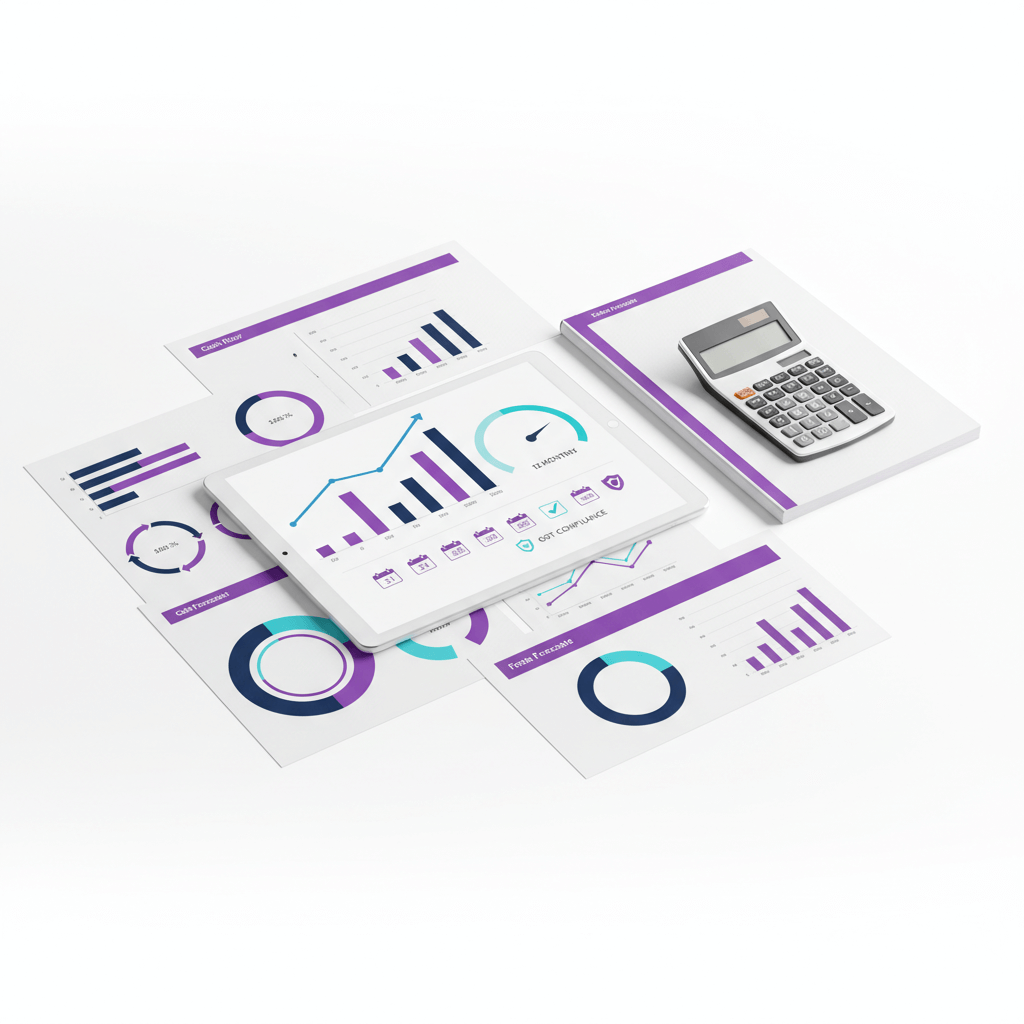
Business forecasting tools help you see the road ahead. They use past numbers and today's activity to predict revenue, costs, cash, and key metrics.
With clear forecasts, you can plan hiring, stock, and taxes like GST and TDS. You avoid cash shocks and make smarter moves.
Without a good tool, many teams run on scattered spreadsheets and stale reports. That often hides upcoming tax outflows and vendor payments, which can lead to cash crunches. A simple setup now can save you from stress later.
In 2026, AI driven financial forecasting software has made this even more accessible. Tools now automate data ingestion from bank feeds, accounting systems, and CRMs, producing forecasts in minutes rather than days.
Further reading for context includes NetSuite on AI financial forecasting and Corporate Finance Institute on forecasting fundamentals.
Effective forecasting blends clean data, clear drivers, and disciplined cadence. It is a decision system, not just a spreadsheet.
What are business forecasting tools
Business forecasting tools are software that analyze historical and current data. They predict future trends for sales, expenses, demand, and overall financial performance. This helps leaders set targets, plan budgets, and prepare for what could change next.
These tools are not the same as budgeting. A budget is a fixed plan for the year. Forecasting is dynamic: it updates often, models scenarios, and shows likely outcomes. Reporting shows what happened; forecasting shows what may happen.
Good forecasts inform hiring dates, inventory buys, and when to spend on growth. They also help with compliance planning by timing cash for GST, TDS, and income tax. When you know what is due and when, you protect runway and avoid late fees.
Modern AI forecasting platforms go further. They continuously learn from transaction patterns, seasonality, and payment behaviors, improving prediction accuracy by 20 to 30 percent over static models. This matters for startups where even a two week cash miscalculation can stall operations.
Explore viewpoints from ICAI guidance on financial planning and CFI.
Types and categories of business forecasting tools
Spreadsheet based models
- Built in Excel or Google Sheets, very flexible and low cost.
- Heavy manual work and higher risk of errors.
- Best for very small teams or first time models.
FP and A platforms
- Built for financial planning and analysis at scale: driver based modeling, scenario planning, centralized reporting.
- Good for growth stage companies with many teams and entities.
- More complex and more costly.
AI powered forecasting tools
- Automate data ingestion from multiple sources (banks, ERPs, CRMs, payroll).
- Use machine learning to detect patterns, seasonality, and anomalies in real time.
- Produce continuous forecasts rather than periodic snapshots.
- Best for teams processing high transaction volumes who need accuracy without manual effort.
BI and analytics tools
- Focus on visualization and trends, great for tracking performance and KPIs.
- Often needs a separate forecasting model behind the charts.
Specialized cash flow tools
- Focus on near term cash, burn rate, and runway.
- Helpful for startups and anyone sensitive to bank balances.
- Quick to set up, narrower scope outside P and L.
Demand and inventory tools
- Predict product level demand and stock needs.
- Useful for retail, ecommerce, and manufacturing.
Accounting dashboards
- Real time data, alerts, and compliance timelines. The dashboard can be the base layer for forecasting models.
- AI Accountant offers a CA led service and a dashboard that shows revenue, expenses, cash trends, burn, runway, recent transactions, bank statement analysis, and compliance status.
Additional reading: NetSuite on AI forecasting capabilities.
Core features to look for in forecasting tools
- Data connectivity, integrates with accounting software, bank feeds, CRM, and payment gateways. This reduces manual entry and keeps inputs fresh.
- Real time refresh, pulls in recent transactions and bank statements so your forecast stays current.
- Driver based modeling, links assumptions to revenue drivers, unit economics, staffing, and cost structures.
- Scenario and sensitivity analysis, test best, base, and worst cases. Stress test margin, price, demand, and payment terms.
- Cash flow forecasting, model burn rate, runway, receivables, payables, and tax outflows like GST and TDS.
- AI insights and alerts, flags anomalies, highlights trends, and nudges you on deadlines. In 2026, AI tools detect drifts in AR collection speed or unusual expense spikes automatically.
- Collaboration and audit trail, comments, version control, and approvals so teams can work together and track changes.
- Compliance visibility, shows GST, TDS, and income tax calendars so you plan cash outflows on time.
- Security and usability, role based access, neat templates, and friendly dashboards.
- Continuous learning, machine learning models that improve accuracy with each forecasting cycle based on actual versus predicted outcomes.
Evaluation criteria for business forecasting software
- Accuracy and integrity, your forecasts are only as good as your books. Clean ledgers and reconciliations are a must.
- Ease of use, templates, quick onboarding, simple assumptions, and clear outputs.
- Scalability, support for multi entity consolidation and growing teams.
- Integration, syncs with accounting, banking, MIS, and operational tools. Tally integration matters for most Indian SMBs.
- Total cost, consider subscription, setup, and support time from your CA or finance team.
- Vendor support, good advisory on drivers and assumptions can speed up success.
- AI capability, does the tool learn from your data over time, or does it rely purely on static formulas?
Implementation steps for business forecasting tools
Step 1, prepare clean data
- Close monthly books.
- Reconcile bank and payment gateways.
- Scrub ledgers and fix mismatched entries.
Step 2, align the chart of accounts
- Map revenue and cost lines to your drivers.
- Group accounts to match your business model.
Step 3, define assumptions
- Pricing and discounts.
- Seasonality and demand swings.
- Tax rates, GST and TDS rules, and payroll TDS.
- Customer and vendor payment terms.
Step 4, build the core models
- Revenue model by product, channel, or cohort.
- Cost of goods and variable costs tied to volume.
- Operating expenses by headcount and function.
- Capex and depreciation where needed.
- Working capital including AR and AP and inventory.
Step 5, add compliance timelines
- Add GST, TDS, and income tax deadlines to your cash plan.
- Include ROC and MCA events if relevant for a small company.
- Reference the Income Tax Department portal for advance tax due dates each quarter.
Step 6, run scenarios and set alerts
- Best and base and worst cases.
- Build what ifs for price, churn, and collections.
- Turn on alerts for anomalies and threshold breaches.
Step 7, pilot AI alongside spreadsheets
- Run an AI forecasting layer in parallel for 30 days.
- Start with AR data to validate accuracy against actuals.
- Transition to continuous syncs once confidence is established.
Step 8, set a cadence
- Weekly cash reviews for runway.
- Monthly rolling forecasts for P and L, balance sheet, and cash flow.
- Quarterly re forecasts.
Step 9, monitor actuals versus forecast and iterate
- Track variance by driver.
- Adjust your assumptions.
- Keep improving with each cycle.
Key metrics and outputs to track with forecasting tools
- Revenue growth by product or channel.
- Gross margin and contribution margin.
- Operating expenses by function.
- Cash trends, burn rate, and runway.
- AR aging and AP aging, trends in DSO and DPO.
- Inventory turns if you stock goods.
- Tax liabilities across GST, TDS, and income tax.
- Filing impacts on cash dates.
- EBITDA and net profit.
- Variance analysis on actuals versus forecast.
- Forecast accuracy score (compare predicted versus actual each month to track improvement over time).
Use cases by business stage for forecasting tools
Freelancers
- Income can swing month to month. Build a simple cash plan with tax buffers for GST or TDS if applicable.
- Track receivables and set aside tax money as you collect.
Startups
- Watch burn and runway closely. Model hiring plans and customer growth.
- Run fundraising scenarios and show investors a clear story.
- AI runway predictions now outperform manual burn tracking by detecting collection pattern shifts weeks earlier.
Growth SMBs
- Forecast demand, stock, and delivery schedules.
- Model AR and AP and coordinate with vendor terms.
- Plan compliance cash for GST, TDS, and income tax so working capital stays healthy.
- Real time AR and AP modeling with AI prevents crunches by alerting you before payment gaps widen.
Small companies under ROC
- Align forecasts with annual ROC events.
- Plan for MCA filings and fees as part of your cash calendar.
- Use board ready summaries for better governance.
Pros and cons of different business forecasting tools
Spreadsheets
- Pros, very flexible and low cost.
- Cons, more manual work, error prone, version control issues. Error rates are up to 50 percent higher than AI powered alternatives.
FP and A platforms
- Pros, robust modeling, strong governance and workflows.
- Cons, higher cost and complexity, training needed.
AI powered forecasting tools
- Pros, continuous updates, pattern detection, 20 to 50 percent accuracy improvement, minimal manual effort.
- Cons, require clean base data to function well, some need integration setup time.
BI and analytics tools
- Pros, beautiful visualization and tracking.
- Cons, often need a separate forecasting layer.
Specialized cash flow tools
- Pros, focused on liquidity, burn, and runway.
- Cons, limited profit and loss modeling.
Accounting dashboards
- Pros, real time data, compliance visibility, alerts, and collaboration.
- Cons, need advisory to set up advanced models.
Common mistakes in forecasting and how to avoid them
- Stale data, do monthly reconciliations so your forecast reflects reality. AI tools now flag data staleness automatically, but the fix still requires clean books.
- Ignoring seasonality, model demand swings and festivals and slow periods. Use historical patterns from at least 12 months of data.
- Static models, move to rolling forecasts and set automated alerts. Continuous AI forecasting eliminates the "set and forget" problem.
- Missing compliance, map all GST, TDS, and income tax deadlines to cash. Late GST filing alone costs ₹50 per day per return.
- Overcomplication, start with templates and a few drivers. Add detail only when it helps decisions.
- Ignoring AI validation, if you use AI tools, pilot them alongside manual forecasts for 30 days before relying fully. Validate predictions against actuals before trusting outputs.
Checklist to choose business forecasting tools
- Can it connect to your accounting, banking, and payment tools.
- Can it model drivers and scenarios with ease.
- Does it show cash trends, burn, and runway.
- Does it include AI insights and alerts.
- Does it learn from your data over time (machine learning capability).
- Does it show compliance dates to plan cash.
- Is there CA or advisory support available.
- Does it have intuitive dashboards your team will use.
- Can you pilot it alongside existing tools for 30 days before full commitment.
Recommended tools that work well alongside forecasting tools
- AI Accountant, aiaccountant.com, a CA led virtual accounting service with a real time dashboard. It shows revenue, expenses, profit and loss, cash flow trends, burn, runway, recent transactions, bank statement analysis, a document vault, and compliance timelines and status for GST, TDS, and income tax. The CA team handles bookkeeping, reconciliations, tax filings, and advisory so data is clean and current.
- QuickBooks Online, widely used accounting software for small businesses, strong bank feeds and basic reports.
- Xero, cloud accounting with good integrations and multi currency features.
- FreshBooks, simple invoicing and expense tracking for freelancers and service businesses.
- Zoho Books, affordable accounting with a wide app suite.
- NetSuite, ERP level accounting for larger or fast growing firms.
- Abacum, FP and A platform for driver based planning and scenario analysis.
- Anaplan, enterprise planning with robust modeling and cross functional workflows.
- Power BI or Tableau, BI tools for visualization and performance dashboards.
- Float or Agicap, cash flow tools focused on short term liquidity and runway.
How AI Accountant virtual accounting supports business forecasting
AI Accountant blends people and software. You get a CA led managed accounting and compliance service plus a central dashboard. This pairing is a strong foundation for any forecasting setup.
- Accurate inputs, monthly bookkeeping, ledger clean up, and reconciliations make your data reliable. Clean data leads to accurate forecasts.
- Live visibility, the dashboard shows financial overviews, income and expense breakdowns, cash flow trends, burn rate, runway, recent transactions, and bank statement analysis. This real time view keeps your forecast current.
- Compliance planning, built in calendars for GST, TDS, and income tax show due dates and filing status. You can plan cash outflows in advance and avoid late fees.
- AI insights and alerts, the system flags anomalies and patterns so you can react early.
- Driver friendly data, MIS, AR and AP tracking, inventory records, and fixed asset registers support driver based modeling.
- CA advisory, the team helps tune assumptions, align tax treatment, and prepare for ROC or MCA needs for small companies. You get context for decisions, not just numbers.
This service replaces scattered email threads and spreadsheets with one structured service and a single dashboard. It makes forecasting faster and more useful.
Sample workflow with AI Accountant and forecasting tools
- Connect and clean data, the CA team handles monthly bookkeeping, bank and gateway reconciliations, ledger checks, and closing schedules. The dashboard updates once books are clean.
- Review the dashboard and set drivers, look at revenue trends, expense lines, cash flow, and burn and runway. Decide key drivers like price, conversion, headcount, and vendor terms. Set tax rates and GST and TDS rules.
- Build rolling P and L and cash forecasts, use your drivers to build revenue, COGS, and operating expenses. Add AR and AP behavior, inventory cycles, and tax outflows. Layer in ROC or MCA events if you are a small company.
- Run scenarios and turn on alerts, model best, base, and downside cases. Adjust price, demand, and payment terms. Turn on alerts for low runway, slow collections, and upcoming compliance dates.
- Monthly CA review, compare actuals to forecast. Discuss variance by driver. Update assumptions. Prepare a simple pack for founders or the board.
Practical tips for better business forecasting tools
- Lock monthly close dates. Forecasts need a steady rhythm.
- Use simple named drivers: headcount, average selling price, conversion rate, unit cost, and similar.
- Tie drivers to real systems. For example, CRM for pipeline, accounting for AR and AP, payroll for headcount.
- Keep a scenario diary. Write down why you changed an assumption.
- Share summaries, not raw tabs. Most readers want a one page view of cash, runway, and key risks.
- Pilot AI forecasting tools for 30 days before going all in. Validate accuracy against your manual model first.
Closing thoughts on business forecasting tools
Business forecasting tools help you plan with confidence. They turn data into action.
With clean books, clear drivers, and a simple routine, you can see cash needs, protect runway, and time your growth. In 2026, AI has made this faster and more accurate, but the foundation remains the same: reliable data in, useful insights out.
AI Accountant can support your setup with CA led bookkeeping, tax compliance, and a live dashboard that keeps you in the loop. If you want to explore how this might work for your team, take a look at the AI Accountant site.
For further reading on financial forecasting methods, see Corporate Finance Institute's forecasting guide.
FAQ
How often should we update forecasts for cash, P and L, and balance sheet in a lean finance setup
Weekly for cash and runway to manage liquidity, monthly for rolling P and L, balance sheet, and cash flow to keep decisions current, quarterly for a deeper re forecast if market or strategy shifts. AI tools now enable continuous forecasting, but this cadence remains the minimum discipline for teams without full automation (2026 update).
What is the practical difference between budgeting and forecasting for a founder reporting to investors
Budgeting is a fixed plan and target sheet for the year. Forecasting is dynamic and forward looking: it refreshes with new data and scenarios. A board will accept variance if you show drivers and clear actions. Present a one page summary with revenue, margin, cash, runway, and top risks rather than raw spreadsheet tabs.
Can AI powered forecasting tools materially improve forecast accuracy for startups
Yes. AI forecasting tools improve accuracy by 20 to 50 percent over manual spreadsheets by automating data pulls, detecting patterns, and learning from historical outcomes (2026 update). The key requirement is clean base data. Without accurate books and reconciled bank feeds, even AI produces unreliable outputs. Pair AI with professional bookkeeping for best results.
How should seasonality and uncertainty be modeled without overcomplicating the setup
Use a few simple drivers: demand index by month, price or discount bands, and collection timing. Run best, base, and downside scenarios. Set alerts for leading indicators like rising DSO. AI tools now detect seasonal patterns automatically from 12 plus months of transaction history, reducing the manual modeling burden.
How do GST, TDS, and income tax calendars flow into cash forecasting for SMBs
Map due dates and expected amounts into the weekly cash plan. Include buffers for filings, refunds, and notices. Late GST filing alone costs ₹50 per day per return under current GST portal rules. Advance tax for income tax falls due quarterly (June 15, September 15, December 15, March 15). Reserve cash for each window at least two weeks ahead.
Do we need full FP and A software, or will spreadsheets plus a CA managed service suffice
Early stage teams can succeed with spreadsheets if data is clean and cadence is tight. When entities, teams, and scenarios grow beyond what manual tracking handles efficiently, consider FP and A platforms. The threshold is usually when you manage three or more entities, need multi department consolidation, or process over 1,000 transactions monthly.
How do we quantify ROI on forecasting tools and CA managed accounting
Measure avoided late fees and interest, reduced cash shocks, faster hiring decisions, and higher collection speed. Add the time saved by founders and finance heads. In 2026, teams using AI forecasting report 50 percent fewer manual errors and monthly close times shortened by 7.5 days on average, translating directly to faster board updates and fewer emergency cash bridges (2026 update).