-01%201.svg)
Key takeaways
- Real time financial dashboards pull live data from banks, accounting tools, and payment gateways so you can see cash position, burn rate, and compliance status now, not after month end close.
- Firms using managed dashboards report 40 to 60 percent faster month end closes, with some completing in two days instead of ten, freeing teams for analysis and decisions.
- Core modules to prioritize on day one: cash runway, AR and AP aging, budget versus actuals, GST and TDS compliance status, and AI driven anomaly alerts tied to owners.
- For Indian SMBs on Tally facing GST, TDS, and ROC complexity, a CA led managed service delivers the best balance of speed, accuracy, and compliance depth without hiring a full in house team.
- Platforms with automated GST reconciliation and supervised AI cut manual reviews by 30 percent and help avoid late filing penalties of ten thousand rupees or more per return.
Real time financial dashboards: what's new in 2026
Until mid 2025, most dashboard platforms refreshed bank feeds every 15 to 30 minutes and required manual triggers for reconciliation. By early 2026, native UPI feeds via NPCI and sub one minute refreshes from major banks like HDFC, ICICI, Axis, and Yes Bank became standard. This means your cash position updates almost as fast as payments land.
On the compliance front, GSTN's e invoicing 2.0 rollout now mandates QR code validation at source for businesses above the reduced threshold. Dashboards that integrate directly with the GST portal can auto validate IRNs and flag mismatches before filing. Firms ignoring this risk blocked GSTR 1 uploads and ITC reversals, with interest at 18 percent per annum on delayed tax.
RBI's 2025 data localization directive means any dashboard handling bank feeds must host data on Indian servers. If your current tool stores data overseas, you face regulatory non compliance. Check your vendor's hosting location, ask for the India residency certificate, and confirm SOC 2 or ISO 27001 status.
What to do now:
- Confirm your dashboard supports sub five minute bank and gateway refreshes, especially for UPI clearing feeds.
- Verify GSTN API integration for e invoicing 2.0 QR validation before your next GSTR 1 filing cycle.
- Audit data residency, if data sits outside India, initiate migration or switch providers before the next RBI compliance review.
Generative AI now powers 90 day cash forecasts that adjust for lumpy collections and seasonal spikes, cutting manual forecast work significantly. Teams using MIS reporting automation paired with supervised AI get forecasts that a CA reviews before they reach the founder, keeping accuracy high without AI hallucination risk.
Introduction to real time financial dashboards
Real time financial dashboards turn live financial data into clear views you can trust in the moment. They pull updates from banks, accounting tools, and payment apps so you can see money moving now, not last month.
In a fast market with remote teams and complex rules like GST and TDS in India, that real time visibility helps you track runway, watch burn, and file on time. This guide explains what real time financial dashboards are, how they work, what to include, and how to roll them out. You will also see when a CA led managed service makes sense.
Think of your dashboard as a cockpit: concise signals you can act on, with drill downs when you need detail.
Sources: CFOHub, Sage
What are real time financial dashboards
Real time financial dashboards are not static reports. They do not wait for a month end close. They sync live data as it changes. Some refresh every few minutes, others update in near real time as events land through APIs and bank webhooks. This is different from batch runs or manual spreadsheets.
A good dashboard lets you click to drill into a transaction or ledger entry. A founder might see cash runway at the top. A finance lead may open AR aging with one tap. A freelancer might view tax dues and invoices due this week. Role based access gives each person the view they need. Mobile friendly screens and in app notes make it easy to act as a team.
Under the hood, these dashboards connect to sources like Tally, QuickBooks, and Xero. They link bank feeds via clearing feeds from HDFC, SBI, and ICICI through API connections. Gateways like Razorpay and Paytm push webhook data for real time payout visibility. Payroll tools like Keka, inventory systems, and a CRM round out the picture.
The system cleans and normalizes each feed, then refreshes on a set cadence. In 2026, best in class tools refresh in under five minutes. Alerts fire if you cross a threshold, for example cash below three months or a GST due date at risk.
Sources: CFOHub, Sage, RBI Master Direction on Payment Systems
Components of real time financial dashboards
An effective real time financial dashboard has clear modules you can scan in seconds. Each widget shows a key signal and lets you dive deeper. Include these core components.
- Financial overview cards
Live revenue, expenses, profit or loss, and account balances. These are your headline numbers. - Category breakdowns
Income and expense categories with trend lines. Spot rising spend in one line item, see which revenue stream is growing. - Cash intelligence
Cash flow trends, burn rate, and runway. Show months of cash left at current burn, include a simple forecast that pulls from bookings and planned spend. Advanced accounting systems now integrate burn rate metrics into dashboards automatically, updating weekly or even daily. - Working capital metrics
AR and AP aging, DSO and DPO, and a collection pipeline. See who owes you and how long it takes to collect, track payables cadence. - Bank reconciliation cues
Auto match bank transactions to books, flag exceptions for review, reduce time on manual bank recs. Bank webhooks and clearing feeds push deposits and debits in near real time so your ledger entries stay current. - Budget versus actuals
Variance analysis for the month and year to date. Charts help you see where plan and actual drift. - Compliance hub
GST return status, TDS deductions due, income tax estimates, ROC filing dates, and e invoicing checks. Map your compliance calendar and filing status in one place. Compliance dashboards with real time tax status tracking help you avoid penalties and blocked filings. - Document repository
A central library with invoices, vendor bills, and support files. Keep audit trails ready for MCA or tax reviews. - AI insights and alerts
Anomaly detection for unusual spend, threshold alerts for AR overdue beyond sixty days or cash gaps. Rule based and AI powered cues both help. Best dashboards and alerts for ownership thresholds let you assign every alert to a person and a due date. - Team communication
In app notes and tagging with your CA team. Reduce back and forth on email and chat tools, keep context next to the numbers.
Visual suggestion: Dashboard anatomy diagram showing these widgets. Alt text: Real time financial dashboards key components including cash runway and GST compliance.
Sources: CFOHub, ICAI Guidance on Internal Financial Controls
Benefits of real time financial dashboards by audience
- Founders and finance leads
See burn rate and runway dips at once, prep faster for investor updates, run scenarios and pivot spend, share clean KPIs for the board with less prep time. Business dashboards with real time payout data help founders track gateway settlements without manual exports. - Finance teams
Speed up month end close, cut errors with auto categorization and reconciliations, track GST and TDS tasks early, reduce time lost to manual reports. Teams report 40 to 60 percent faster closes when live feeds replace batch processing. - Freelancers and small business owners
View income and expense trends in simple charts, get alerts on tax saving options and due dates for ITR and GST, avoid tax surprises and cash crunches. - Outsourced accounting users and boards
Get KPI snapshots on demand, see AR and AP status without asking for manual MIS, improve governance and oversight.
Overall, firms often see faster decisions, better accuracy, and higher efficiency. Recent benchmarks from Deloitte and Nasscom confirm 50 percent or more efficiency gains for Indian firms using real time dashboard setups paired with automation.
Sources: CFOHub, Deloitte India Future of Finance
How to build a real time financial dashboard for executives
Rolling out a dashboard that executives actually use requires planning. Here is the implementation guide.
- Define goals and KPIs
Start with the business questions. For example, runway for the next six to nine months, margin tracking by product. List compliance service levels such as GSTR 1 by the eleventh and GSTR 3B by the twentieth or twenty fourth as applicable. Pick eight to ten decision KPIs for the first release. Less is more. - Map integrations
List core systems: accounting like Tally, QuickBooks, or Xero, banks like HDFC, SBI, ICICI with API feeds and bank webhooks, payment gateways like Razorpay and Paytm, payroll like Keka, CRM and inventory where needed. Include GSTN and e invoicing links if you need IRN generation. Confirm secure methods and refresh plans. Partner compliance mapping across bank webhooks and clearing feeds ensures no transaction goes unrecorded. - Clean data
Standardize your chart of accounts. Align expense categories to Income Tax and GST needs. Normalize vendor and customer names. Tag one off items so they do not skew run rate. Backfill opening balances and close stale suspense accounts. In 2026, tools auto map 80 percent of Tally charts of accounts, cutting cleanup to three to five days. - Configure access
Set up role based views. Founders see cash runway and burn. Finance sees working capital and exception queues. Sales leaders may see collections. Enable audit logs for all access and edits. - Set alerts
Define risks like cash below three months, TDS payable above fifty thousand rupees, AR overdue more than sixty days, variance to budget more than fifteen percent. Tie each alert to an owner and a due date. Keep alerts actionable. - Train users
Run short sessions by role. Teach drill downs, filters, mobile use, and export flows. Share a playbook on adding notes, uploading documents, and closing alerts. Practice with real data. - Maintain
Do monthly reconciliations and ledger reviews. Review metrics each quarter. Update targets. Align to GST, TDS, income tax, and ROC calendars. Plan time for upgrades and new feeds.
Best tools for real time financial dashboards
Visual suggestion: Data flow graphic showing banks and gateways flowing into a dashboard with CA alerts on top. Alt text: Real time financial dashboards data pipeline for Indian SMBs.
Sources: CFOHub, Sage
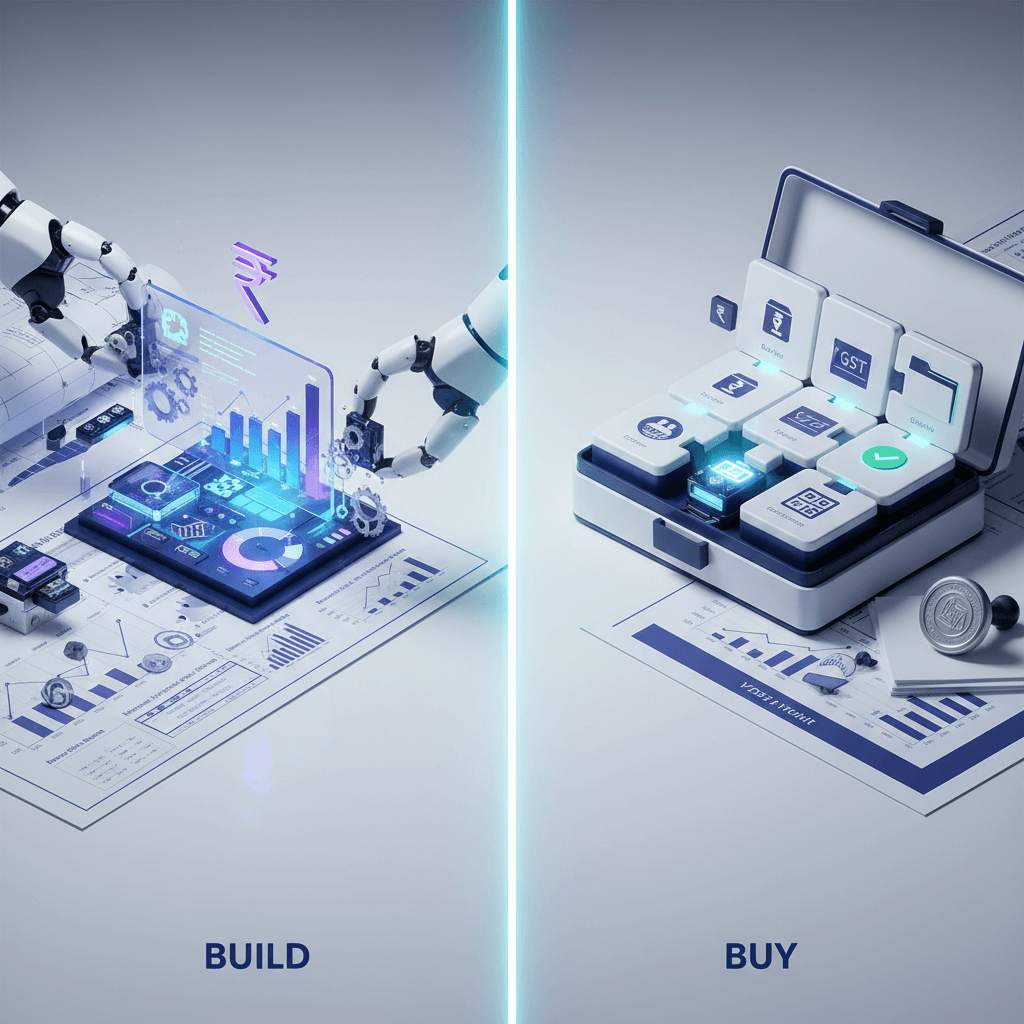
Build versus buy for real time financial dashboards
Build in a business intelligence tool
You get maximum flexibility and can model custom KPIs the way you want. But you take on data pipelines, API handling, and maintenance. Expect three to six months of engineering and a higher total cost of ownership (₹15 to 30 lakh or more annually for mid market firms). You need in house data engineering skills.
Buy software only
You get faster setup and a lower start cost (₹3 to 10 lakh annually). Many tools support common feeds and templates. But pure software may not go deep on India specifics. You might still need a CA partner for GST, TDS, and ROC advice, and you handle month end work yourself.
Choose a CA led managed service
You get execution and advisory with the dashboard. Bookkeeping, reconciliations, GST filings, TDS, and income tax happen along with live visibility. This reduces your workload and lowers operational cost in the long run. Onboarding is usually one to two weeks because experts map data and fix the chart of accounts at the start. Typical cost runs ₹4 to 12 lakh annually including CA execution hours.
For firms in India that face GST and TDS complexity, a managed service often gives the best balance. You focus on running the business while your CA team runs the books and the system.
Sources: CFOHub, Sage
Evaluation checklist for real time financial dashboards
- Integrations: Accounting like Tally or Xero, RBI compliant bank feeds, payment gateways like Razorpay, payroll and CRM where needed.
- Data freshness: Refresh rate under load (aim for sub five minutes in 2026), last updated time visible, option to force a sync.
- Accuracy: Auto reconciliation, audit trails for changes, traceability from metric to source ledger entry.
- Usability: Clean on mobile, intuitive drill downs and filters, CSV or PDF exports for auditors and investors.
- Customization: Multi entity setups, cohorts or projects, custom fields.
- Compliance: GST, TDS, income tax, and ROC calendars, filing status and due amounts, e invoicing QR validation.
- Collaboration: Tasks, comments, document uploads, owners and due dates, clear notifications.
- Security: Encryption at rest and in transit, India data residency (mandatory per RBI 2025 directive), ISO 27001 or SOC 2 certifications, multi factor authentication.
- Support: Onboarding help, service levels, response path, access to a CA for advice.
- Pricing: Transparent per user or entity, what support includes, integration costs. Managed services now average ₹20 to 50 thousand per month for full service.
Downloadable idea: turn this list into a one page PDF for your team.
Common pitfalls and how to avoid them in real time financial dashboards
- Garbage in, garbage out: If your chart of accounts is messy, your dashboard will be messy. Scrutinize ledgers monthly, close odd balances, keep names consistent.
- Metric overload: Too many charts hide the signal. Limit the main view to eight to ten KPIs, add deep dive pages for the rest.
- Shadow data: Do not forget UPI and smaller gateways. Missing feeds break trust. Ensure all clearing feeds and bank webhooks are connected.
- Poor governance: Grant least privilege access, review quarterly, keep audit logs on.
- No actionability: An alert without an owner does nothing. Assign owners and due dates, link alerts to tasks and close the loop.
- Compliance blind spots: Add calendars for GST, TDS, income tax, and ROC. Show status next to each date. Set reminders well ahead.
- AI hallucination in forecasts: Generative AI can produce inaccurate cash predictions if unsupervised. Always require CA oversight before acting on AI generated numbers.
Visual idea: Before and after month end close timeline. Before shows ten days with manual steps, after shows two days with automation and dashboards.
Mini case snapshots for real time financial dashboards
Startup case
A venture backed startup added live burn and runway tracking. Month end close fell from ten days to two. A clear compliance hub helped them file GSTR 3B on time and avoid ten thousand rupees in penalties. The founder used the charts in investor updates and raised the next round sooner.
Freelancer case
A design freelancer set up auto expense capture and bank feeds. TDS visibility across clients cut tax surprises by twenty percent. Filing ITR was cleaner and faster with a neat document trail. The dashboard made it easy to see which clients paid on time.
Outcomes
Faster decisions, fewer penalties, audit ready books, less stress.
How AI Accountant delivers real time financial dashboards
AI Accountant offers a CA led Virtual Accounting service that blends execution with a powerful dashboard. You get a dedicated CA team doing your books and compliance, plus a real time financial dashboard that shows what is going on without you digging through email and spreadsheets.
Dashboard modules
Financial overviews, income and expense breakdowns, cash trends, burn and runway, and working capital views. AI insights and alerts for unusual spend and overdue collections. Bank statement analysis and auto reconciliation to speed up close. A compliance area for GST and TDS status, income tax estimates, and ROC dates for small companies. A secure document repository keeps bills, invoices, and reports in one place, and you can chat with your CA team inside the dashboard.
Behind the scenes
The CA team handles monthly bookkeeping, ledger clean up, reconciliations, and year end schedules. The team also manages GST registration and filings like GSTR 1 and GSTR 3B, annual GST returns, TDS challans and returns like Form 26Q and 24Q, income tax returns for individuals, partnerships, and companies, and advance tax. For small companies, the team manages ROC filings like MGT 7 and AOC 4, along with basic secretarial support. Payroll advice for TDS on salary is included.
Onboarding
Most clients go live in about two weeks. Systems are connected, the chart of accounts is fixed, KPIs and alerts are configured, teams are trained, and role based access is set.
Who it is ideal for
Freelancers, early stage founders, and growing SMBs that want clean books, timely filings, and live visibility without hiring a full in house team. If you are moving from spreadsheets or a simple accounting tool, this is a friendly path.
If you want to see it in action, you can book a free CA walkthrough at AI Accountant. We will show you a sample dashboard with your use case in mind.
Visual suggestion: Sample compliance calendar with GST and ROC dates. Alt text: Real time financial dashboards GST and ROC dates.
FAQ
Are there banks with real time accounting dashboards
Most Indian banks like HDFC, ICICI, and Axis now offer API based feeds that push transaction data to accounting dashboards in under five minutes. However, banks themselves do not provide full accounting dashboards. You need a platform that connects to these bank APIs and webhooks to build the complete financial picture with reconciliation, categorization, and compliance layers on top. (2026 update)
How real time are these dashboards in practice, and what refresh rates should a CFO set for bank, gateway, and accounting feeds
Best in class platforms now refresh in under five minutes for bank and accounting feeds, with payment gateways updating near instantly via webhooks. Always display the last updated time and allow a manual refresh for time sensitive reviews. For board meetings or investor calls, force a sync five minutes before.
Do real time dashboards replace CAs, or do they complement a CA led managed service
They complement, not replace. Dashboards automate visibility and reduce manual reporting, while your CA team still owns reconciliations, filings, and judgment calls. A CA led Virtual Accounting service pairs automation with execution, so the numbers you see are audit ready.
Can these dashboards handle India specific compliance like GST, TDS, e invoicing, and ROC timelines
Yes, when the platform integrates with GSTN APIs for e invoicing 2.0 QR validation and links to the Income Tax portal for Form 26AS matching. Compliance calendars should show GSTR 1, 3B status, TDS challans, and ROC forms in one view. Managed services bundle this so you do not need to configure each integration yourself. (2026 update)
What security controls should a finance head demand before connecting bank and payroll data
Require India data residency (mandatory per RBI's 2025 directive), encryption at rest and in transit, role based access with multi factor authentication, audit logs, and SOC 2 or ISO 27001 certification. For payroll, restrict access to a narrow group, log every export, and confirm biometric or hardware token support for admin access. (2026 update)
How does partner compliance mapping work with bank webhooks and clearing feeds
Partner compliance mapping links each bank webhook event (deposit, debit, charge) to the correct ledger entry and GST or TDS treatment automatically. Clearing feeds from banks push settled amounts into your books, and the system maps them to open invoices or vendor bills. This eliminates manual bank statement downloads and cuts reconciliation time from hours to minutes.
Build versus buy versus CA managed: how should a mid market CFO evaluate total cost and time to value
Build offers highest flexibility but costs ₹15 to 30 lakh annually and takes three to six months. Buy is fast but you carry close and compliance work yourself at ₹3 to 10 lakh. CA managed gives fastest time to value (two weeks live) with bookkeeping, reconciliations, and filings bundled at ₹4 to 12 lakh annually. For Indian SMBs with GST and TDS complexity, managed services consistently deliver the best cost to outcome ratio.