-01%201.svg)
Key takeaways
- Payroll automation for businesses removes spreadsheet chaos, cuts cycle time, and boosts accuracy for Indian firms.
- Strong systems compute TDS under Section 192, apply PF, ESI, and PT per state, generate payslips and bank files, and prepare filings.
- Compliance first design, with calendars, logs, and maker checker controls, helps avoid penalties such as late TDS fees.
- Integrations with HRIS, time and attendance, banks, and accounting systems drive real ROI, not just convenience.
- A managed model with CA oversight pairs automation speed with expert review, improving audits and reducing risk.
- Measure cycle time, reruns, compliance score, and touchless rate, then show a three month post go live ROI.
- AI Accountant can complement your tool with CA led controls, reconciliations, and a live compliance dashboard.
Introduction to payroll automation for businesses
Payroll automation for businesses uses software to handle salary calculations, taxes, and filings without manual spreadsheets. It pulls employee data, computes TDS, applies PF, ESI, and PT, creates payslips, and prepares filings from one place. This is vital for Indian startups and small companies that need speed and accuracy each month.
Manual work breaks at scale. A wrong attendance import or a missed tax slab can lead to late TDS fees under Section 234E, upset staff, and higher costs. Automation brings order, cuts errors, and helps you grow without payroll stress. In this guide, you will see where to start, which features matter, how to stay compliant, and how to get a real return on your time and spend.
Sources: CrazeHQ, BharatPayroll, IndPayroll, PeopleStrong
Manual vs automated payroll automation for businesses
Manual payroll, the daily grind
- Data comes from Excel sheets, HR emails attendance and leave, finance copies and pastes, formulas change month to month and break when people tweak them.
- Calculations need checks, TDS slabs and cess can be wrong, PF, ESI, and PT caps get missed, variable pay and overtime need hand work.
- Compliance is ad hoc, teams prepare challans by hand, quarterly Form 24Q is pulled together at the last minute, there is no audit trail.
- Impact is heavy, payroll can take three to seven days, errors are common, leading to reruns, penalties, and low trust.
Automated payroll, the streamlined flow
- Data sync is real time, the system connects to HRIS, time and attendance, and leave, it auto pulls data with an audit log.
- Rules engines compute pay, TDS, surcharge, and cess follow law, PF, ESI, and PT apply per state and threshold, variances show up before payout.
- Compliance is on time, reports are ready, challans and returns get prepared faster, you can track each step in a log.
- Impact is lighter, many firms see seventy percent faster payroll closure and far fewer reruns, staff get payslips on time and trust the numbers.
Bottom line: automation reduces cycle times, slashes errors, and avoids many fines, your team spends less time chasing files and more time improving policies and planning.
Sources: CrazeHQ, IndPayroll, BharatPayroll, PeopleStrong
Core capabilities in payroll automation for businesses
Data capture and inputs
- Integrations with HRIS and recruitment systems
- Time and attendance links, leave balances, and overtime
- Expense claims and reimbursements
- Cost to company structure, pay heads, and allowances
- Master data for employees, departments, sites, and cost centers
Rules and calculations
- TDS on salary under Section 192 with slabs, surcharge, and health and education cess
- PF, ESI, PT, LWF as applicable per law and per state
- Bonuses, gratuity accrual logic, overtime rules, and arrears
- Old tax regime and new tax regime handling with proof capture
Outputs and reporting
- Payslips in bulk and on self service
- Bank files for salary disbursal in valid formats
- Form 16 generation and year end documents
- Challans and MIS for management and auditors
- General ledger postings for ERP and accounting
Controls and governance
- Workflows for cutoffs, approvals, and maker checker
- Role based access control
- Full audit trails for every edit and approval
- Variance checks and exception flags
Security and privacy
- Encryption at rest and in transit
- India data residency options when required
- Fine grained controls for personal data
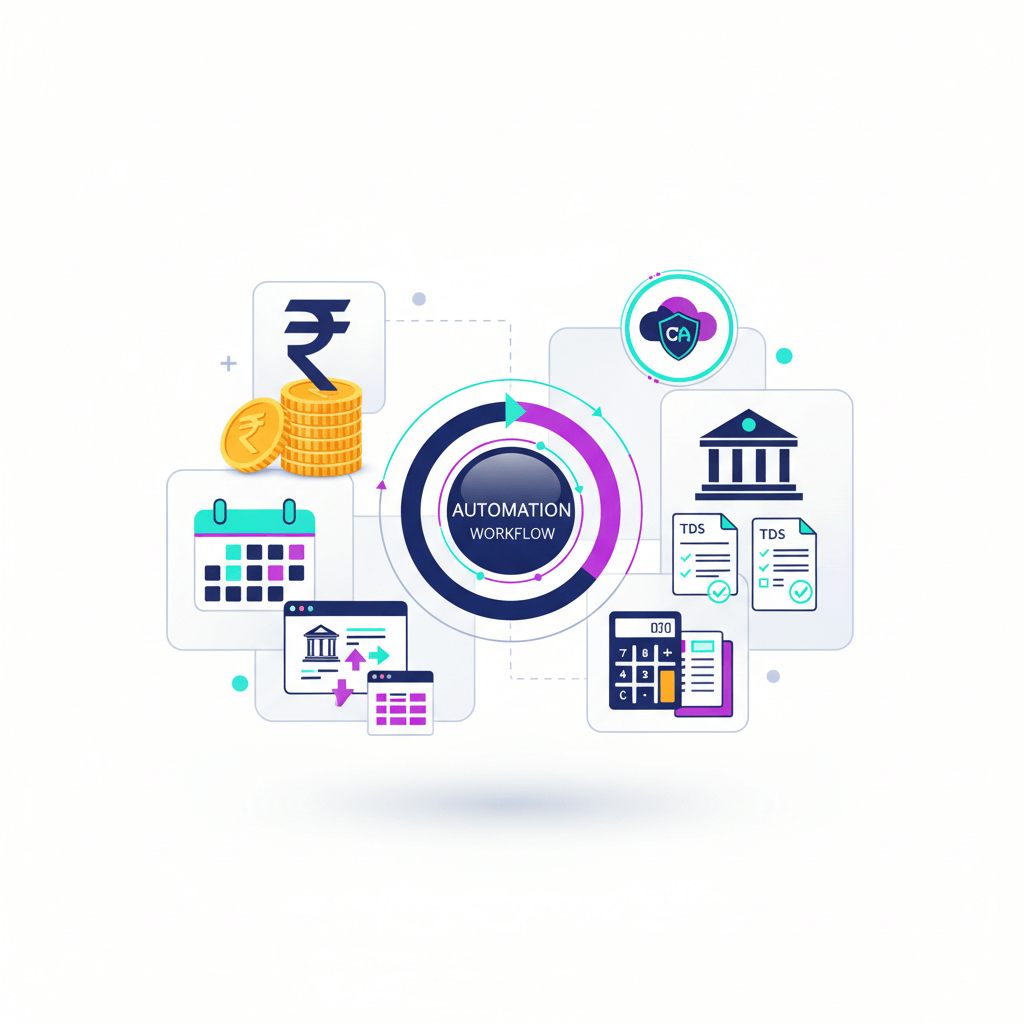
Diagram description: HRIS and attendance connect to the payroll engine, the engine applies TDS, PF, and ESI rules, it then creates payslips, bank files, and challans, finally, it posts accounting entries and prepares filings.
Sources: CrazeHQ, IndPayroll, BharatPayroll
India specific compliance inside payroll automation for businesses
TDS on salaries
- Computes TDS each month under Section 192, see this guide
- Creates challan for payment by the seventh of the next month
- Prepares Form 24Q for quarterly filing by the due date
- Generates Form 16 for staff after year end
PF, ESI, and PT
- Applies PF and ESI thresholds and rates
- Covers ESI wage cap that applies to staff whose gross pay is below a set level, such as twenty one thousand
- Schedules PF payment by the fifteenth of the next month
- Handles state professional tax slabs and dates
Perks and exemptions
- Calculates HRA, LTA, Section 80C and other declarations
- Stores proofs and supports audit checks
Tax regimes and mid year changes
- Supports old and new tax regime selections
- Allows mid year regime switch with year to date tracking and auto adjust
Full and final settlements
- Automates notice pay, leave encashment, and pending claims
- Tracks clearances and generates final payslip
With calendars, reports, and logs aligned to these rules, you cut risk and avoid many common penalties.
Sources: CrazeHQ, BharatPayroll, IndPayroll, PeopleStrong
Implementation roadmap for payroll automation for businesses
Step 1. Assess your current flow
- Map each input and handoff, note attendance files, leave approvals, pay heads, and cost centers.
- Find bottlenecks such as delayed cutoffs and manual TDS steps.
- List compliance gaps and recent penalties so you can target wins first.
Step 2. Select the right vendor
- Look for India depth, confirm TDS logic, Form 24Q, PF and ESI e filings, and state PT.
- Check integrations with your HRIS, time system, bank, and accounting.
- Review support quality, service levels, and total cost for your size and growth plans.
When you want tool ideas, here are options to explore, include your payroll and finance stack in the decision.
- AI Accountant
- Zoho Payroll
- greytHR
- Keka Payroll
- RazorpayX Payroll
- factoHR
- sumHR
- QuickBooks Online
- Xero
- FreshBooks
Step 3. Configure the system
- Set pay heads, CTC structures, tax policies, and leave rules.
- Create workflows for maker checker approvals and cutoffs.
- Map cost centers and GL accounts for exports.
Step 4. Migrate data
- Bring employee masters, opening balances, and year to date earnings and deductions.
- Load historical challans and returns for traceability.
- Validate employee tax declarations and proofs in the new portal.
Step 5. Run in parallel
- Do one to two cycles where both old and new systems run side by side.
- Compare results, variance by variance.
- Fix rules and mappings where you see gaps.
Step 6. Go live and train
- Train HR, finance, and approvers on dashboards and workflows.
- Onboard employees to self service for payslips, tax declarations, and proofs.
- Share a calendar showing every due date so everyone stays aligned.
Screenshot mock description: A dashboard shows payroll status by entity, pending approvals, and a calendar with due dates for TDS, PF, ESI, and PT, there is a list of exceptions that need review before payout.
Expert assist: If you want guidance on configuration and compliance, AI Accountant can pair your software with a CA led process so you get the best of both.
Sources: CrazeHQ, IndPayroll
Integrations that drive ROI in payroll automation for businesses
Must have connections
- Time and attendance and leave, this removes the biggest source of variance in salary and overtime.
- Banking for disbursals, auto create bank files in the right format and push them securely to your bank portal.
- ERP and accounting, create and post GL entries by cost center and department without manual keying.
- E filing portals, prepare files for 24Q, PF, ESI, and PT uploads.
- Document management, store proofs for HRA and 80C, and issue Form 16.
These links remove duplicate data entry, cut errors, and speed up close, they also give you one audit trail end to end, which is a big win when you face scrutiny.
Sources: CrazeHQ, IndPayroll, PeopleStrong
Measuring success and ROI in payroll automation for businesses
Cycle time
- Days from cutoff to bank file ready
- Target a seventy percent or more reduction from your baseline
Error and rerun rate
- Count variance tickets, reruns, and off cycle payments
- Aim for near zero reruns after the second month
Compliance score
- On time TDS, PF, ESI, and PT payments and filings
- Penalties and notices avoided compared to last year
Close quality
- Age of open exceptions before payout
- Share of payroll that is touchless with no manual edits
ROI view
- Time saved in HR and finance headcount
- Lower fines and interest
- Better staff trust and retention due to clean and on time pay
Tip: set a three month review after go live, show the baseline and the new metrics side by side, share the wins and what to improve next.
Sources: CrazeHQ, IndPayroll, PeopleStrong
Common pitfalls in payroll automation for businesses and how to avoid them
Multi state tax gaps
- Many teams miss state PT and ESI differences, use multi state settings and test them for each location.
Data migration misses
- If year to date data is wrong, Form 16 and tax proofs break, verify YTD amounts for earnings, deductions, TDS, and benefits.
Weak controls
- Without audit trails and maker checker, risky edits can slip in, enforce approvals and keep edit logs.
Edge cases not tested
- Arrears, leave without pay, new joiners, and exit cases need special checks, run scenario tests during parallel cycles.
Vendor lock in
- Always secure data export rights and clear formats so you can switch if needed.
If you manage these five, your rollout will be smoother and your audits calmer.
Sources: IndPayroll, CrazeHQ
Build, buy, or managed approach for payroll automation for businesses
Build in house
- Maximum control and custom logic
- High cost to build and maintain
- Needs a tech team that knows India payroll rules
Buy off the shelf
- Fast to deploy and good value
- May be generic in complex cases
- Works well if your policies are standard
Managed with CA oversight
- Software plus a Chartered Accountant led process
- Best for cross state, TDS heavy, or audit sensitive setups
- You get automation speed and expert review of filings and edge cases
For many Indian SMEs and startups, the managed route balances speed and compliance, it gives you a rules engine plus a human guardrail for law changes and unusual cases, see this playbook.
Sources: CrazeHQ, IndPayroll
How AI Accountant complements payroll automation for businesses
AI Accountant offers a CA led Virtual Accounting service that pairs neatly with your payroll automation software, you keep your tools and speed, we add expert oversight and a live dashboard so nothing slips.
What we handle with you
- Monthly TDS computation review and challan payments under Section 192
- Form 24Q preparation and Form 16 release
- Salary structuring advice for old and new regimes so employees save tax within the law, see this primer
- Payroll to GL reconciliations and bank matching so accounts close on time
- A central dashboard for compliance timelines, filings, documents, and exceptions
- Full wrap for GST, TDS, Income Tax, and basic ROC for small companies
Outcome: end to end accuracy with fewer penalties, reduced monthly scramble, and clean parallel to go live with confidence.
Sources: CrazeHQ, PeopleStrong, BharatPayroll
Checklist for a fast start to payroll automation for businesses
Requirements
- List your pay heads, CTC formats, leave policy, and overtime rules
- Note statutes that apply to you, TDS, PF, ESI, PT, and LWF where relevant
Migration
- Prepare employee master data, bank details, PAN, and UAN
- Bring year to date earnings, deductions, TDS, and benefits
- Attach prior challans and returns for reference
Parallel run
- Plan two cycles and define who signs off variances
- Track every variance to closure and update rules
Calendar
- Mark TDS challans by seventh, Form 24Q due date by quarter, PF by fifteenth, and ESI and PT by state date
KPIs
- Baseline your cycle time, error rate, and compliance score
- Review monthly for three months after go live
Checklist graphic description: A simple row of icons shows each step with a due date below it, the calendar is marked with TDS on the seventh and PF on the fifteenth.
Sources: CrazeHQ, IndPayroll
Conclusion and next steps for payroll automation for businesses
Payroll automation for businesses brings speed, accuracy, and compliance to Indian companies, it removes manual data entry, reduces errors, and helps you avoid fines. Teams close faster and employees gain trust as payslips arrive on time with correct tax. When you add CA oversight, you get extra assurance for TDS, PF, ESI, PT, and filings like Form 24Q and Form 16.
If you want a partner to help you design, implement, and run a clean process, AI Accountant is here, our Virtual Accounting team works with your payroll software and delivers a live dashboard, reconciles payroll to books, and keeps every due date on track, book a demo and see how a managed, automated payroll can work for your business.
Sources: CrazeHQ, IndPayroll, PeopleStrong
FAQ
What ROI can a 100 employee company expect from payroll automation, and how do I quantify it
Most firms see seventy percent faster closure and near zero reruns after month two. As a model, if HR and finance spend forty hours per month on payroll and compliance, a seventy percent cut saves twenty eight hours, add avoided penalties and fewer off cycle corrections, and you often see a three to five times ROI in the first year. AI Accountant can baseline pre go live effort, then track cycle time, reruns, and notices in a simple scorecard.
How should maker checker and access controls be structured to satisfy audit requirements
Set separate preparer, reviewer, and approver roles, enforce cutoff workflows, and log every edit with a timestamp and user. Restrict sensitive fields such as PAN, bank, and CTC to limited roles, and export audit logs monthly. AI Accountant’s CA team reviews exception reports before payout, then signs off on TDS, PF, ESI, and PT challans.
Will a managed model with a CA reduce risk of Section 234E or late payment fees on TDS
Yes. The software generates liability and challans, while the CA runbook enforces a seventh of next month payment rhythm and quarter end 24Q checks. AI Accountant maintains a compliance calendar, escalates pending items, and validates PAN and TAN master data to avoid filing errors that trigger notices.
Can AI Accountant work with our existing payroll tool such as greytHR or Keka, or do we need to switch
You can keep your current system. AI Accountant integrates through reports and APIs where available, validates rules, prepares filings, and reconciles payroll to GL. If gaps are found, we propose configuration changes rather than a tool switch, unless cost or compliance risk justifies migration.
How do we handle old versus new tax regime selections, and mid year switches without TDS shocks
Capture employee declarations early, simulate both regimes, and lock a default for new joiners. If a mid year switch occurs, the engine should adjust year to date and smooth TDS over remaining months. AI Accountant reviews edge cases such as bonuses and variable pay so switches do not spike net pay or TDS unexpectedly.
What is the recommended parallel run approach to de risk go live
Run two cycles in parallel. Cycle one, mirror inputs and compare payslips line by line. Cycle two, focus on exceptions, new joiners, exits, arrears, and leaves without pay. Only go live when variances are explained and rules or mappings are corrected. AI Accountant signs off with a variance report and an exception closure list.
How should payroll mapping to GL be designed for clean monthly close
Post at the right granularity, for example cost center, department, and pay head. Split liabilities for TDS, PF, ESI, and PT into distinct ledgers, and map bank files to salary payable for easy matching. AI Accountant provides a standard chart and performs month end payroll to GL reconciliations.
What evidence of India data residency and security do auditors typically ask for
Auditors usually ask for data center locations, encryption at rest and in transit, access control policies, and audit logs. Your vendor should provide attestations and a security overview. AI Accountant documents process controls, access reviews, and monthly audit log exports to support your audit pack.
Which KPIs should I present to the board after ninety days of automation
Show cutoff to bank file cycle time, rerun rate, touchless percentage, on time compliance score, and penalties avoided. Include a before and after chart and a cash impact summary. AI Accountant’s dashboard compiles these automatically for your review meeting.
Can the system handle multi state PT and ESI for a distributed or remote team
Yes, with multi state configuration, correct location mapping, and state wise slabs. During parallel, test edge states and employee transfers. AI Accountant validates state configurations and confirms payments and returns align with each location’s rules.
How do employees submit declarations and proofs, and who validates them
Employees use self service to upload HRA, 80C, and other proofs, the system runs preliminary checks such as formats and dates, while a reviewer finalizes acceptance. AI Accountant can manage this verification window, then lock declarations before the last quarter to reduce TDS swings.
What are hidden switching costs when moving payroll vendors, and how do I negotiate exit rights
Hidden costs include historical data migration, reconfiguring pay heads and GL, bank format changes, and retraining. Negotiate data export in open formats, defined support during transition, and capped professional services. AI Accountant plans migrations with a fixed checklist, ensuring year to date continuity for Form 16 accuracy.