-01%201.svg)
Key Takeaways
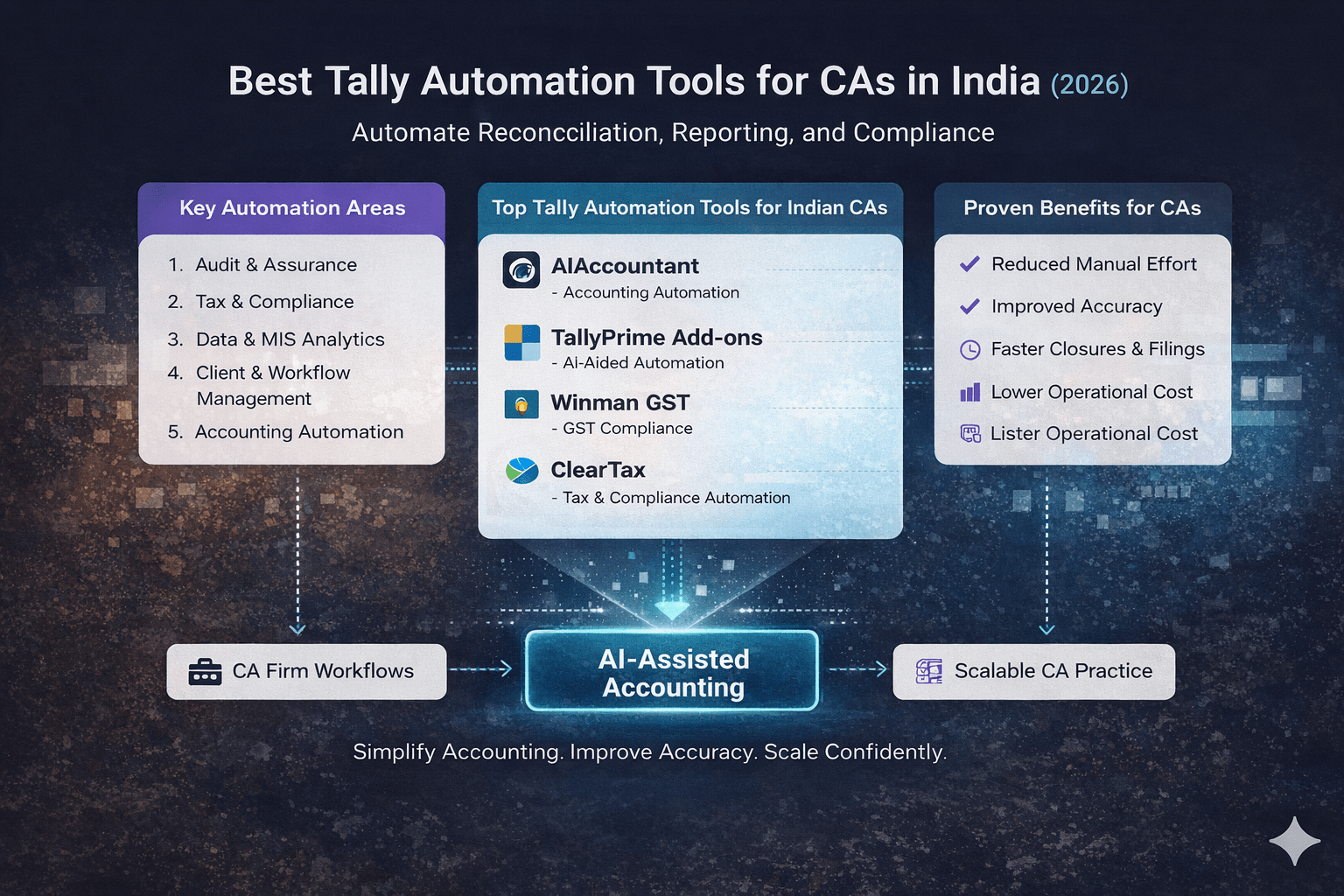
- The best tally automation tools for CAs in 2026 are those that handle manual prep work (bank reconciliation, transaction tagging, ledger mapping) outside Tally, so CAs can focus on review and advisory.
- Tally is strong at bookkeeping, reporting, and compliance outputs, but the repetitive data preparation around it is where most time gets lost every month.
- CAs managing multiple clients benefit most from external automation tools that standardise workflows across clients rather than relying solely on Tally add-ons.
- Automation does not replace professional judgement. It shifts CA effort from checking every transaction to reviewing exceptions and high-risk areas, improving accuracy and speed.
- If your team spends more hours reconciling data than reviewing it, that is a clear signal to start automating, even with just one client or one workflow.
- AI Accountant's bookkeeping automation is built to solve exactly this gap: processing statements, mapping ledgers, and syncing clean data into Tally so CAs can close books faster across all their clients.
Tally is essentially a tool that is used on a daily basis by most CAs (Chartered Accountants) in India. It is a very dependable tool, one that is well known, and clients from different sectors have no issues with it. But still, despite the fact that Tally is used thoroughly, quite a number of CAs are in a situation where they spend a huge portion of their time on routine accounting work every month.
The point is not about Tally. The main problem is the manual work that surrounds it, especially when one deals with multiple clients or a high volume of transactions.
Where most CAs lose time:
- Manually performing bank and credit card reconciliation
- Transaction tagging and ledger mapping
- Corrections that are repeated because of mismatches or missing entries
- Preparing MIS and summaries separately in Excel
As client expectations rise, it becomes more difficult to keep up with this manual work. Clients want faster closures, timely updates, and more transparent financial insights, not only compliance at the end of the year.
Before making a decision on any automation tool, one should be very sure about one thing: what Tally already accomplishes effectively and where manual work is still necessary. That clarity helps avoid unrealistic expectations and makes better decisions in terms of automation.
Tally Automation Tools: What's New in 2026
The landscape for CAs using Tally has shifted noticeably between 2025 and 2026, driven by regulatory changes and new technology capabilities.
GST e-invoicing threshold drop: Until March 2025, the GST e-invoicing mandate applied to businesses with aggregate turnover above ₹5 crore. From April 2025, the threshold dropped to ₹1 crore, pulling a significantly larger pool of SMEs and their CA firms into the e-invoicing net. This means more data to validate, more reconciliation cycles, and more pressure on monthly close timelines for CAs handling these clients.
Operational impact: CAs now deal with additional invoice validation steps, mandatory IRN generation for a broader client base, and tighter GST reconciliation workflows between books and the GST portal. Firms that were handling e-invoicing only for a few large clients in 2025 are now managing it across nearly their entire roster.
Who it hits hardest: Small and mid-sized CA practices, especially those with 15 to 50 SME clients on Tally, face the steepest jump in workload. Solo practitioners who previously handled compliance manually for sub-₹5 crore clients now need structured automation or risk falling behind on filing deadlines.
Cost of inaction: Missing e-invoice generation or filing with mismatched data can result in ITC denial for clients, penalties up to ₹50,000 per return under CBIC guidelines, and blocked GSTR-1 filings. For CAs, this translates to client escalations and reputational risk.
What to do now:
- Audit which clients newly fall under the ₹1 crore e-invoicing threshold and update their Tally workflows by the next filing cycle
- Automate statement ingestion and transaction mapping to free up bandwidth for the additional compliance steps
- Set up exception-based reconciliation so your team reviews only mismatches, not every transaction
For CAs looking to absorb this increased workload without proportionally increasing headcount, tools like AI Accountant that handle the pre-Tally groundwork can make the difference between comfortable monthly closes and constant deadline pressure.
What Can and Cannot Be Automated in Tally (From a CA's Perspective)
Tally is a powerful accounting system. But it was never designed to eliminate all manual work for a practicing CA. Understanding what Tally already does well and where manual effort still remains is critical before evaluating any tally automation tool.
This clarity helps CAs avoid unrealistic expectations. It also helps them choose automation that actually reduces workload instead of adding complexity.
What Tally Already Handles Well
For most CAs, Tally performs reliably when it comes to core accounting and compliance outputs. Once clean data is available, Tally does its job efficiently.
Tally works well for:
- Core bookkeeping and voucher recording
- Ledger maintenance and balances
- Trial balance, P&L, and balance sheet generation
- GST, TDS, and statutory reporting outputs
In other words, Tally is strong at processing and presenting data once entries are accurate and complete.
Where CAs Still Spend Manual Effort
The challenge begins before data reaches this "clean" stage. Most of the time spent by CAs is not inside Tally itself, but in preparing data for Tally.
Common manual effort areas include:
- Bank and credit card reconciliation (often called bank statement reconciliation)
- Uploading and formatting bank statements
- Transaction categorisation and ledger mapping (also known as ledger entry classification)
- Resolving suspense and mismatch entries
- Preparing MIS and periodic reports separately in Excel
These steps are repetitive, time consuming, and increase as the number of clients or transactions grows. Even experienced CAs end up spending hours every month on work that does not require professional judgement.
This gap between Tally's strong accounting engine and the manual preparation work around it is exactly where Tally automation tools and add-ons come in. They aim to reduce the groundwork so CAs can focus more on review, compliance, and client-facing work rather than routine data handling.
Types of Tally Automation Tools CAs Commonly Use
When CAs talk about "Tally automation," they are usually referring to two very different types of tools. Understanding this distinction upfront makes it much easier to choose the right solution and avoid mismatched expectations later.
Tally Add-ons (In-App Extensions)
Tally add-ons are extensions that are installed directly inside Tally. They are designed to enhance specific functions without changing the core accounting setup.
Most add-ons are used to:
- Speed up repetitive actions within Tally
- Add small automation layers to existing voucher workflows
- Handle niche use cases like report customisation or data validation
For individual CAs or those handling a limited number of clients, add-ons can be useful. However, as client count or transaction volume increases, add-ons often hit practical limits.
They still rely heavily on manual inputs and reviews. Managing multiple add-ons across clients can become cumbersome.
In short, Tally add-ons optimise work inside Tally, but don't significantly reduce the preparation work around it.
External Automation Tools (Alongside Tally)
External automation tools work alongside Tally rather than inside it. Their primary role is to handle the heavy groundwork before data reaches Tally.
These tools typically:
- Process bank and card statements outside Tally
- Automate transaction categorisation and ledger mapping
- Reduce reconciliation effort by flagging only exceptions
- Export or sync clean, review-ready entries (also called voucher entries) into Tally
For CAs managing multiple clients, these tools are often more impactful. They reduce the most time consuming part of the workflow: manual data preparation.
Tally continues to be the system of record, while automation happens around it. This approach allows CAs to maintain their existing Tally workflows while significantly cutting down time spent on repetitive tasks.
With this context, let's look at the best Tally automation tools used by CAs in India today.
Best Tally Automation Tools for CAs in India
Once you understand where Tally ends and manual work begins, the next step is choosing tools that actually reduce effort in day-to-day CA work. Below are the most common categories of Tally automation tools used by practicing CAs in India, along with where each one fits best.
1. AI Accountant
AI Accountant is designed to work alongside Tally and focuses on automating the preparation work that typically consumes a CA's time before entries are finalised.
What it automates for a CA using Tally
AI Accountant handles bank and card statement processing, transaction categorisation, ledger mapping, and reconciliation outside Tally. The output is clean, review-ready data that can be synced automatically into Tally for final accounting and compliance work.
How it reduces manual reconciliation and tagging
Instead of manually tagging every transaction, the system applies consistent logic to categorise entries. It highlights only exceptions that need CA review. This significantly reduces time spent on repetitive reconciliation and suspense resolution.
Why it suits CAs managing multiple clients
For CAs handling several clients simultaneously, the biggest bottleneck is repetitive groundwork. AI Accountant helps standardise this work across clients, making monthly closes faster and more predictable without changing the core Tally workflow.
2. TallyPrime Add-ons
TallyPrime add-ons are extensions installed directly within Tally. They are commonly used by CAs to improve efficiency for specific tasks.
Common automation use cases
- Faster voucher entry and validation
- Custom report generation
- Rule-based checks within Tally
Where they help
Add-ons are useful when the requirement is limited and well defined. For CAs with a smaller client base or stable transaction patterns, they can save time inside Tally without introducing new tools.
Where they fall short for CAs
Add-ons do not significantly reduce the manual effort involved in bank reconciliation, transaction categorisation, or data preparation. As client count grows, managing multiple add-ons and maintaining consistency across clients becomes difficult.
Commonly Used TallyPrime Add-ons
- Logictech Voucher Authorization Module (Maker–Checker)
Adds a proper maker-checker approval flow for vouchers in TallyPrime. Useful when juniors enter data and you want controlled final posting. - TDLStore Maker & Checker / Voucher Approval (TDL)
A plug-in TDL that enforces role-based voucher approvals (maker/checker/authorizer). Often used in multi-user setups. - Blaze Import (Impressive Star)
Excel-to-Tally import tool for masters and transactions with reusable mapping. Handy when you're bulk-posting entries from client templates. - Excel-Tally (TallyConnect)
Template-driven Excel import workflow commonly used for statement and bulk data imports into TallyPrime. - Bank Plugin
Adds banking initiation and automated reconciliation layer from within desktop accounting workflows. Used when the client wants tighter bank ops and accounting linkage. - Print Seal & Signature on Vouchers (Impressive Star)
Adds pre-set seal and signature on invoices and vouchers. Reduces printing back and forth and speeds up dispatch docs. - Logictech Auto PDF Creation & Signature
Automates PDF creation and signature/stamp workflows for invoices and reports in TallyPrime. Useful when teams email or WhatsApp PDFs daily. - Auto Manual Voucher Numbering (Antraweb)
Automation add-on for voucher numbering and multi-user handling. Used when teams struggle with voucher numbering discipline.
Note: TallyPrime also has native automation features (Excel import, voucher authorization settings, connected banking), but the list above is strictly third-party "add-on" style tools. For a full overview of TallyPrime's capabilities, refer to the official TallyPrime product page.
3. GST & Reconciliation-Focused Tools
Many CAs pair Tally with specialised tools focused on GST compliance or reconciliation. With the GST Council regularly updating rules and thresholds, having a dedicated reconciliation layer has become almost essential for compliance heavy practices.
Tools often paired with Tally
These tools typically assist with GST returns, reconciliation, and compliance checks while using Tally as the underlying accounting system.
Useful for compliance heavy clients
For clients with complex GST requirements or frequent reconciliations, these tools can reduce compliance effort and help meet deadlines more comfortably.
Limitations beyond GST
While effective for GST related work, these tools usually stop short of automating broader accounting workflows. MIS preparation, transaction tagging, and multi-client standardisation often still require manual effort.
Commonly Used GST & Reconciliation-Focused Tools
- ClearTax (ClearGST)
Strong for GST filing and 2A/2B reconciliation workflows. Built around matching and exception buckets. - Winman GST
Popular with CAs for GST return filing and automated 2A/2B reconciliation. Also supports Tally and Excel imports. - KDK Spectrum Cloud (GST)
CA-focused GST platform with reconciliation and client management style workflow. Often used in multi-client practices. - IRIS Sapphire (GST Reconciliation)
Dedicated GST reconciliation module with advanced matching logic. Useful when you're doing reconciliation at scale. - Zoho Books GST Module (2B Reconcile)
If your client is on Zoho Books, their GST module supports pulling and reconciling GSTR-2B transactions. - ExpressGST 2A/2B Reconciliation Tool
Standalone 2A/2B matching utility. Often used when the CA wants a separate reconciliation engine outside the books. - Avalara India GST
More enterprise leaning, but used where clients need structured compliance and invoice matching/mismatch alerts. - Masters India GST Software
Used by some teams for GST filing, reconciliation, and related GST ops workflows. - Webtel (GST software with 2A/2B reconciliation module)
Includes reconciliation positioning and is used by firms that want a dedicated compliance suite setup.
How a CA Should Choose the Right Tally Automation Tool
There isn't a "best" tally automation tool that fits every CA perfectly. The right choice is determined by your daily work routine and where your time is mostly spent. It is helpful to look at some practical factors even before features or pricing are considered.
Determine how many clients you personally handle
If you only take care of a few clients, simple automation or add-ons might be enough. When the client base grows, it becomes more important to standardise and create repeatable workflows rather than to look for one-off efficiency gains.
Check your monthly transaction volume
Clients with lots of transactions increase the manual workload. Even if the number of clients is moderate, tools that allow automation of statement processing, categorisation, and reconciliation will be very valuable when volumes are high.
Evaluate your reliance on junior staff
If it takes most of your time to check and correct the work of juniors, then automation which eliminates repetitive groundwork can help considerably. It cuts review effort and rework.
Compare time spent on reconciliation with that on review
One simple way to figure this out: if more time is spent on preparing and reconciling data rather than reviewing it, automation is very likely to have an immediate impact. Tools that surface only exceptions usually work best for this.
Do not forget about client reporting expectations
Some clients are happy with periodic compliance. Others require regular MIS, cash flow views, or quick answers.
As reporting demands increase, automation tools that facilitate generating structured outputs and dashboards become more important. According to ICAI's guidance on practice management, timely and structured reporting is increasingly seen as a mark of professional competence for CA firms.
In essence, the best Tally automation tool is the one that integrates seamlessly with your current workflow. It should lessen manual effort in the areas that matter most. And it should free up your time to focus more on review and advisory rather than data preparation.
Is Tally Automation Worth It for Practicing CAs in India?
Tally is still a powerful tool for accounting. However, the preparation of clean data, statement reconciliation, and report generation have become more time consuming as client expectations have increased.
The trick is to adopt automation gradually. By starting with one workflow or one client, CAs can verify correctness, gain trust, and adjust review processes without interfering with current practices.
Over time, this approach allows them to serve more clients, increase consistency, and have more time for review and advisory work instead of routine data handling.
In the end, Tally automation is not about a different way of practicing accounting. It is about less work for the same result, at a higher quality, month after month.
For CAs who are keen on efficiency, accuracy, and long-term sustainability, well-planned automation around Tally is turning into a practical necessity rather than a mere optional upgrade.
If you are still curious, we encourage you to speak to an expert at aiaccountant.com or book a demo.
FAQs
Can Tally accounting be fully automated?
No, Tally cannot be fully automated on its own. Tally handles bookkeeping, reporting, and compliance outputs well, but activities like bank reconciliation, transaction categorisation, and data preparation still require manual effort or external automation tools. Automation works best as a layer around Tally, not as a replacement for it.
Are Tally add-ons enough for practicing CAs?
Tally add-ons are sufficient only for limited or specific use cases with low client volume and transaction counts. For CAs handling multiple clients or high transaction volumes, add-ons alone do not meaningfully reduce reconciliation and data preparation workload. External tools that process data before it enters Tally tend to have a bigger impact in those scenarios.
Is Tally automation safe for client financial data?
Yes, Tally automation is safe when the tools follow standard security practices such as encrypted data handling, access controls, and audit trails. CAs should verify where data is processed, how access is managed, and whether the tool holds certifications like ISO 27001 or SOC 2 Type II.
Will automation reduce the need for staff?
Automation reduces repetitive manual work, not the need for professional judgement. Junior staff may spend less time on data entry and more time on review and learning. For most CA firms, this means better utilisation of staff rather than headcount reduction.
How should a CA start with Tally automation?
Start with one workflow, such as bank reconciliation or statement processing, for a single client. Once accuracy and comfort levels are established, expand automation to other clients or processes. This approach avoids disruption and builds trust in the tool's output before scaling.
Does Tally automation help during audits?
Yes, automation improves audit readiness by increasing data accuracy, reducing suspense entries, and maintaining cleaner reconciliations throughout the year. While audit judgement remains manual, better prepared data significantly reduces last-minute corrections and follow-ups.
What is the cost of Tally automation tools for CAs in India?
Costs vary widely depending on the type of tool. TallyPrime add-ons typically range from ₹2,000 to ₹15,000 per year. External automation platforms are usually priced based on transaction volume or number of clients managed, with monthly plans starting around ₹1,000 to ₹5,000 per client. For most CAs, the value comes from time saved per client each month, which often justifies the cost within the first quarter of use. (2026 update)

Rohan Sinha is a fintech and growth leader building aiaccountant.com, focused on simplifying accounting and compliance for Indian businesses through automation. An IIT BHU alumnus, he brings hands-on experience across 0 to 1 product building, growth, and strategy in B2B SaaS and fintech.



