-01%201.svg)

Key takeaways
- Automated accounts receivable streamlines the full invoice to cash cycle using software driven invoicing, reminders, payments, and cash application, cutting DSO by 15 to 30 days within 90 days for most adopters.
- Smart dunning workflows, one click payment links, and AI powered cash matching reduce manual reconciliation errors and free up to 50% of team capacity for higher value work.
- AR automation strengthens GST e invoicing, TDS handling, and audit trails, giving finance leaders real time dashboards for aging, CEI, and cash forecasting.
- Track DSO, CEI, aging bucket shifts, percent receipts auto applied, and cost to collect to prove ROI. Teams automating more than 50% of AR processes report 3x lower AR cost per ₹1,000 revenue.
- The compounding gains start early. Begin with invoicing and reminders, then layer cash application and reconciliation. Each step accelerates returns.
- For teams with limited bandwidth, AI Accountant's bookkeeping automation pairs a CA managed service with an AI dashboard, delivering end to end AR oversight without adding headcount.
AR automation in 2026: what's changed and why it matters now
Until 2025, most AR automation gains were about speed, faster invoices, quicker reminders, fewer manual entries. In 2026, the shift is deeper. Studies now show that 85% of CFOs report measurable DSO drops after automating more than half their AR processes, with top performing firms cutting AR cost per ₹1,000 revenue by 3x compared to manual peers. That is not incremental. That is a structural advantage.
The operational workflow has changed too. Predictive analytics now flag at risk accounts before they age past 30 days, letting collections teams intervene early rather than chase overdue invoices. Intelligent cash application handles incomplete payment references, partial amounts, and TDS deductions with far less human intervention, pushing auto apply rates to 80 to 90% for well configured systems. Collections effort, which used to consume 25% of a finance team's day, is dropping to around 5% in automated setups.
For Indian businesses, this matters even more. GST e invoicing thresholds continue tightening, pulling more SMEs into mandatory IRN generation. The GST e invoice portal now requires cleaner data and faster turnaround, making manual invoice workflows a compliance risk, not just an efficiency drag. Firms ignoring these changes face blocked filings, ITC reversal risks, and penalty exposure.
A newer trend worth watching is embedded AR financing, where platforms offer instant liquidity against outstanding receivables instead of waiting 30 to 90 days. This is particularly relevant for SMEs managing tight working capital cycles. Teams already using automated GST reconciliation are better positioned to layer on these capabilities, since clean, matched data is the prerequisite for every advanced AR feature coming to market in 2026.
Introduction to automated accounts receivable
Automated accounts receivable is a simple idea with big results. You use software and workflows to handle invoicing, reminders, payments, cash application, and collections. Machines take repeat tasks. Your team focuses on customers and decisions.
The outcome: faster cash flow, lower Days Sales Outstanding, and fewer errors.
Late payments hurt. Manual chases drain time. Reconciliation mistakes create doubt. Automation brings real time visibility, accuracy, and speed. Many teams see payment times improve significantly and processing costs fall, which unlocks working capital and reduces stress.
Recent data backs this up. A 2026 survey found that 99% of teams using AR automation reported DSO improvements, with 75% seeing reductions of six days or more.
Result: invoice to cash becomes predictable, compliant, and customer friendly.
Sources: NetSuite AR automation guide, Beancount invoice to cash guide 2026
What is automated accounts receivable
Automated accounts receivable covers the full flow from invoice creation and delivery, through reminders and payment acceptance, to cash application and reconciliation. It includes credit control, dispute handling, and reporting. Data moves cleanly from quote or order to cash in bank.
This differs from basic accounting software that only records ledger entries. AR automation runs customer facing workflows, sends smart reminders, offers self service portals, and integrates with payment gateways and banks.
It also differs from accounts payable automation, which focuses on supplier bills and vendor invoice processing.
With good AR automation, your team sees who owes what in real time, sets rules for reminders and escalations, includes payment links in every message, and applies receipts to invoices the moment bank statements update. Clean cash application through payment gateway integration enables faster matching and fewer exceptions.
Sources: NetSuite AR automation overview, GST e invoice portal
Why manual AR hurts cash flow and DSO
Common pain points are simple but painful. Irregular reminders. Missed follow ups. Double entry errors. GST and TDS complexities that slow posting. Scattered data that blocks planning.
In manual setups, collections effort can consume up to 25% of a finance team's workday. That is time spent chasing, not deciding.
Automation changes the game. You get real time aging, cleaner data, faster action, and a customer experience that nudges timely payment without friction.
Payment links in emails and messages help. Portals remove back and forth. Automated matching cuts disputes. The net effect: better cash flow, lower DSO, and reduced operating cost.
Robotic process automation (RPA) takes this further by eliminating manual reconciliation errors entirely and creating process logs for every step in the order to cash cycle.
Sources: Capitalize Consulting on order to cash automation, Beancount invoice to cash guide 2026
Benefits of automated accounts receivable
- Lower DSO, better cash flow. Faster invoicing, timely reminders, and easy payments reduce collection time. Studies show 15 to 30 day DSO reductions within 90 days of adoption. Working capital improves immediately.
- Lower processing cost, fewer errors. No manual entry. Validation rules prevent mistakes. Exceptions drop. Automated firms report AR costs 3x lower per ₹1,000 revenue compared to manual peers.
- Real time visibility. Dashboards show aging, trends, and forecasts. Act early to reduce risk.
- Better customer experience. 24 by 7 portal access, flexible payment choices, polite reminders, fewer support tickets. Anonymous payment links let customers pay without logging in.
- Stronger compliance trail. Digital logs support GST e invoicing, TDS mapping, and audits. Every change is traceable for statutory reviews.
- Team capacity freed up. Collections effort drops from 25% to around 5% of team workday, letting your people focus on judgment calls and customer relationships.
Sources: NetSuite on AR automation benefits, Beancount invoice to cash guide 2026, Nuvei CFO guide to AR automation
Core features to look for
- Invoice automation. Templates with item level tax, HSN or SAC, GST e invoicing with IRN generation for eligible invoices, correct place of supply logic.
- Payment options. UPI, cards, NEFT and RTGS, one click payment links, self service portals, autopay for subscriptions, and scheduled payments aligned to buyer cash cycles.
- Reminder and dunning workflows. Configurable cadence and tone. Friendly first nudge, then firm but polite follow ups, final notices where policy allows. Pre due reminders (before the invoice is even overdue) are now standard in leading tools.
- Intelligent cash application rules. Auto match bank or gateway receipts, handle TDS deductions, partials, short pays, and incomplete payment references using AI matching.
- Reconciliation. Automate bank recon, clear gateway settlements, post fees and chargebacks, tie all back to invoices. Daily reconciliation for high volume businesses keeps exceptions low.
- Credit control and risk scoring. Limits, approvals, late fee or interest policies, predictive analytics to flag likely late payers before they age.
- Dispute and credit note management. Track issues with notes and documents, version history, audit trails.
- Analytics and AI insights. Predict risk, recommend next best actions (call, escalate, or offer payment plans), compare behavior over time, alerts for anomalies like spikes in chargebacks.
- Documentation and audit trails. Central store of contracts, POs, GRNs, invoices, and emails. Verifiable change history for statutory audits.
- Embedded AR financing. Newer platforms offer instant liquidity against outstanding receivables, useful for SMEs managing tight working capital.
Integrations with your ledger, bank feeds, gateways, and CRM make these features sing. Clean data flow removes silos and delays.
Sources: NetSuite AR automation features, Nuvei CFO guide to reducing DSO
Metrics and KPIs to track
- DSO Days Sales Outstanding. Lower is better. Top automated firms see 15 to 30 day reductions within 90 days.
- CEI Collection Effectiveness Index. Percent collected from current receivables in the period.
- Aging buckets current, 1 to 30, 31 to 60, 61 to 90, over 90.
- Invoice cycle time from sale to invoice sent.
- Time to cash from invoice to money in bank.
- Percent invoices paid on time. Gauge behavior and reminder success.
- Reminder effectiveness. Opens, clicks on payment links, responses.
- Payment success rate. First attempt success across UPI, cards, and NEFT.
- Bad debt and write offs. Reduce with better risk scoring and follow up.
- Adjustments and credit notes. Watch volume and reasons.
- Percent receipts auto applied. Target 80 to 90% for well configured systems. Higher reduces manual work.
- Reconciliation exceptions. Fewer exceptions mean cleaner processes.
- Cost to collect. AR cost per ₹1,000 revenue. Automated firms report 3x lower costs, often enough to cover the software investment through bad debt reduction alone.
Set a baseline before you automate. Measure weekly and monthly. Share wins and fix weak links with data.
Sources: Beancount on AR metrics and benchmarks, NetSuite AR automation
Implementation roadmap
- Map the current process. Document every step from sale to cash. Identify bottlenecks and data silos.
- Clean master data. Correct customer names, tax IDs, addresses, terms, and emails. This single step prevents most automation failures.
- Select tooling. Define your accounting system, AR add ons, gateways, and bank feeds.
- Integrate systems. Connect ledger, bank feeds, gateways, CRM, and the AR tool via APIs and webhooks. Test data flow end to end.
- Configure tax rules. GST place of supply, HSN or SAC logic, e invoicing IRN per the GST e invoice portal requirements, and TDS treatments.
- Design dunning. Friendly first reminder before due date. Clear escalations. Respectful tone throughout.
- Enable portals and payment links. Offer UPI, cards, NEFT and RTGS, and autopay. Include one click links in every reminder.
- Set cash application and reconciliation rules. Handle TDS, partials, currency, fees, and incomplete references.
- Pilot with a small group. Measure KPIs, collect feedback, fix gaps, then expand.
- Train the team. Define roles and approvals. Set governance. Review regularly.
Start simple. Standardize data. Then build automation step by step.
Documentation is your friend. Keep change logs and audit trails tight.
Source: Capitalize Consulting on order to cash automation with RPA
Tool evaluation checklist
- Integrations. Native connectors to your accounting system (Tally, ERP), banks, gateways, and CRM. Solid APIs and webhook support for real time data sync.
- Coverage. End to end support from invoicing to payments, cash application, and reconciliation.
- Compliance. GST, e invoicing, and TDS support, with reports and audit trails.
- AI and workflows. Predictive insights, configurable rules for dunning, intelligent cash application, and risk scoring.
- Support for scale. Multi entity, multi currency, subscription or usage billing, security certifications (ISO 27001, SOC 2), and cost efficiency.
Score vendors with this lens. Ask for a live demo using your data. Run a sandbox and test posting, matching, and reporting end to end.
Tools and platforms to consider
- AI Accountant aiaccountant.com. Virtual accounting with a CA led team plus a live dashboard. Managed AR oversight, reconciliations, GST and TDS compliance, and AI insights. Integrates with Tally. ISO 27001 and SOC 2 Type II certified.
- QuickBooks Online. Invoicing, reminders, and payment integrations.
- Xero. Clean AR aging, payment links, and broad integrations.
- FreshBooks. Simple invoicing, reminders, and client portal.
- Zoho Books. Strong invoicing, GST support in India, workflow rules.
- Stripe Billing. Recurring billing, dunning, and autopay for SaaS.
- Bill com. AR and AP workflows, reminders, and payments.
- Chargebee. Subscription billing with smart dunning and portals.
- HighRadius. Enterprise AR automation, AI cash application, and credit control.
Shortlist, then test invoice templates, payment flows, reminder cadence, cash matching, audit trails, and compliance treatments like IRN and TDS.
Best practices for success
- Standardize invoice data. Clear line items, tax, and references. Accurate HSN or SAC. Generate IRN when required.
- Define a credit policy. Standard terms like Net 15 or Net 30. Segment by risk. Adjust limits with data.
- Use a gentle first reminder. Friendly and helpful. Send it before the due date, not after. Escalate with structure. Always include easy payment options.
- Offer many payment choices. UPI, cards, NEFT and RTGS, and wallets where relevant. Consider incentives for early payment if policy allows. Scheduled payments aligned to buyer cash cycles reduce friction further.
- Manage exceptions with a playbook. Disputes, partials, TDS, and credits. Keep the audit trail complete.
- Reconcile often. Daily for high volume. Run monthly AR health checks. Close the loop from bank to invoice.
Sources: NetSuite AR automation best practices, Nuvei CFO guide to AR automation
Common pitfalls and how to avoid them
- Poor data quality. Duplicates and wrong emails break automation. Fix with validation rules and regular data hygiene.
- Integration gaps. Weak connectors cause delays. Choose robust API integrations and test end to end before go live. This remains the most common failure point in 2026.
- Compliance lapses. Missed e invoicing thresholds or bad TDS mapping invite penalties. Embed rules and audits in the flow. Check current thresholds on the GST e invoice portal.
- Harsh tone in reminders. Aggressive messages damage relationships. Customize templates to be clear and kind.
- Ignoring failures and fees. Payment failures and gateway fees add up. Automate retries. Track charges, disputes, and recoveries.
- AI hype without proven ROI. Not every AI feature delivers value for your setup. Start with measurable outcomes like DSO reduction and auto apply rate. Expand only when data proves returns.
Set alerts for failures. Review exceptions weekly. Keep a continuous improvement loop.
Industry specific notes
- SaaS and subscriptions. Focus on recurring billing, dunning, and autopay. Reduce churn with clear emails and easy card updates. SaaS firms see the fastest gains from self service portals and automated retry logic.
- Ecommerce. Manage COD, gateway settlements, refunds, and chargebacks. Reconcile fees daily in high volume. Automate ingestion of settlement files to catch discrepancies the same day.
- Services and manufacturing. Milestone billing, advances, POs, e waybill where relevant, delivery proofs.
- Exports. LUT or IGST, foreign currency, bank reporting like FIRA, watch FX differences and timing.
Map these needs into your setup, then test real cases before scale.
Tailoring beats one size fits all.
Mini case example
A SaaS startup had 45 day DSO. 40 percent of receipts needed manual reconciliation. GST filing was often late. Follow ups consumed hours weekly.
They mapped the process, cleaned master data, enabled automated invoicing with IRN where needed, added a portal with cards and UPI, set a gentle reminder at seven days, a firm follow up at fourteen, configured cash application with TDS logic, and reconciled bank and gateway daily.
In two months, DSO dropped by 25 percent to 34 days. 80 percent of receipts were auto applied. Reminder responses grew by 50 percent. Bad debt fell from 20 percent to 5 percent in the next cycle. Forecasting became twice as fast with real time dashboards.
This pattern matches 2026 survey data showing 15 to 30 day DSO reductions within 90 days for teams that automate more than half their AR processes.
Your numbers will vary, but clean data, clear rules, and easy payments deliver predictable gains.
How AI Accountant virtual accounting supports AR automation
AI Accountant blends CA led execution with an AI enabled dashboard, ideal for founders who want software plus a managed service in one place.
- Monthly bookkeeping and AR oversight. Timely posting of sales, receipts, and adjustments.
- Bank and payment gateway reconciliation. TDS, partials, and fees handled with rules. Exceptions resolved quickly.
- GST and TDS compliance. E invoicing with IRN, place of supply checks, accurate HSN or SAC, advisory and filings.
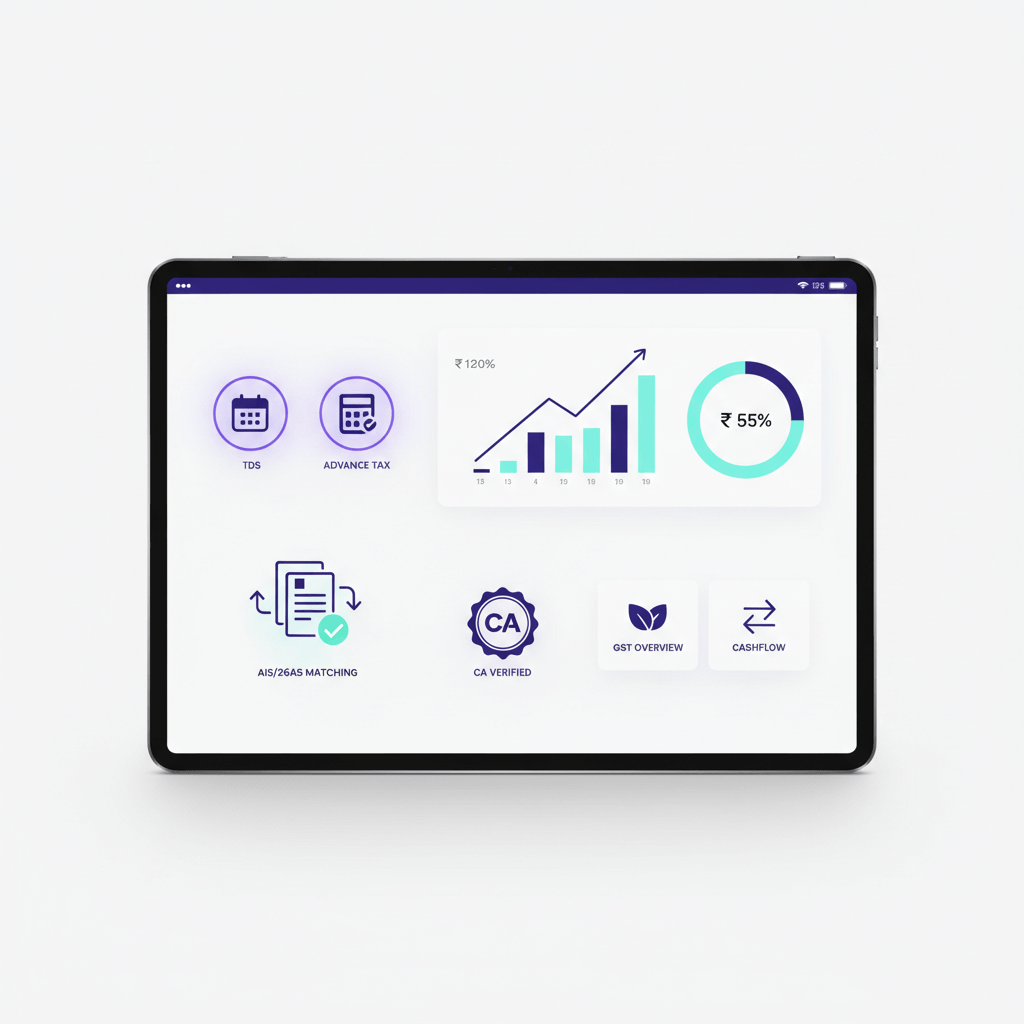
- Dashboard visibility. AR aging, cash trends, recent transactions, and real time insights. AI alerts for late payers or unusual patterns.
- Document repository. Invoices, contracts, POs, GRNs, and emails stored with clear audit trails.
- Central communication. Collaborate with the CA team inside one system.
- MIS and management reporting. Monthly insights that coordinate smoothly with statutory audits.
This replaces patchwork spreadsheets and chats. You get structure, compliance, and speed, while focusing on growth.
Practical checklist to get started
- Confirm goals. Lower DSO by X days. Increase auto apply to Y percent. Reduce exceptions by Z percent.
- Clean customer data. Names, emails, terms, tax IDs, and GST details.
- Add two payment methods. For example UPI and cards. Include one click links in reminders.
- Draft three reminder templates. Friendly, follow up, final. Keep tone polite and helpful. Send the first one before the due date.
- Pilot with ten customers. Measure responses. Iterate.
- Review KPIs after four weeks. Share results. Expand.
How AI and RPA boost AR automation
- Prediction. Spot likely late payers. Suggest better reminder schedules or term changes. AI driven risk scoring adjusts cadence per payer behavior.
- Data capture. Bots and robotic process automation extract remittance data from emails and portals. Attach it to receipts for clean matching.
- Anomaly alerts. Flag sudden spikes in short pays, chargebacks, or failed payment captures.
- Recommendations. Prompt next best actions: call, escalate, or offer payment plans.
- Process transparency. RPA creates detailed process logs and bottleneck detection across the order to cash cycle, useful for audits and continuous improvement.
AI and RPA do not replace your team. They clear routine tasks and surface insights so people can act.
Sources: Capitalize Consulting on RPA for order to cash, NetSuite on AI in AR automation
Cross functional alignment
Sales
Capture correct terms, PO numbers, and billing contacts at the start. Confirm acceptance of e invoicing and portal use. Bad data entered at sale is the root cause of most AR exceptions downstream.
Finance
Own invoicing, posting, tax checks, and recon. Monitor KPIs. Lead improvements. Use dashboards to spot trends before month end.
Customer success
Watch aging for key accounts. Nudge at risk customers early with empathy. Avoid surprise escalations.
Set a shared AR dashboard. Run a short weekly review of top risks. Celebrate wins when DSO drops.
Why now is the right time
Costs are rising. Compliance is stricter. Customers expect easy digital payments. Teams are lean. Automation helps you do more with less, gives real time control, frees cash stuck in receivables, and reduces risk.
The data is now clear. 85% of CFOs report DSO improvements after automating more than half their processes. Collections effort drops from a quarter of the workday to around 5%. Auto apply rates reach 80 to 90% in well configured systems.
Start with invoices, reminders, and payment links. Then add cash application and reconciliation. Then credit scoring and AI insights. Each step compounds value.
The sooner you begin, the sooner compounding kicks in.
Closing thoughts
Automated accounts receivable is a disciplined way to run invoice to cash. You get faster cash flow, lower DSO, fewer errors, better customer experience, and a strong audit trail for GST and TDS. Start small, build up, and let data guide you.
If you prefer a managed path, AI Accountant can partner with you. CA led virtual accounting plus a live dashboard brings execution and visibility together without adding headcount.
Explore further
Ready to see it in action? Book a quick chat or demo with AI Accountant and explore how automated accounts receivable can fit your stage and goals.
FAQ
As a founder, how quickly can AR automation impact DSO, and what early wins should I expect in the first 60 days
Most teams see DSO improve within two billing cycles, with 2026 data showing 15 to 30 day reductions within 90 days for firms automating more than half their AR processes (2026 update). Early wins include faster invoice dispatch, higher click through on payment links, and a jump in percent receipts auto applied. Collections effort typically drops from 25% to around 5% of team workday.
We are a multi entity setup, can AR automation handle entity wise GST, TDS, and separate bank accounts without breaking reporting
Yes, modern tools support multi entity and multi bank feeds, with entity scoped tax rules, IRN generation for eligible invoices, and separate reconciliation. At close, you consolidate AR aging and CEI while preserving audit trails per entity. AI Accountant regularly configures this for holding structures and subsidiaries.
How do CAs set up cash application rules for TDS deductions so invoices settle cleanly without manual adjustments
Define posting logic that records the gross invoice, the TDS amount as a receivable from the government or as a contra, and the net receipt. Match bank entries and remittance advice to invoices using references and amounts. Intelligent cash application in 2026 handles incomplete payment references and partial amounts with AI matching, pushing auto apply rates to 80 to 90% (2026 update). The system then marks the invoice settled with TDS tracked for filing and Form 26AS reconciliation.
What KPIs should a finance head track weekly to prove that automation is reducing risk and collections friction
Track DSO trend, CEI, shifts in aging buckets, percent invoices paid on time, reminder opens and clicks, first attempt payment success, percent receipts auto applied, reconciliation exceptions, and cost to collect per ₹1,000 revenue. Automated firms report 3x lower AR cost per ₹1,000 revenue compared to manual peers (2026 update). A real time dashboard surfaces these metrics for quick course correction.
Can AR automation reduce bad debt, or does it only move cash sooner
It does both. Better reminder timing, multiple payment choices, and accurate matching cut delays. Credit control with predictive risk scoring and policy enforcement reduces exposure. Studies show that a 2% reduction in bad debt alone can cover the cost of the automation software (2026 update). Over time, clean processes and early alerts lower write offs meaningfully.
How does AR automation improve audit readiness for GST e invoicing and TDS, especially during statutory audits
Every change is logged with a verifiable trail. Invoice to IRN mapping is traceable. QR code references are stored. TDS postings are consistent with remittance documentation. Reconciliation ties gateway settlements back to invoice IDs. Auditors get a clean trail, reducing queries and time.
How should founders think about payment method mix, does adding UPI and cards materially change collection velocity
Yes, offering UPI and cards typically increases first attempt payment success and shortens time to cash. Pair methods with one click payment links in reminders and self service portals. For subscriptions, autopay with automated retry logic removes friction entirely, reducing involuntary churn. Scheduled payment options aligned to buyer cash cycles are an emerging best practice in 2026.