-01%201.svg)
Key takeaways
- Download a free cash flow dashboard pack, Excel, Google Sheets, and PDF included, set up in under 30 minutes.
- See inflow–outflow at a glance, track net cash trend, view cash by bank, and project short term forecasts.
- Prebuilt category mapping, sample data, and one click export make reporting fast and reliable.
- Optional automation via AI Accountant for Zoho Books and Tally when you need real time sync.
- Works for CA firms and SMEs managing multiple accounts, multi entity consolidation supported.
- For reference, see the cash flow dashboard walkthrough and cash flow statement templates for variations you can adapt.
Table of contents
Who It’s For, transactional intent for busy finance pros
Managing cash flow should not feel like solving a puzzle every morning. If you are a CA juggling client accounts, an SME finance lead tracking burn and runway, or a founder preparing investor ready visuals, you need clear cash visibility now.
This free cash flow dashboard template is built for real world pressure, quick onboarding, and immediate decisions. Use it with bank statements and accounting exports, then upgrade later to automation if needed. Start with what you have, build clarity fast, share results confidently.
Think of it as your cash flow command center, everything you need to monitor, analyze, and communicate cash position in one place.
For hands on examples, explore the cash flow dashboard walkthrough and the cash flow statement templates that many teams start from.
What You’ll Get in the Exportable Pack
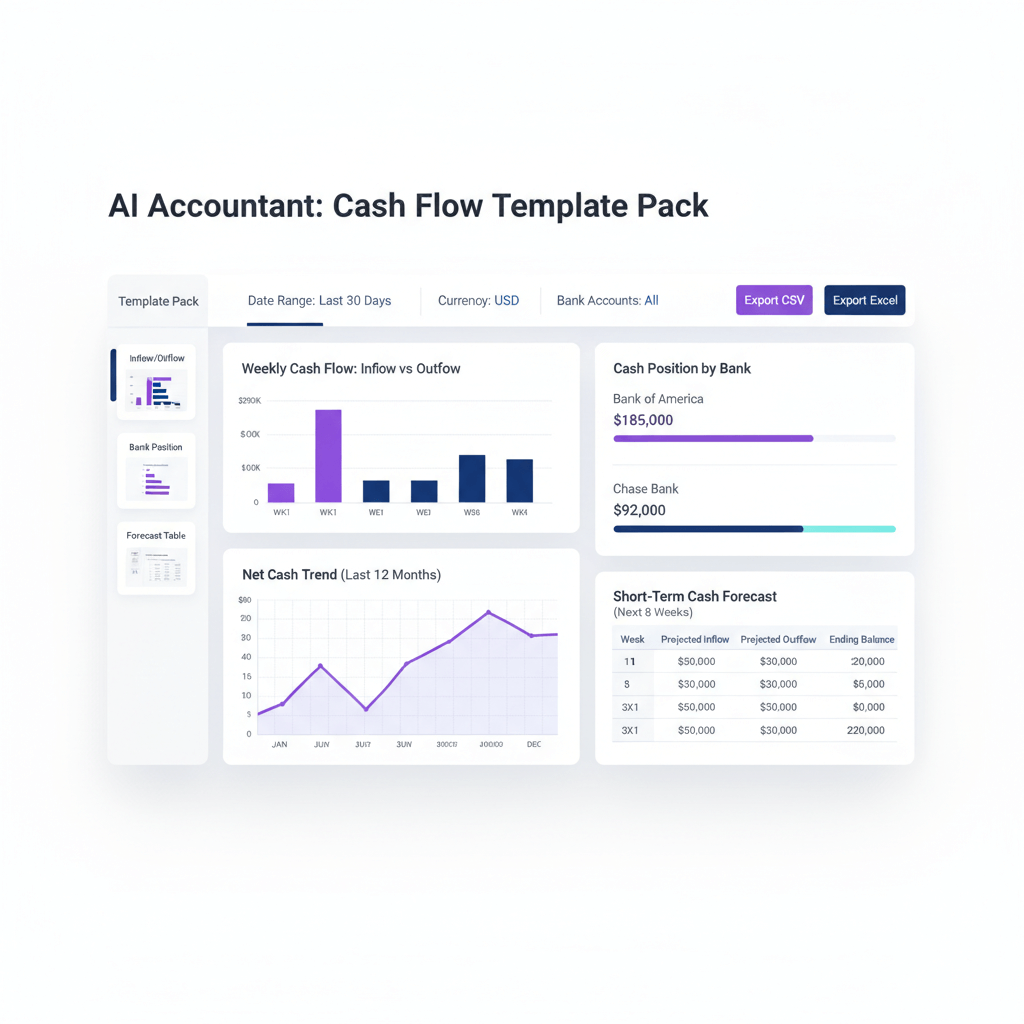
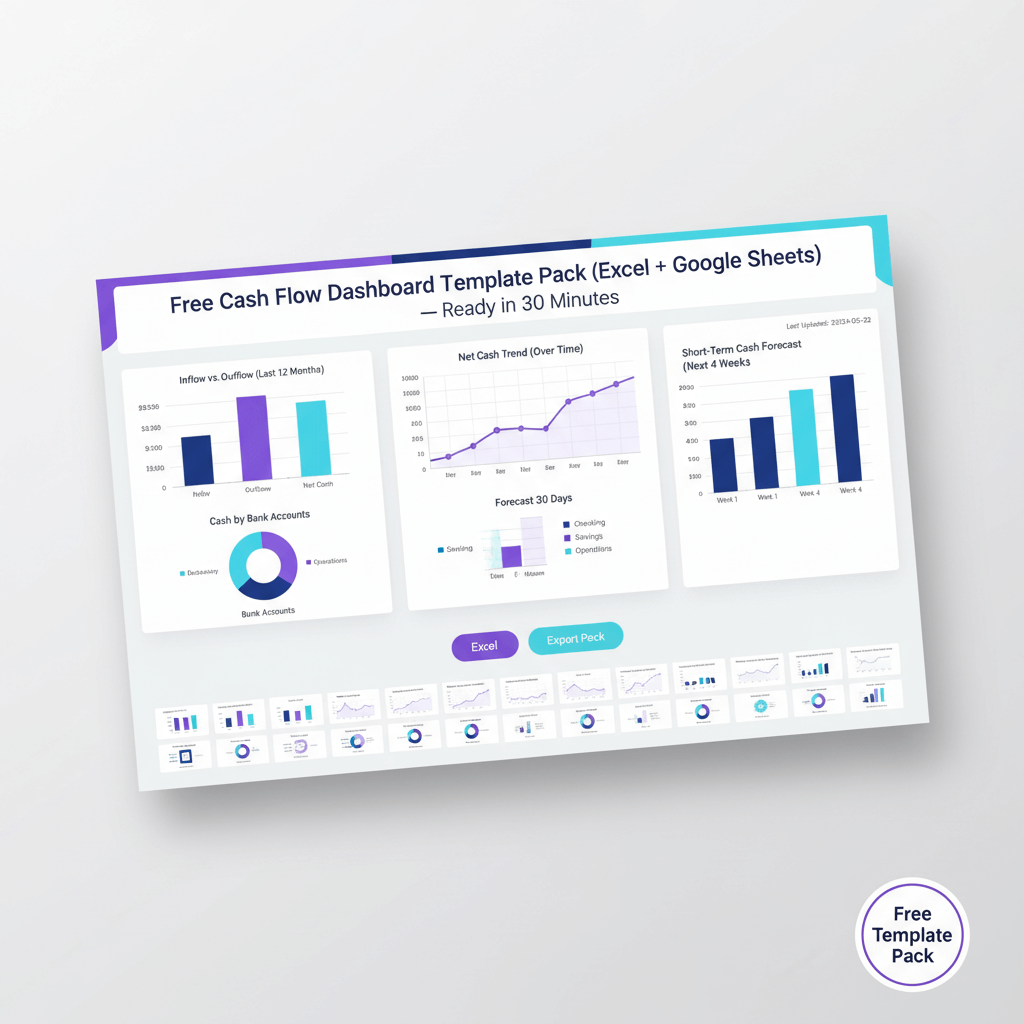
You receive an Excel workbook with preconfigured formulas, a Google Sheets version for collaboration, and a PDF one pager for quick reviews. Inside, visuals that matter are ready to go.
- Inflow–outflow visual for weekly and monthly receipts versus payments.
- Net cash trend line for tracking cash movement over time.
- The cash position by bank bar chart for balances across accounts.
- Short term forecast to project the next 2 to 6 weeks.
You also get a sample dataset, a category mapping sheet, and a step by step setup guide with an FAQ. The exportable pack generates polished PDFs or PowerPoint decks with one click.
No complex setup, no coding, just practical insights you can use today.
See more examples and inspiration with cash flow dashboards, the cash flow dashboard examples, and the downloadable guide.
What a Great Cash Flow Dashboard Shows, included here
Inflow–outflow visual
Weekly or monthly receipts versus payments, categorized by type. For D2C brands, separate UPI inflows from bank transfers. For manufacturing, split vendor payments from salary runs. The visual answers the core question, where is money coming from, and where is it going.
Net cash trend
Track opening balances, net movement, and closing cash over time. This becomes your burn rate tracker, watch for month end dips or seasonal spikes that affect liquidity planning.
Cash position by bank
Split balances across accounts and entities, consolidate automatically once mapping is set. See positions across current, savings, and FDs side by side.
Short term forecast
Use short term forecast capabilities to factor known payments, GST remittances, vendor batches, and salary runs. Spot crunches before they happen.
Complement visuals with supporting KPIs, opening and closing balances, net cash change, largest outflow categories, and GST reminders. For comparison and ideas, review dashboard examples and the statement templates.
Quick Start, 5 steps to set up
- Gather sources, bank statements, UPI and card reports, ledgers from Zoho Books or Tally.
- Paste or import transactions into Raw Data, classify with the mapper, use India specific categories like GST, TDS, vendor payments, and EMIs.
- Tag transfers between accounts to prevent double counting, standardize narration text for clean matching.
- Review visuals as they populate, validate inflow–outflow, net cash trend, and cash by bank positions.
- Configure forecast assumptions, add expected receipts, upcoming vendor payments, and statutory obligations, toggle base, optimistic, conservative scenarios.
Export your PDF or PPT pack with one click, share updates without manual chart copying.
For setup patterns, see the dashboard guide and templates.
How It’s Built, DIY friendly and transparent
- Categories and mapping use partial text matching, add your own categories as needed.
- Formula structure relies on SUMIFS, running totals, and pivot tables, fully editable and auditable.
- Forecast logic pulls from payables and receivables, scenario switches let you change assumptions instantly.
- Multi entity views support companies or divisions, filter by entity for clean reporting.
- Performance is optimized with efficient lookups and validation for large datasets.
For patterns seen in professional tools, compare with the Smartsheet cash flow templates and Databox examples.
Interpreting for Decisions
Use the net cash trend for working capital planning, a declining trend triggers collection efforts or expense control, a rising trend signals room for investment or debt paydown. Calculate runway by dividing current cash by average monthly burn.
Scan cash by bank to optimize fund deployment, move excess from low yield current accounts to FDs or liquid funds, maintain minimums to avoid charges, schedule sweeps based on actual data not guesswork.
Check forecast before committing large spends, GST remittances and vendor batches often cluster, timing refunds matters for operations, avoid overlapping outflows that strain liquidity.
Share the exportable pack in management huddles and board updates, visuals communicate faster than number heavy sheets, consistent formats build credibility.
Common Pitfalls and Quick Fixes
- Transfer double counting, fix with a Transfer bucket, tag both legs, exclude from net calcs while keeping the audit trail.
- Bank narration inconsistencies, build a lookup for vendor name variations, standardize inputs for clean categorization.
- Weekend and holiday posting delays, use weekly aggregations or standardized dates to smooth spikes.
- Multi currency views, align rates, convert to INR for consolidation, track realized versus unrealized forex separately.
- Different bank export formats, use parsers for major Indian banks, extend the parser framework for your banks.
For more template approaches, visit cash flow statement templates.
Advanced, optional AI Accountant automation
When manual updates take more than an hour weekly, or when daily views across multiple entities are required, consider automation. AI Accountant connects to Zoho Books and Tally for direct sync, bank statements flow in securely, and transaction mapping learns from your patterns.
Templates excel for monthly reporting and pilots, real time automation excels for daily cash management, multi entity consolidation, and alerts on positions. India specific workflows, GST reconciliation across GSTINs, UPI categorization, salary run predictions, and vendor batching are streamlined.
Start with the template to refine categories and rules, then transfer the same logic seamlessly to automation. For dashboard inspiration, browse cash flow dashboard examples and templates.
Tools for Cash Flow Management
- AI Accountant, automates cash flow tracking with Zoho Books and Tally integration, real time dashboards, GST reconciliation for Indian businesses.
- QuickBooks, widely used accounting with cash flow forecasting and reporting.
- Xero, cloud accounting with bank feed integration and cash projections.
- FreshBooks, simple invoicing and expense tracking with basic cash reporting.
- Zoho Books, comprehensive accounting with cash flow statements and GST compliance for Indian SMEs.
- Float, dedicated cash flow forecasting and scenario planning that plugs into your accounting system.
Start Building Your Cash Visibility Today
Cash flow management should not be a monthly fire drill. This free cash flow dashboard template gives you the structure and tools to track, analyze, and communicate cash position effectively.
Download the pack, Excel, Google Sheets, and exportable PDF versions included, plug in your data, customize categories, and see your position clearly in under 30 minutes.
When you are ready to scale beyond manual updates, AI Accountant automates the process with Zoho Books and Tally integration. Start here, then upgrade when daily visibility becomes essential.
Download free now, your template plus exportable pack, no signup required.
Auto update path, talk to us about Zoho Books and Tally integration via AI Accountant when automation is needed.
FAQ
How often should a CA advise clients to update the cash flow dashboard for decision grade visibility?
Weekly updates suit most SMEs with stable operations, daily updates make sense when runway is under three months or during rapid growth, monthly updates work for mature businesses. Match the cadence to decisions, if management checks cash daily, push daily data updates. AI Accountant can automate daily syncs when manual updates become onerous.
Can this template handle multi entity structures, how should a CA set up consolidation versus entity specific views?
Yes, create entity codes in the mapping sheet, build separate pivot filters for per entity views, then a consolidated worksheet for group reporting. Use the Transfer bucket to eliminate intercompany noise, AI Accountant can mirror this structure for real time consolidation.
What is the recommended approach to add new bank accounts mid month without breaking trend charts?
Add the account to the bank lookup, import transactions, tag transfers, and refresh pivots. The trend chart will absorb new series automatically. If you use opening balance adjustments, record these as a one time inflow, not as a transfer, to maintain continuity.
How should a CA document forecast assumptions for audits and investor reviews?
Create a Forecast Assumptions tab, list customer receipts by due date, statutory payments like GST and TDS, and vendor batches. Maintain three scenarios, base, optimistic, conservative, with dated notes. Export the pack so reviewers can trace assumptions to expected movements, AI Accountant can store these assumptions and timestamps for audit trails.
What is the most reliable method to tag transfers so inflow–outflow numbers remain decision ready?
Use a Transfer category, tag both legs, and exclude transfers from net calculations while keeping them visible in cash by bank views. Where narration is messy, apply a lookup for common patterns, for example NEFT, RTGS, IMPS identifiers. The template includes starters, AI Accountant improves tagging with machine learning based matching.
How should GST refunds be reflected in short term forecasts and runway planning?
Treat GST refunds as expected inflows with conservative dates, separate from operating receipts, then reconcile upon receipt. Build a sensitivity to test delayed refunds. Use the short term forecast to map weeks with statutory outflows and expected refunds.
How does a CA calculate burn and runway in a way founders can act on quickly?
Compute average monthly burn from the net cash trend over the last three months, exclude transfers and financing items for operating clarity. Calculate runway as current cash divided by average monthly burn, then add scenario overlays for expected collections and planned cuts.
For seasonal businesses, how should the dashboard incorporate prior year patterns without overfitting?
Use year over year weekly aggregations to identify peak and lean periods, then apply a modest weighting to prior year patterns in forecasts. Keep a baseline using recent actuals, add a seasonality adjustment line for decision visibility. Export charts to show both baseline and adjusted views.
If a client has USD and EUR transactions, what is the simplest way to maintain INR consolidated views?
Maintain a rates table by date, convert foreign entries to INR during import, and preserve original currency amounts in a reference column. Build separate currency dashboards if FX swings are material, track realized versus unrealized gains distinctly. AI Accountant can automate rate application and FX tagging.
What data quality checks should a CA run before presenting the dashboard to management?
Run a three step check, verify bank balance reconciliation, confirm transfer tagging on inter account moves, and scan outliers in top outflow categories. Add a control chart for daily or weekly totals to catch posting anomalies around weekends and holidays. Document fixes in the Assumptions tab.
Can the template be adapted for construction or project businesses with irregular milestone payments?
Yes, add project codes to transactions, create project level pivots, and map milestone inflows against scheduled outflows. The forecast section can handle irregular schedules with scenario toggles. AI Accountant can ingest project tags from Zoho Books or Tally for automated views.
What does the exportable pack include, and how should a CA package updates for board reviews?
Export includes the main visuals, KPIs, and a summary page. Add a cover with the reporting period and entity names. Use consistent section order, inflow–outflow, net cash trend, cash by bank, forecast, and notes. Where recurring issues exist, include a brief remediation plan so actions are clear.
When is it time to move from manual updates to AI Accountant automation?
Move when weekly manual updates exceed one hour, when you manage more than five entities, or when daily cash positions are critical. Start with the template to validate categories and rules, then migrate to automation for real time dashboards and alerts.
How do we optimize vendor payment batching to balance working capital and supplier relationships?
Use the forecast to identify weeks with heavy statutory outflows, schedule vendor batches in lighter weeks, and prioritize strategic suppliers. Track DPO changes in notes, measure impact on net cash trend. AI Accountant can propose batches based on cash windows and historical payment behavior.
Which KPIs should a CA highlight alongside visuals for quick management decisions?
Opening cash, closing cash, net cash change, top three outflow categories, and statutory payment schedule reminders. Present KPIs next to visuals, then provide commentary for pattern shifts or anomalies.
How does AI Accountant integrate with Zoho Books and Tally for cash dashboards?
It connects through secure APIs and data bridges, syncs bank statements and ledgers, applies learned categorization, and renders the same visual structure you use in the template. Migration is straightforward, your categories and mapping rules transfer directly.
What is the recommended user training approach for clients adopting this dashboard?
Run a one hour session, cover data import, mapping, transfer tagging, and forecast assumptions. Provide a short SOP, include checks and export steps. Encourage weekly reviews, and use scenario toggles for discussion.
How do we maintain an audit trail of classification changes and forecast revisions?
Log changes in a Change Log tab, include the date, the field changed, the before and after value, and the reason. Export the log with the pack. AI Accountant maintains versioned histories automatically, which helps during audits and investor diligence.

Rohan Sinha is a fintech and growth leader building aiaccountant.com, focused on simplifying accounting and compliance for Indian businesses through automation. An IIT BHU alumnus, he brings hands-on experience across 0 to 1 product building, growth, and strategy in B2B SaaS and fintech.