-01%201.svg)
Key takeaways
- Indian teams can convert PDF bank statements to Excel with remarkable accuracy and extract transaction data automatically, reducing manual work by 70-80%.
- Top-tier tools handle UPI, IMPS, NEFT, RTGS, bilingual narrations, running balances, and duplicate detection reliably, even on complex multi-bank datasets.
- Top tools to consider for India-focused OCR workflows include: AI Accountant, Docsumo, Perfios, Nanonets, and Klippa. Each serves different use cases like accounting, APIs, or lending analysis.
- Demand >98% accuracy on dates, amounts, debit or credit, and running balances, with zero-sum validations and duplicate checks across periods.
- Seamless Tally and Zoho Books integrations turn raw OCR into ledger-ready entries, with audit trails and GST-aware categorization.
- A 7-day, data-driven evaluation plan ensures you select the right platform based on real statements, not demos.
- AI Accountant stands out for India-focused OCR, automation depth, and secure, scalable workflows for CA firms and SMB finance teams.
- Security matters: verify ISO 27001, SOC 2 Type 2, data residency, and access controls before you commit.
Why Indian Teams Need Bank Statement OCR Now
Indian CA firms and finance teams deal with one recurring problem: bank statements don’t come in clean, usable formats.
They show up as scanned PDFs, image-based passbooks, or exports with inconsistent narrations, UPI references, and bank-specific layouts. Converting this into structured data for accounting, reconciliation, and compliance is still largely manual.
That’s where bank statement OCR software comes in.
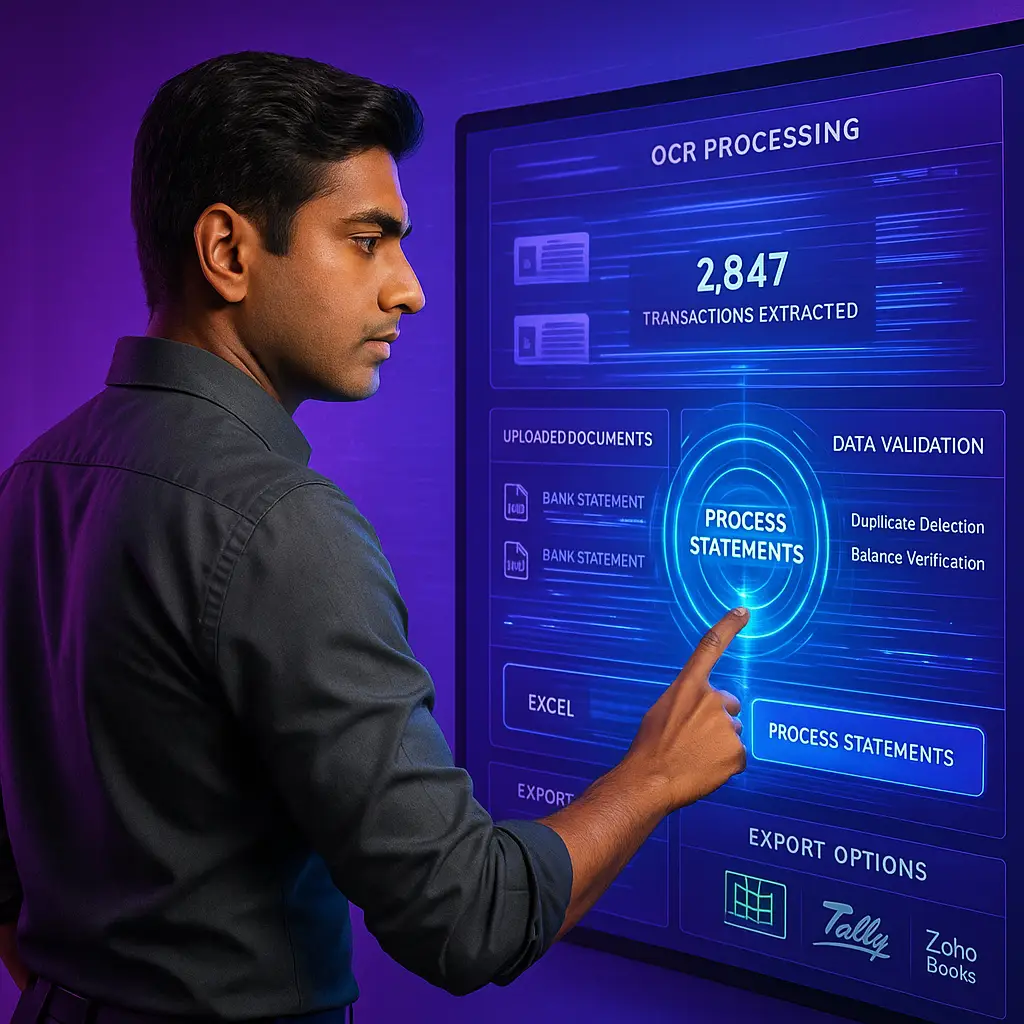
OCR (Optical Character Recognition) extracts transaction data from PDFs and images and converts it into structured formats like Excel or directly into accounting systems. Instead of manual entry, teams get digitized transactions ready for categorization and posting.
But extraction alone isn’t enough, especially in India.
For these tools to work in real workflows, a few capabilities are non-negotiable:
- High OCR accuracy on scanned and low-quality statements
- Narration intelligence to interpret UPI, IMPS, and bank-specific formats
- Automated categorization aligned with accounting and GST needs
- Accounting-ready outputs for tools like Tally or Zoho
This is where most generic tools fail.
This guide covers what to evaluate when choosing a bank statement analyser for India, along with a practical 7-day plan to test tools on your own statements before deciding.
What Is Bank Statement OCR for India and How It Works
Bank statement OCR for India combines advanced OCR engines, layout understanding, and NLP trained on Indian bank formats. Unlike brittle templates, modern ML models adapt to layout changes, handle crisp e-statements and tough passbook scans, and keep accuracy stable across varying qualities.
The magic is in post processing: date normalization, debit or credit interpretation, running balance validation, opening or closing balance checks, and duplicate spotting across overlapping periods. Tools that detect and flag duplicate transactions protect your books proactively.
Next level systems derive intelligence from narrations, identifying vendors, payment modes, and even GST suggestions.
India Specific Complexity That Tools Must Handle
Format diversity across SBI, HDFC, ICICI, Axis, Kotak, Yes Bank, IDFC FIRST, Federal, Canara, and BoB, plus passbooks and business account variants, means hundreds of templates. See this multi-bank account reconciliation guide for context.
Transaction type complexity includes UPI VPAs, IMPS UTRs, NEFT and RTGS beneficiary details, POS merchant codes, NWD, CMS, CHQ, DD, REV CHG, INT CR, FX fees, and more. Reference the hidden bank charges detection in India playbook to catch subtle fees.
Language and encoding challenges, bilingual narrations, and Unicode symbols demand robust NLP to extract vendors and purposes correctly.
Technical constraints like password protected PDFs, low quality scans, multi page running balances, masked account numbers, and overlapping headers require resilient pipelines that maintain integrity end to end.
13 Accurate Bank OCR Tools for India Businesses
1. AI Accountant (Best for End-to-End OCR to Accounting Automation in India)
AI Accountant is not just an OCR tool.
It’s a complete accounting execution layer that starts from bank statements and ends at clean books.
Most OCR tools stop at extraction.
AI Accountant goes further by structuring, validating, categorizing, and posting directly into accounting systems like Tally.
If you're looking to move beyond extraction and automate the entire workflow, this is where bookkeeping automation becomes critical.
What makes it different?
- Built specifically for Indian bank formats (SBI, HDFC, ICICI, Axis, Kotak, etc.)
- Handles multi-line narration, inconsistent layouts, and merged cells better than generic OCR tools
- Bulk upload support for processing hundreds of statements at once
- Direct ledger creation and posting, not just CSV export
- GST-aware categorization and compliance-ready outputs
- Continuous model tuning based on Indian financial data patterns
Why AI Accountant’s OCR?
Most tools rely on generic OCR + layout detection.
AI Accountant uses a finance-trained OCR + NLP layer designed for Indian banking patterns.
That changes accuracy at a fundamental level:
- It understands transaction intent, not just text
(e.g., vendor payment vs internal transfer vs bank charges) - It correctly groups broken or multi-line transactions, where most tools fail
- It maps extracted data directly into accounting structures, not flat tables
- It aligns outputs with ledger logic, reducing downstream corrections
- It minimizes human review because outputs are audit-ready
In practical workflows, this directly impacts areas like GST reconciliation, where clean and structured data is non-negotiable.
And for teams dealing with payables and invoice matching, accurate extraction feeds directly into vendor bill matching workflows.
In practical terms, this means:
- Less time fixing extraction errors
- Faster reconciliation cycles
- Cleaner books without rework
Key Features
- Bulk upload for high-volume statement processing
- One-click sync with Tally
- AI-based categorization (GST-aware)
- Bank-wise normalization across formats
- Built-in dashboards and audit trails
- Enterprise-grade security and access controls
Who Is It For?
- CA firms handling multiple clients
- SMB finance teams tired of manual reconciliation
- Businesses needing OCR → accounting → compliance in one flow
2. Docsumo (Best for API-First Workflows)
Docsumo is a strong choice for teams that want programmable document workflows.
It offers pre-trained models for bank statements and lets teams build verification layers and approval pipelines.
What makes Docsumo stand out is its ability to plug directly into backend systems.
You can automate extraction, validation, and exception handling without building everything from scratch.
It’s especially useful when bank statement processing is just one part of a larger document workflow involving invoices, KYC, or contracts.
Strengths
- High accuracy on semi-structured documents
- API-first design for automation
- Built-in validation workflows
Limitations
- Stops at extraction and validation
- No native accounting or India-specific compliance layer
3. Perfios Bank Statement Analyzer (Best for Lending & Risk Analysis)
Perfios is one of the most established platforms in India for bank statement analytics and underwriting.
It goes beyond extraction to generate borrower insights, income estimation, and risk signals.
Lenders use it to assess creditworthiness based on transaction behavior, not just raw data.
The platform is deeply integrated into BFSI workflows, making it a strong choice for loan processing and underwriting automation.
However, it’s not designed for day-to-day accounting or reconciliation tasks.
Strengths
- Deep financial analytics and borrower profiling
- Fraud detection and behavioral insights
- Strong coverage across Indian banking ecosystem
Limitations
- Built for underwriting, not accounting workflows
- Overkill for SMB finance teams
4. Karza Technologies & Signzy (Best for KYC + Statement Parsing)
These platforms combine identity verification + bank statement analysis, making them ideal for fintech onboarding.
They are commonly used to verify user identity, validate financial data, and reduce fraud risk during onboarding.
The real strength lies in end-to-end compliance workflows, where bank data is just one input among many.
For finance teams, though, the output is often not structured for accounting or reconciliation use.
Strengths
- Integrated KYC + financial data extraction
- API-first architecture
- Strong compliance and regulatory alignment
Limitations
- Not built for accounting or reconciliation
- Limited usability for finance teams
5. Zoho Books & Tally Ecosystem Add-ons (Best for Simplicity)
These tools offer basic parsing within familiar accounting environments.
If your workflows already run on Zoho Books or Tally, these integrations help reduce manual uploads and imports.
They work well when bank statements are clean, consistent, and low in volume.
But once you introduce scanned PDFs, multiple formats, or bulk processing, their limitations become clear.
Strengths
- Easy adoption with existing workflows
- Native integration with accounting systems
Limitations
- Limited OCR capabilities
- Weak handling of scanned PDFs and complex layouts
- Not suitable for high-volume processing
6. Nanonets (Best for Flexible AI Models)
Nanonets offers a highly adaptable document AI platform.
It’s designed for teams that want flexibility across multiple document types, not just bank statements.
You can train custom models, define workflows, and integrate outputs into your systems.
This makes it powerful, but also means you need time to set up, test, and fine-tune accuracy.
Strengths
- Works across multiple document types
- Good accuracy on complex layouts
- Custom model training capability
Limitations
- Requires setup and tuning
- Not optimized for Indian banking nuances
7. Klippa DocHorizon (Best for Compliance + OCR Accuracy)
Klippa combines high-accuracy OCR with compliance-focused features.
It performs well on multi-language documents and includes built-in tools for fraud detection and data anonymization.
The platform also supports human-in-the-loop validation, which is useful for sensitive financial workflows.
However, it requires configuration to align with specific business needs.
Strengths
- Strong extraction accuracy
- Built-in fraud detection and anonymization
- Multi-language support
Limitations
- Limited India-specific optimization
- Requires configuration effort
8. DocuClipper (Best for Quick CSV Conversion)
DocuClipper focuses on fast and simple extraction workflows.
It’s built for users who want to convert bank statements into Excel or CSV without dealing with templates.
The platform also supports multi-account statements and basic reconciliation checks.
But it doesn’t go much beyond extraction, which limits its usefulness in larger workflows.
Strengths
- No-template extraction
- Quick CSV/Excel outputs
- Multi-account statement handling
Limitations
- Limited intelligence beyond extraction
- No accounting or reconciliation layer
9. Parsio (Best for No-Code Parsing)
Parsio is designed for non-technical teams needing quick setup.
You can forward bank statements via email or upload files, and it extracts structured data automatically.
It integrates well with tools like Google Sheets and Zapier, making it useful for lightweight workflows.
However, accuracy drops when dealing with complex or inconsistent bank formats.
Strengths
- Easy to use and deploy
- Email-based workflows
- Strong integration ecosystem
Limitations
- Accuracy drops on complex formats
- Limited control for finance-heavy workflows
10. HyperVerge (Best for Identity + Financial Data Extraction in India)
HyperVerge extends its KYC expertise into document AI and financial data extraction.
It performs well in onboarding scenarios where both identity verification and financial validation are required.
The models are trained on Indian datasets, which helps with local document formats.
But it’s still primarily a fintech infrastructure tool, not an accounting solution.
Strengths
- Strong AI models trained on Indian datasets
- Works well in fintech onboarding journeys
Limitations
- Not built for accounting workflows
- Limited reconciliation capabilities
11. Decentro (Best for API-Based Banking Data Access + OCR)
Decentro blends banking APIs with OCR capabilities.
Instead of relying only on statements, it can pull financial data directly through integrations where available.
This makes it useful for fintechs building real-time financial data pipelines.
However, it’s heavily developer-focused and not designed for finance teams working on books or reconciliation.
Strengths
- Combines OCR + direct banking data access
- Useful for fintech infrastructure
Limitations
- Developer-heavy
- Not designed for finance teams directly
12. Veryfi (Best for Real-Time Extraction APIs)
Veryfi is gaining traction for real-time document processing APIs.
It’s known for extremely fast extraction speeds, often returning structured data within seconds.
This makes it suitable for applications where latency matters, like expense capture or mobile uploads.
However, it lacks India-specific tuning and accounting integrations.
Strengths
- Ultra-fast extraction
- Strong API performance
- Good for embedded use cases
Limitations
- Not India-focused
- Limited accounting integrations
13. Rossum (Best for Enterprise Document AI)
Rossum is built for enterprise-grade document automation.
It uses AI to understand document structure and automate workflows across large volumes.
The platform is highly customizable and supports complex approval and validation pipelines.
But implementation requires time, resources, and technical involvement.
Strengths
- High scalability
- Advanced document understanding
- Strong workflow automation
Limitations
- Expensive
- Requires implementation effort
- Not tailored specifically for bank statements
Buying Criteria Checklist for Accurate Bank OCR Tools
- Accuracy benchmarks: target >98% on dates, amounts, D or C, running balances, with zero sum validations and cross period duplicate detection.
- Indian bank coverage: confirm support for 20-50 plus major formats, test with your real statements before committing.
- Export flexibility: the ability to convert PDF bank statements to Excel with remarkable accuracy, with custom column mapping, CSV, JSON, and ledger ready formatting.
- Automation depth: NLP powered categorization, vendor detection, GST suggestions that extract transaction data automatically beyond raw OCR.
- Integrations: seamless Tally and Zoho Books sync, with bi directional matching and posting.
- Security: ISO 27001, SOC 2 Type 2, data residency, access controls, and audit trails.
- Operational readiness: batch processing, APIs, rate limits, monitoring, SLAs, and responsive support.
- Pricing clarity: understand per page or per statement or per company models, and hidden fees like setups or reprocessing.
- Proof: insist on sample outputs, accuracy reports, references, and live demos, backed by an automated bank reconciliation in India workflow.
Hands On Demo: How to Convert PDF Bank Statements to Excel
Prepare your test dataset: include password protected PDFs, multi page statements, scanned passbooks, and at least 5-8 banks. Stress test real world complexity, not just glossy samples.
Upload and configure: set DD or MM date formats and currency, ensure password prompts are smooth.
Validate previews: verify D or C signs, reconcile opening and closing balances across pages, confirm complete narrations, and check consistent running balances.
Export testing: when you convert PDF bank statements to Excel with remarkable accuracy, run sum checks, build pivots by transaction type, confirm date formats, and watch for missing or duplicated rows.
Integration testing: push categorized entries into Tally and verify vendor names, ledgers, and GST codes align with your chart of accounts.
Error handling: test missing pages, corrupted PDFs, unusual transaction types. Prefer tools that flag issues explicitly, not silently.
Document accuracy rates, manual edits, and processing times. Your own KPI sheet beats any sales deck.
Beyond OCR: From Raw Data to Ledger Ready Entries
Intelligent vendor detection: parse UPI VPAs, IFSCs, POS IDs, and NEFT or RTGS fields to resolve suppliers and payees.
Automated categorization: ML suggests ledger heads and GST codes from patterns, keeps recurring items consistent, flags anomalies for review.
Invoice and bill linking: match bank lines to open invoices in Tally or Zoho Books automatically.
Exception management: keep queues for bounced cheques, bank charges, refunds, EMIs, intercompany transfers, FX. Use the suspense account clearing guide for policy design.
Duplicate handling: safely merge overlaps across statement periods. See the end to end flow in automated bank reconciliation in India.
7 Day Evaluation Plan for CAs and Finance Teams
Days 1-2: compile a tough dataset, set pass or fail thresholds, and baseline current manual time. Target >98% accuracy on core fields, perfect zero sum, and running balance continuity.
Days 3-4: batch process through each tool, measure accuracy, reconcile success, and log failure modes. Note processing speeds and required interventions.
Day 5: export to Excel, CSV, JSON, validate totals, pivots, date order, duplicates, and mapping flexibility.
Day 6: test Tally and Zoho Books sync, invoice matching, ledger or GST suggestions, audit trails, and graceful error handling.
Day 7: complete security due diligence, confirm certifications, data policies, access controls, SLAs, and pricing. Decide using your metrics, not feature lists.
ROI and Operational Impact
- Direct time savings: 70-80% less data entry, 50-60% less classification effort, reclaiming 40-50 hours per 10,000 lines monthly.
- Error reduction: drop manual errors from 2-5% to under 2%, accelerate month end reconciliation.
- Capacity growth: serve 30-40% more clients without proportional hiring, free capacity for premium advisory.
- Compliance efficiency: faster GSTR prep with GST aware tagging, less crunch time.
- Cash flow visibility: near real time dashboards for receivables, expense patterns, and runway, enabling proactive advice.
- Differentiation: real time reporting supports higher service tiers and 20-30% fee uplifts.
Where AI Accountant Fits in Your Workflow
AI Accountant acts as a quiet assistant for Indian bookkeeping, trained on local banking nuances from UPI narrations to regional formats. It removes grunt work, keeps humans in the loop, and posts clean entries with full audit trails through one click Tally and Zoho Books integration.
Dashboards surface revenue and expense trends, cash flows, AR aging, and vendor analysis. With 180 plus customers, 50 plus CA firms, and 300 plus million processed transactions, the platform blends accuracy, scalability, and security, backed by ISO 27001 and SOC 2 Type 2.
See how it ties together with automated bank reconciliation in India workflows.
Common Pitfalls and How to Avoid Them
- Debit or credit sign confusion: banks differ on D or C conventions, verify mapping during pilots.
- Date format mix ups: enforce DD or MM explicitly, spot check chronological order in exports.
- Duplicate pages: watch for repeats in scanned bundles, insist on automatic de duplication and running balance checks.
- Running balance breaks: multi page sequences can slip, require continuity and zero sum validation. See the bank reconciliation statement automation guide.
- OCR quality issues: poor scans need preprocessing and, occasionally, manual review.
- Password handling: ensure secure unlock flows without storing credentials unnecessarily.
- Corrupted or incomplete files: good tools detect and flag, not silently pass.
Taking the Next Step
Adopting bank statement OCR software India solutions transforms your month end from typing to analyzing. Begin with the 7 day plan, test with your toughest statements, and decide using measured accuracy, speed, and integration depth. The best system disappears into your workflow, while your expertise takes center stage.
FAQ
As a CA, how do I verify that an OCR tool truly understands Indian bank formats before I roll it out?
Run a pilot on a curated dataset that includes SBI, HDFC, ICICI, Axis, Kotak, and at least two regional banks, mix e-statements and scanned passbooks, include password protected PDFs, and multi page sequences. Demand >98% accuracy on dates, amounts, D or C, and running balances, and require zero sum and duplicate detection across overlapping periods. Document corrections and processing times to compare vendors objectively.
What is the most reliable method to convert PDF bank statements to Excel with running balance integrity for audit readiness?
Use a tool that performs page sequence control, opening or closing balance reconciliation, and zero sum checks, then export to Excel and validate with sum formulas and pivots. Solutions trained for India, such as AI Accountant, deliver ledger ready Excel with consistent date formats and unbroken running balances, minimizing downstream corrections.
Can I pipe OCR results directly into Tally without manual touch, or should I keep an approval step?
Direct posting is possible through bi directional integrations, however best practice is a lightweight approval queue for low confidence items or exceptions. AI Accountant supports fetch and match against existing vouchers in Tally, suggests ledgers and GST codes, then lets you approve or auto post based on confidence thresholds.
How do Indian transaction types like UPI, IMPS, NEFT, and POS get categorized consistently by AI?
Advanced NLP models parse narrations for VPA handles, UTRs, IFSCs, and merchant IDs, then map to standardized categories and suggest GST codes. Over time, the model learns from your corrections, so recurring strings like rent, fuel, or utilities become consistent, while anomalies are flagged for review.
We process 25,000 plus lines a month across 40 clients. What operational metrics should I track during evaluation?
Track field level accuracy, reconciliation success rate, duplicate detection rate, average processing time per page, exception rate, manual edit time per 1,000 rows, and integration success with Tally or Zoho. Also track uptime, API throughput, and SLA adherence. These metrics quantify ROI and de risk scale up.
How are password protected bank PDFs handled securely in production workflows?
Use bulk password rules or prompts at upload, ensure ephemeral decryption in memory, avoid storing passwords, and restrict access via role based permissions. Audit logs should record access, actions, and exports. AI Accountant supports secure unlock flows aligned with ISO 27001 and SOC 2 controls.
Will OCR cope with scanned passbooks and low resolution images from legacy banks?
Yes, if the platform includes image preprocessing, de skewing, denoising, and adaptive thresholding. Expect slightly lower accuracy than e-statements, often 95-97%, so keep a focused review queue for low confidence fields. Over time, vendor retraining on your samples can lift accuracy.
How do I prevent duplicate transactions when clients send overlapping monthly statements?
Choose a tool that fingerprints transactions using date, amount, narration, and running balance neighbors, then suppresses repeats on import. Systems like AI Accountant run cross period duplicate checks and provide a duplicate report, ensuring clean ledgers without manual filtering.
What GST specific benefits can AI driven bank parsing deliver during GSTR prep?
Auto classification by tax relevant categories, vendor detection to match GSTIN directories, recognition of bank charges and fees for ITC eligibility decisions, and consistent HSN or SAC suggestions for recurring payments. This reduces review cycles and speeds GSTR reconciliation materially.
How should a CA firm compute ROI on bank statement OCR adoption with real numbers?
Multiply hours saved per 1,000 lines by your blended hourly rate, add increased client capacity from freed bandwidth, and subtract reduced error correction time and filing overtime. Include soft benefits like faster MIS, better cash flow visibility, and advisory upsell potential. Many firms see payback within 1-2 months.
Do we need separate tools for risk analysis and routine bookkeeping, or can one platform serve both?
For underwriting and fraud analytics, specialized platforms like Perfios or verification APIs may be preferable. For daily bookkeeping, reconciliation, and Tally or Zoho workflows, a focused India centric tool such as AI Accountant is optimal. Some firms run both, connected via exports or APIs.
What governance controls should I put in place before enabling auto posting to ledgers?
Define confidence thresholds, segregation of duties for approval, exception queues for high value or unusual transactions, versioned mapping rules, and periodic accuracy audits. Ensure immutable audit trails for imports and postings, and enable maker checker on sensitive ledgers like bank charges, suspense, and intercompany.

Rohan Sinha is a fintech and growth leader building aiaccountant.com, focused on simplifying accounting and compliance for Indian businesses through automation. An IIT BHU alumnus, he brings hands-on experience across 0 to 1 product building, growth, and strategy in B2B SaaS and fintech.



